
Participant
September 21, 2021
Question

Adobe after effects not importing some specific parts of .xd file

  • September 21, 2021
  • 2 replies
  • 493 views

Hello everyone 🙂

I have been working on a UI prototype in adobe xd. I had to create a simple concept of it. So I imported it in adobe after effects through ctr + alt + F. This is how it looked in xd
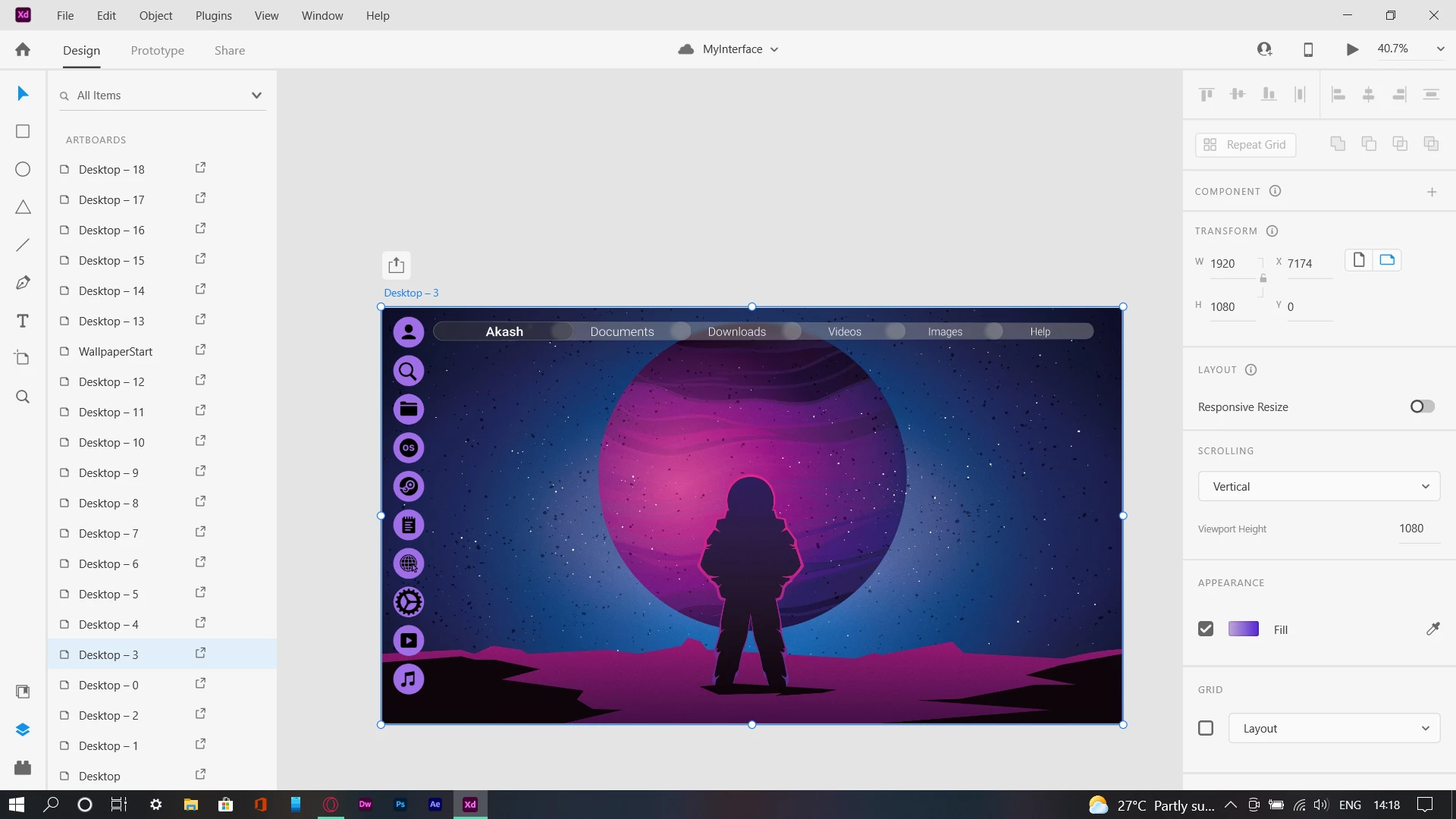


But, then, after I opened it in adobe after effects, the Top Bar which I had created does not appear at all.
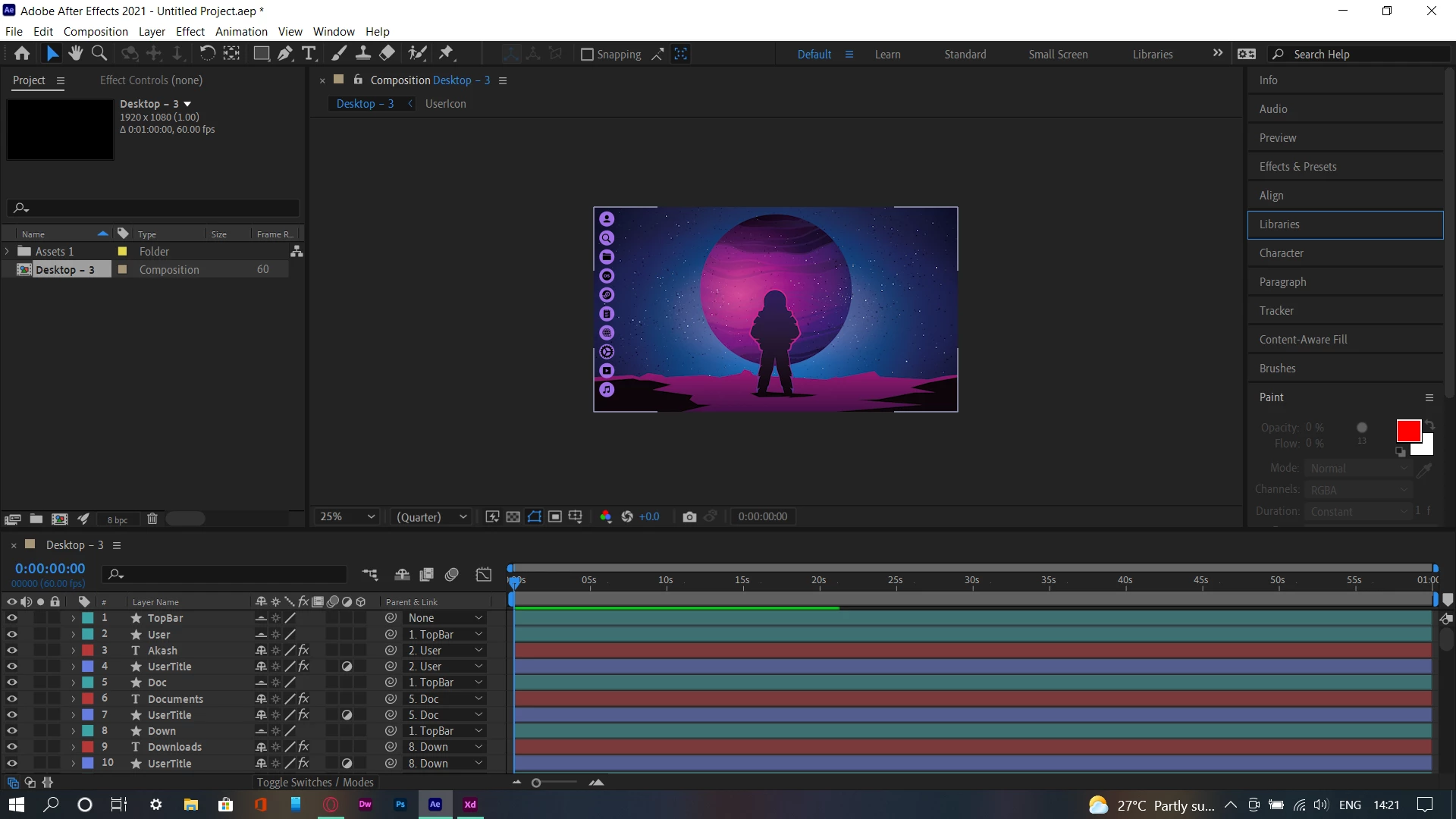
 

 But if you have a look below, you can see that TopBar is probably imported, but it's not seen. I'm a newbie, I might also be missing something. Please help with this situation.

This topic has been closed for replies.

2 replies

Warren Heaton
Community Expert
Community Expert
September 21, 2021

List of supported XD features

After Effects supports the following XD features:

  • Vector shapes
  • Paths
  • Text layers
  • Bitmaps
  • Masks
  • Groups
  • Artboards
  • Symbols
  • Boolean operations
  • Strokes
  • Fills
  • Shadows
  • Opacity
  • Object blur
  • Background blur and brightness
  • Gradients as images
  • Repeat grids


More information is available here:


After loading that web page, scroll down to Working with Adobe XD and After Effects.


- Warren

FadinGeekAuthor
Participant
September 22, 2021

Thanks for the answer 🙂 but unfortunately, this did not work for me. The objects I had made were all in the features you mentioned. Nothing different.

Warren Heaton
Community Expert
Community Expert
September 22, 2021

I can think of two more things to try:

  • Make a duplicate of the XD file and append something like _TopBarOnly to the end of the duplicate filename.  Delete everything except for the objects that are not showing up and save.  Then, try sending the duplicate to AE.  Hopefully it will appear as expected and you can add that resulting Comp to the prior import.
  • Make a duplicate of the XD file and append something like _TopBarOnly to the end of the duplicate filename.  Delete everything except for the objects that are not showing up and save.  Export this as PNG file and import that into After Effects.  


Neither of these are ideal, but one of them should get you to where you can continue to work in After Effects.


Community Expert
September 21, 2021

Did you try soloing the problem layer? Did you try turning off all layers, then turning them on one at a time? That is almost always the first thing I do when troubleshooting a problem.

FadinGeekAuthor
Participant
September 22, 2021

Thanks for answering! wierdly this partially worked. Everything worked well except the background blur added in xd.