

andrewmarston
Inspiring
March 20, 2020
Question

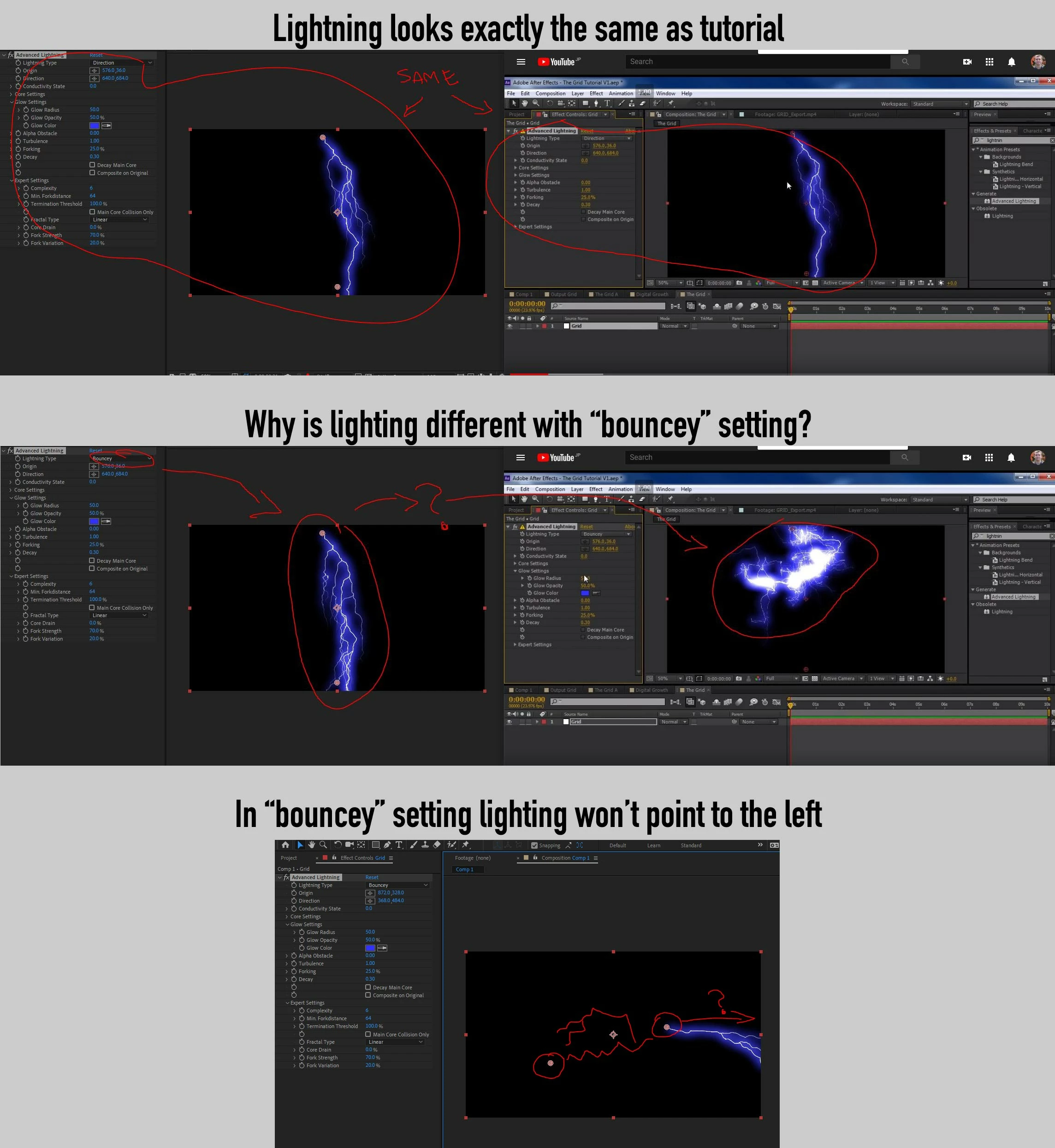
Advanced Lightning doesn't work correctly (or at least the same as tutorial) in "bouncey" setting

  • March 20, 2020
  • 1 reply
  • 1817 views

I'm following the video copilot Grid tutorial (https://www.youtube.com/watch?v=0vXiKSvc_O0). When he changes the Advanced Lighting effect to "bouncey" my lighting doesn't look the nearly the same, still like a strike rather than a cloud/knot of bolts. Similarly, no matter where I place the Direction point when using the "bouncey" type, the lighting always point to the right never the left. Any help here would be appreciated. Thanks.
This topic has been closed for replies.

1 reply

Community Expert
March 20, 2020

Andrews's tutorials move fairly quickly but they are usually good. Without seeing your timeline with all the modified properties of the layer revealed (uu) it's hard to say what you left out.

andrewmarston
Inspiring
March 20, 2020

Oddly, after restarting my computer, the effect displays correctly, but if I change the magnification to 50% or change any of the effect settings, it reverts back to the incorrect rendering of the lighting. Makes me think there is some render setting I have set wrong. I've cleared the cache, but the problem persists.

Community Expert
March 21, 2020

Check the Project Settings>Video Rendering and Effects. If that is not it let us know.