gabrielm66789585
Participant
September 20, 2017
Question

AE 11.0.4.2 | 3D Layer Crash

  • September 20, 2017
  • 2 replies
  • 1162 views

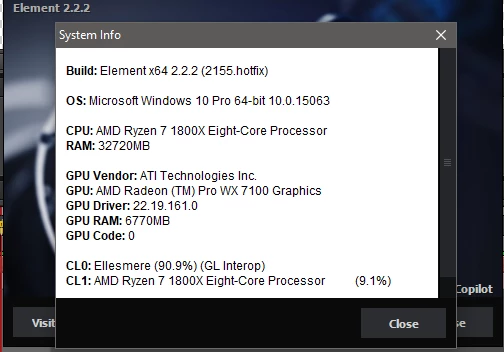
First off, here is my setup via Element 3D System Info:

Build: Element x64 2.2.2 (2155.hotfix)

OS: Microsoft Windows 10 Pro 64-bit 10.0.15063

CPU: AMD Ryzen 7 1800X Eight-Core Processor        

RAM: 32720MB (technically 64 but the mobo Bios isn't updated for my DIMMS. Windows posts 64gb with "32gb available" to hardware)

GPU Vendor: ATI Technologies Inc.

GPU: AMD Radeon (TM) Pro WX 7100 Graphics

GPU Driver: 22.19.161.0

GPU RAM: 6770MB

GPU Code: 0

CL0: Ellesmere (90.9%) (GL Interop)

CL1: AMD Ryzen 7 1800X Eight-Core Processor          (9.1%)

Here is my issue:

Every time I make a 3D layer out of a solid, After Effects, consistently flickers rapidly and/or becomes completely non-responsive to input while employing between 91-98% of the CPU. This occurs even when the preview is at a third or quarter preview and fast draft turned on.

I'm wondering if this is a normal symptom of using a dated version (though I remember when CS6 was hot off the press, I had this issue as well on an Intel/Nvidia rig).

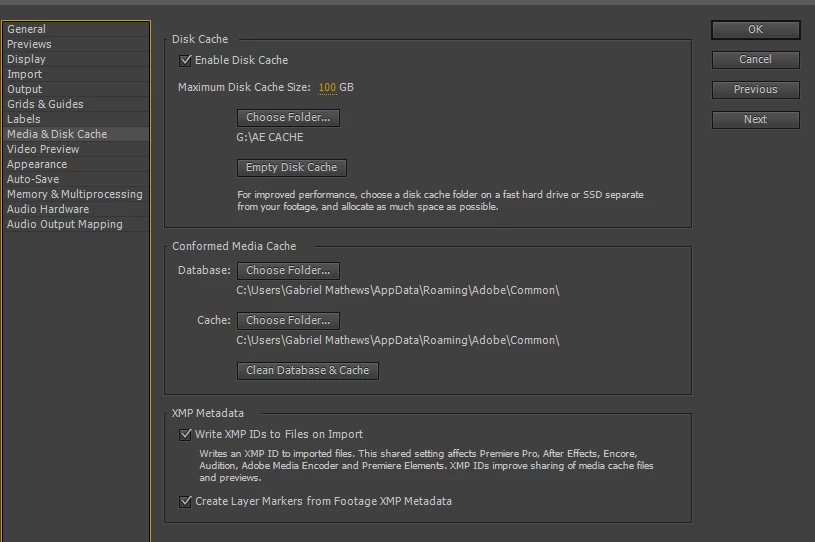
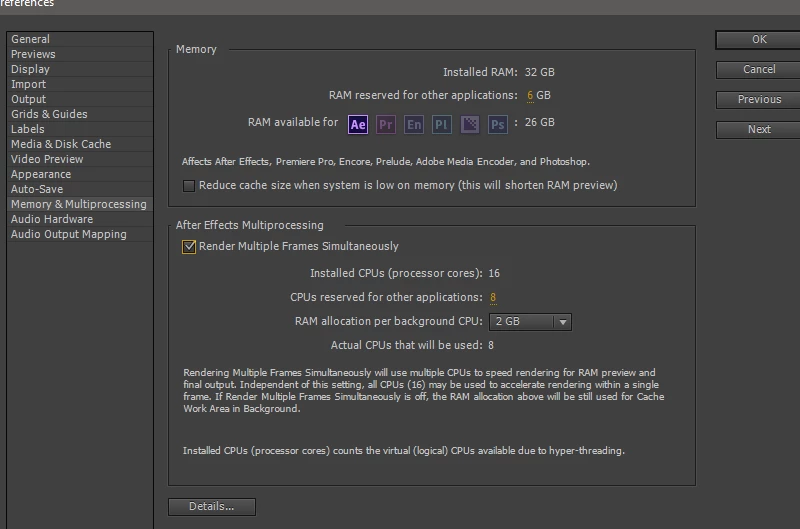
I've multi-processing enabled, an entire drive dedicated to cache, and am devoting 26gb of RAM to AE.

I feel like I'm missing something really simple, but have no idea what it is. Any thoughts would be greatly appreciated.

Warmly,

G
    This topic has been closed for replies.

    2 replies

    ToolfarmJP
    Community Expert
    Community Expert
    September 22, 2017

    Hello,

    I guess the cause may be related to the graphic card. Have you updated your driver of the card?

    Mylenium
    Legend
    September 21, 2017

    Could be, could be not. all I know is that even current versions of AE seem to have compatibility issues with Ryzen processors, so anything is possible. Using win 10 clearly doesn't seem to improve matters, either. So yes, this could be a limitation of the whole process.

    Mylenium

    gabrielm66789585
    Participant
    September 22, 2017

    Interesting. I'd not considered the working environment itself. I'll do some digging. Part of the solution seems to be switching back to "classic 3d" renderer. This, however, seems to cause a conflict with Element 3D which now experiences some redrawing issue. (As shown below)

    Seems like one of these circumstances where I'm damned on both sides. I could make pre-comped element renders and then do the classic 3d for the other 3D layers. I've been in contact with Video Copilot on the issue. Nothing back yet, but those dudes are busy beavers.

    Appreciate the postulation.

    Also HidekiTakemura​ - Drivers are current, so I'm guessing it is just an issue of going AMD this time around.

    Kevin-Monahan
    Community Manager
    Community Manager
    October 5, 2017

    Hi GabrielM,

    Sorry for this issue. Did you ever find a solution? Please let us know if you have or if you still need help.

    Thanks,

    Kevin

    Kevin Monahan - Sr. Community and Engagement Strategist – Adobe Pro Video and Audio