
Participant
December 4, 2018
Question

AE 2019 change language

  • December 4, 2018
  • 1 reply
  • 8351 views

Hi all,

i have install last version cc2019.

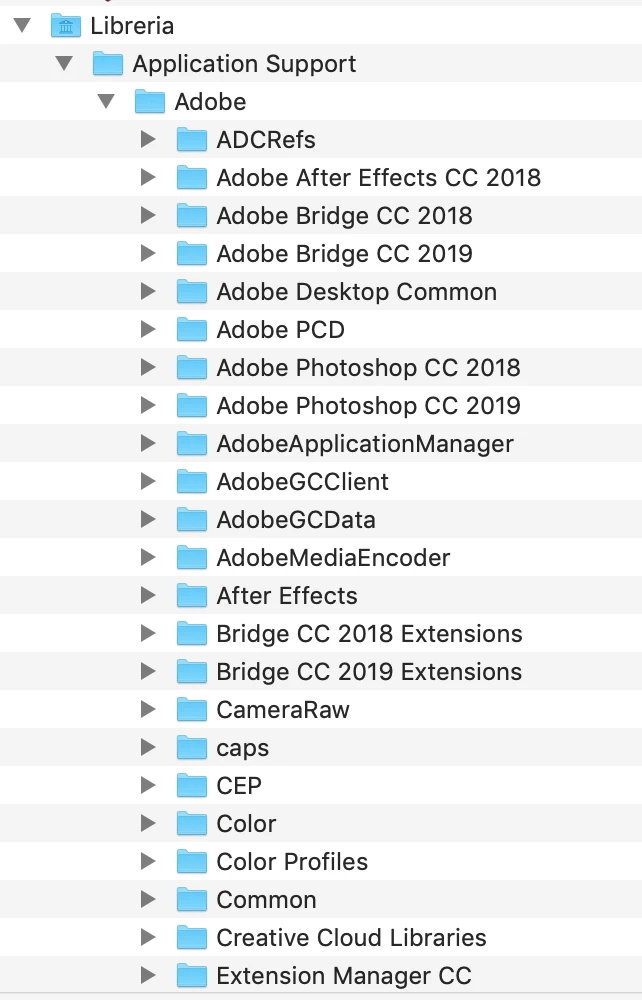
In CC2018 to change the language I went into libraries, application support, adobe, after effect cc208, AMT folder and I changed the application.xml file

With the CC 2019 version, there is no folder within ADOBE.

How can I do ?

I have the italian version but for some extensions from error and then I convert it to english.
This topic has been closed for replies.

1 reply

OussK
Community Expert
Community Expert
December 4, 2018

The easy way, is to switch your language from your creative cloud app, than uninstall and reinstall after effects, and sure you can switch back you CC account language  later.

also check this thread it may help UI Language in After Effects 2018

Jairo Henriquez Rivera
Participant
February 16, 2019

Hi, I made it but does'n work, I need to change Spanish to English interface. Thanks anyway