IliyaG
Participant
June 7, 2020
Question

AE 2020 and Emoji

  • June 7, 2020
  • 4 replies
  • 32908 views

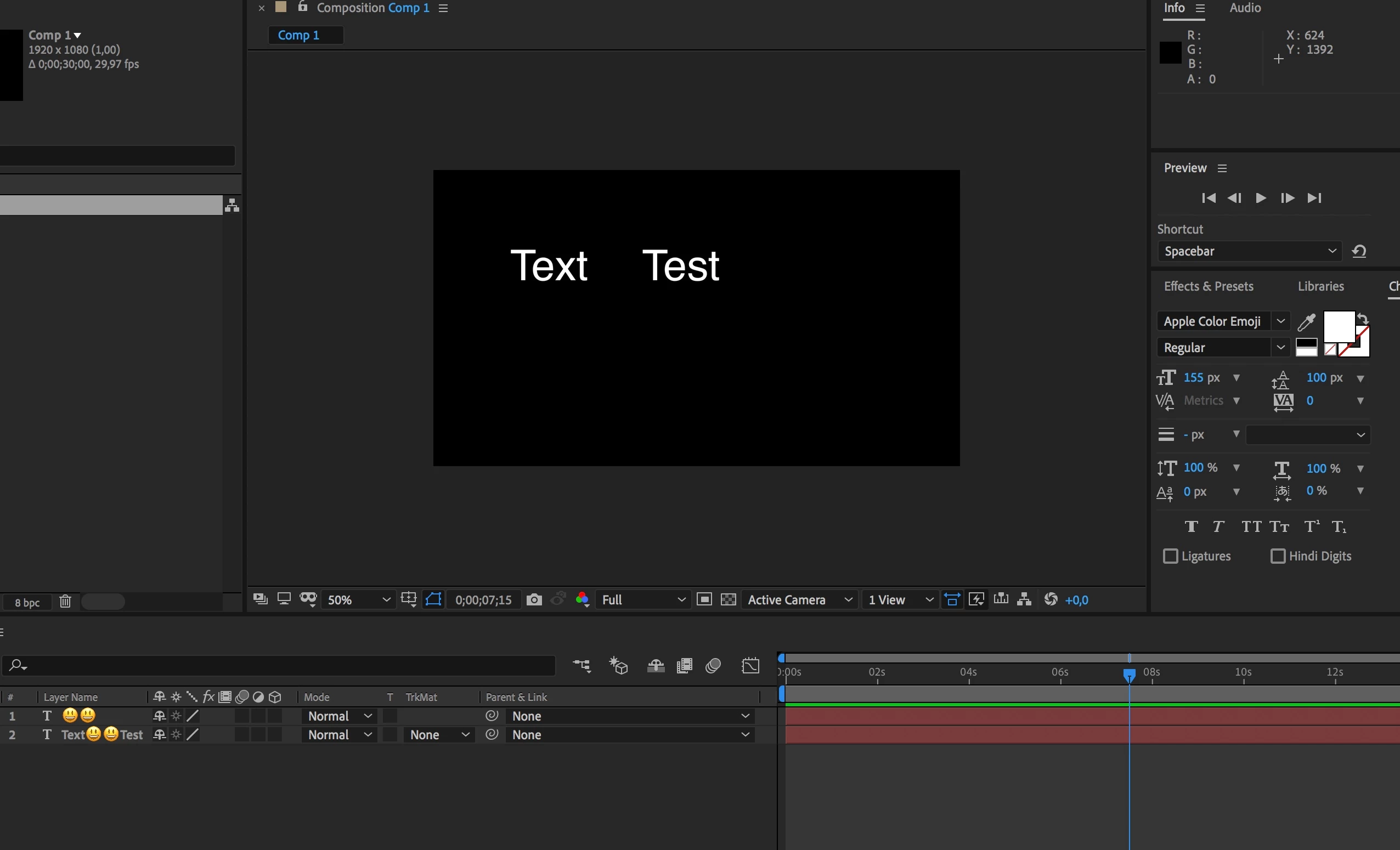
Anybody know how to type Emoji in Text layer in AE 2020? 

Also i try to use AE2019, try AE on macOS 10.13.6 and Windows 10 Pro - but i can't see emoji in composition window.

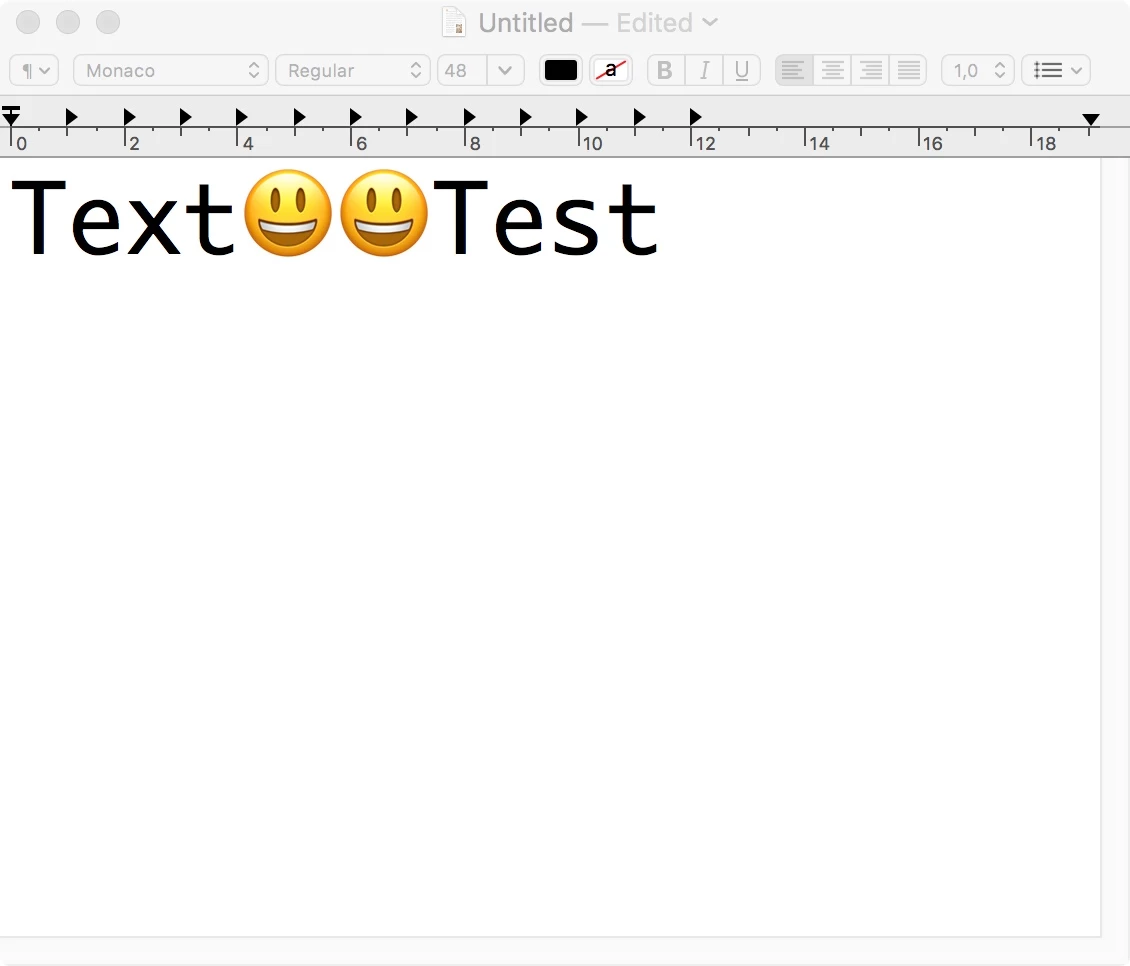
But in timeline i see emoji. After so many versions the program never learned to use Unicode fonts, I can insert emoticons into a text file, but when copying this text to AE, emoticons are not visible? 
4 replies

TackStudio
Participating Frequently
December 21, 2022

You can now use AfterEmoji to bring emojis to After Effects. Choose from over 3500 emojis from Twitter’s open-source Twemoji library and insert them directly into your project as fully editable, native After Effects shape layers. Get it here: https://aescripts.com/afteremoji/

Community Expert
June 8, 2020

The best way is to start in Illustrator. Both the Apple and Windows Emoji fonts should be available. Add the symbols you want to the Illustrator document, save the AI file, import as a comp retaining layer size, or as a single file. You will get a layer that you can scale using collapse transformations but you won't get a path you can convert to shapes. 


You can do the same in Photoshop but you will end up with pixels.


IliyaG
IliyaGAuthor
Participant
June 8, 2020

Yes, I know about that - but it's all crutches and I don’t understand why AE 2020 cannot directly work with the font.
The thing is that I make the effect of typed SMS - I made the effect through expression - this works very well, but emoji support is needed for full-fledged work. Otherwise, you have to make an additional effect with emoji as pictures. AE in Win10 displays emoji from a font, but only as an outline colorless image.

IliyaG
IliyaGAuthor
Participant
June 8, 2020

In PS Segoe UI Emoji also type emoji as outline. But if i use font EmojiOne - i can see color emoji

EmojiOne is a svg font.

Mylenium
Legend
June 8, 2020

Emojis are handled by the operating system and are based on specific Unicode ranges. They are not part of every font, therefore it's entirely up to the host app to support and request those substitutions. I can't see how this would even make sense for AE's text layers, as the replacment can be anything - another font, a pixel image stored on the system, a compiled resource containing all the emojis. I think you have a wrong understanding how this even works and thus wrong expectations.


Mylenium

IliyaG
IliyaGAuthor
Participant
June 8, 2020

i found older post https://community.adobe.com/t5/after-effects/apple-emoji-support-in-ae-2019/td-p/10339421?page=1

stephaniej75427758 writes that he worked emoji in AE 2018 on macOS.
That's why I'm trying to understand why it stopped working in new versions.

Carola_BHG
Inspiring
July 10, 2025

I wish it was possible! Many people fail to understand we use After Effects to create videos for media channels and so often emojis are part of the text nowadays. It's incredible that I can see emojis everywhere in the UI in AE when I type them in a text layer but then, nothing is rendered in the composition.

I understand they are not really fonts but I just don't care, I need to work with them and someone should be working harder to make it possible. It's appalling that Canva can do this but not paid editing software.

ToolfarmJP
Community Expert
Community Expert
June 8, 2020

I guess the font called Segoe UI Emoji controls Emoji in Windows. AE can not choose it.


https://docs.microsoft.com/en-us/typography/font-list/segoe-ui-emoji