
JensKoenig
Participant
November 28, 2016
Answered

Ae CC 2017 crashes when opening preferences

  • November 28, 2016
  • 11 replies
  • 38041 views

2017 release 14.0.1

previous releases wer fine! After updating to this version making new file, saving and then going to preferences lets Ae crash.

After starting again and loading the file last saved, message CUDA not supported.

Not going to perferences and opening older projects: A soundfile file .m4a is not supported anymore.

How do I solve this problem?

additional info:
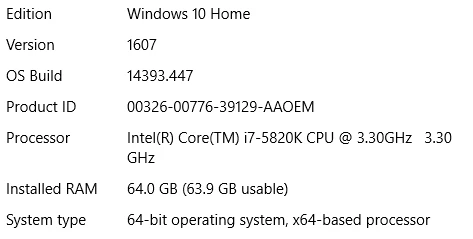
Graficcars: GTX980

And yes, Ae was ok before the update!

This topic has been closed for replies.
Correct answer Roei Tzoref

No. It did not help. It's still crashing when accessing Preferences.


14.1 that came out yesterday is supposed to resolve this.: https://blogs.adobe.com/creativecloud/after-effects-cc-january-2017-update-is-now-available/ so make sure you update your software.

11 replies

Roei Tzoref
Legend
November 28, 2016

try resetting your preferences - you do this upon launch, no need to go into the preferences

Reset After Effects Preferences

if you can't then go to  \Users\[user_name]\AppData\Roaming\Adobe\After Effects\[version]

and delete the preferences file

now launch Ae again

JensKoenig
Participant
November 28, 2016

Are you sure, this is a solution? I normally don't "Try to...". And in this case I have serious doubts as the link gives a hint to a support from Oct. 2013.

Is this error known?

JensKoenig
Participant
November 28, 2016

I have seen this error in a couple of threads:

Re: Crash After Effect 2017 when clic preference

the link I sent you is solid. any advice that is given here should be taken with discretion we are only users trying to help based on our experience.

if you want guarantees you can try contacting costumer support but they too can't vouch for anything. the only guarantee right now for you is that if you don't do anything, your software won't work properly. 


Thanks for the effort.

After trying it for several times (intended to screenschot the error messages), it works again.

It didn't recognize cuda then, but after grafikcard update, that was ok too.

However, still the paths for the projects are scrambled somehow, but at least it seems I can work now.

(btw: ctrl alt shift did not work)

Now I have a problem with premiere... ARGH