Participant
July 19, 2019
Question

AE CC Error 86::1 MooV unsupported

  • July 19, 2019
  • 3 replies
  • 1927 views

Hello all,

I am trying to update projects from AE 2017 that contain .mov files with alpha channels that were created with a now-unsupported MooV codec. I can no longer load or update the compositions in AE CC 2019 version 16.1.2 (or even in AE 2018 version 15) containing these files because I get the attached error messages:
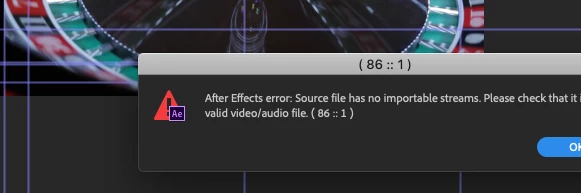
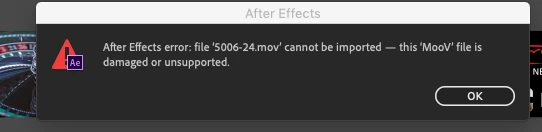
How do I resolve this? I am willing to download AE C 2017, but Creative Cloud only lets me manage back to the 2018 version. I also tried to open the .mov file in Quicktime 7, but I am unable to save it successfully. Please help, I am on deadline. Thanks in advance.

This topic has been closed for replies.

3 replies

dai0514
Participant
July 9, 2022

I have same problem and finally fixed, my project folder was in download folder but when i move the file to different location, for example, desktop. it all comes fine. please try.

Participant
August 8, 2024

This just saved my butt! Thank you!

Warren Heaton
Community Expert
Community Expert
July 19, 2019

Which version of macOS are you running?  You may also have to roll back to macOS Sierra 10.12.

Use Apple ProRes 4444 with Alpha.

-Warren

Jose Panadero
Community Expert
Community Expert
July 19, 2019

As you said, Adobe dropped support for Quicktime Legacy codecs in CC2018 and CC2019. What I would try is to use an older version of Adobe Media Encoder to create Apple ProRes 4444 files with alpha to avoid this problem. The only thing you can do is to transcode these old Quicktime files to a newer codec.

amos_waveAuthor
Participant
July 19, 2019

Thanks, I will try this and see if it works. Appreciate the response!