Answered
AE CS6: file>import>.vpe.
After Effects CS6: file>import>.vpe not opening. No dialogue visible despite export to .vpe file from Photoshop CS6 extended. How do I install .vpe in file>import?

After Effects CS6: file>import>.vpe not opening. No dialogue visible despite export to .vpe file from Photoshop CS6 extended. How do I install .vpe in file>import?
VPE has no dedicated import. It will simply open under the generic File section.
Mylenium
Hello,
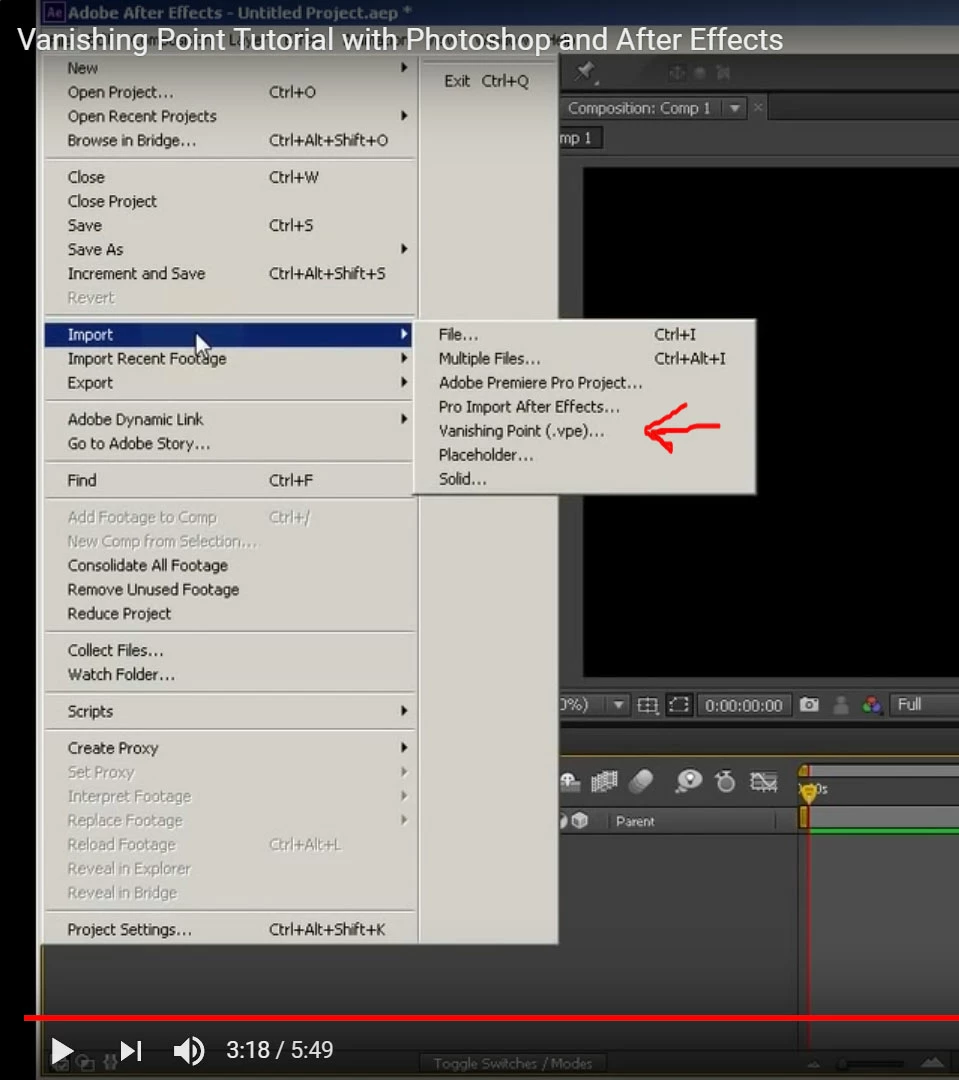
Thanks for the imput, but this Youtube tutorial indicates that is not the case. It reveals what is missing from my file>import:
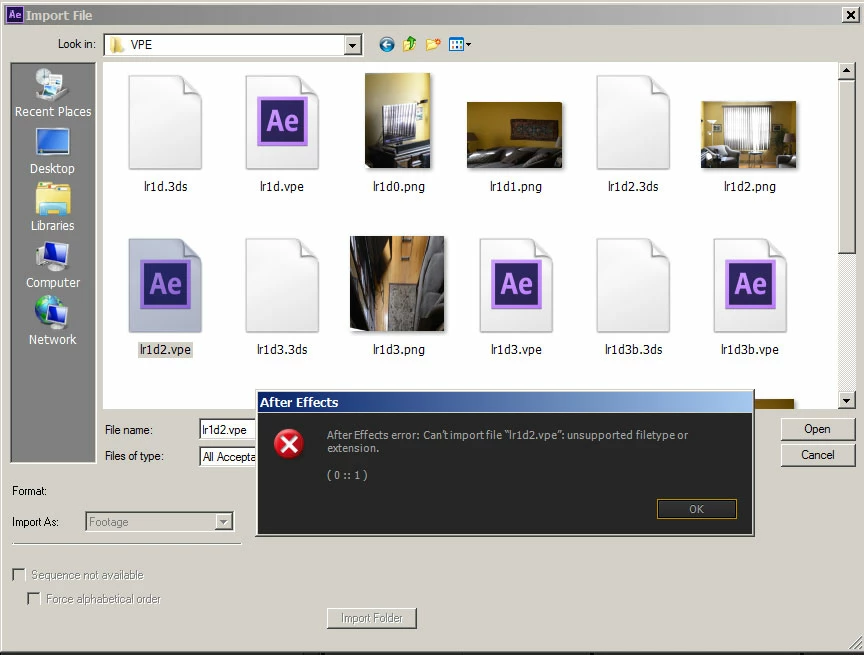
Here is my error message under the generic file section:
Already have an account? Login
Enter your E-mail address. We'll send you an e-mail with instructions to reset your password.
 AdChoices