
Known Participant
September 30, 2017
Answered

AE Editing Stock Footage from RocketStock
  • September 30, 2017
  • 3 replies
  • 1499 views

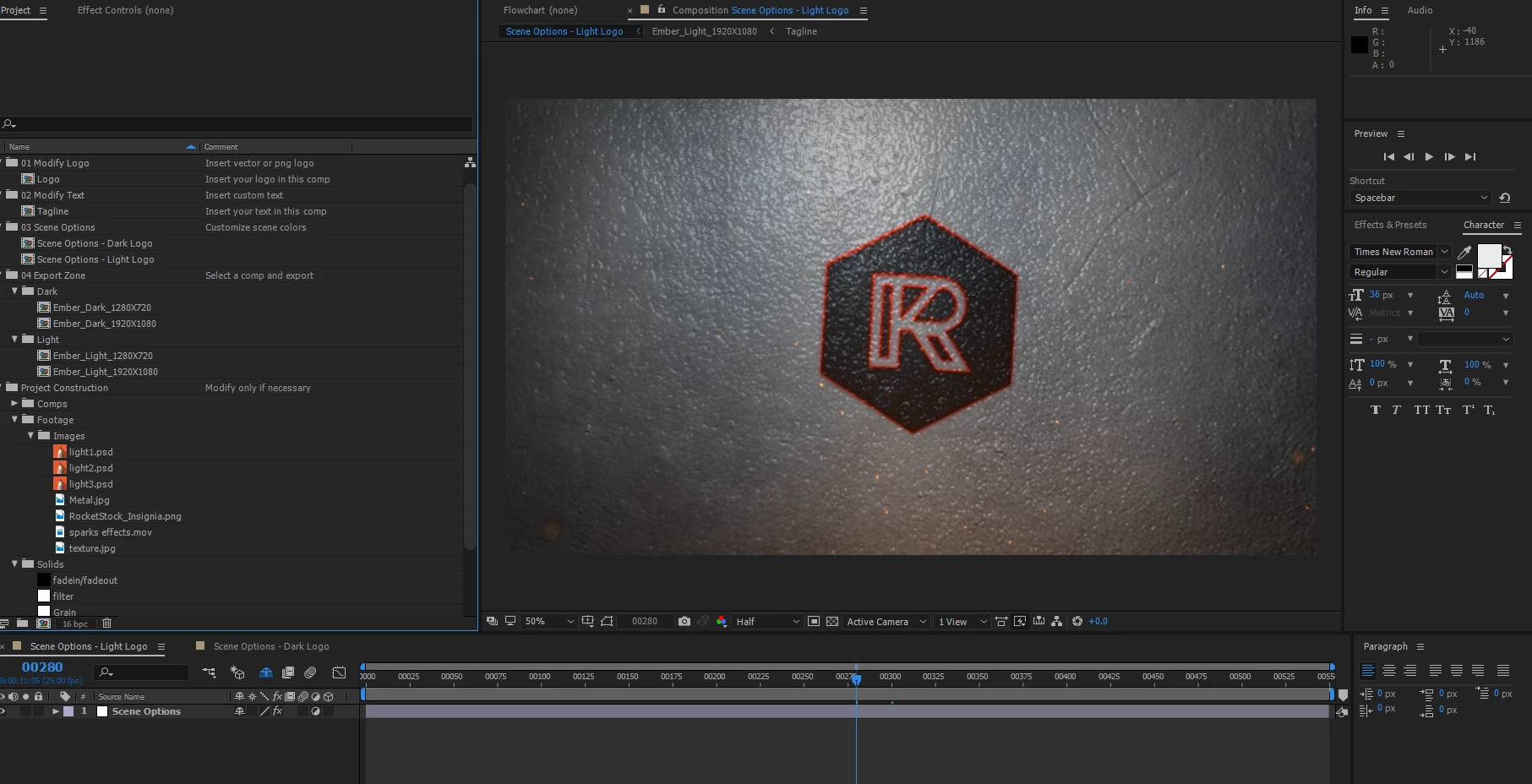
I am wondering if the group has ever delt with this situation before. I downloaded a paid for effect sequence from rocketstock.com to use called Ember, a burning logo reveal for AE

I figured out how to edit the logo and text but I am trying to figure out how to change the actual background. I think it can be done I just am probably not doing it correctly or going about it the wrong way. I have contacted the company but haven't heard back yet.

I have right clicked on the texture.jpg and the metal.jpg and choose replace footage which does replace those images but it turns the project screen black

Can anyone help or advise?

    This topic has been closed for replies.
    Correct answer angie_taylor

    Some of the layers are hidden. Click on the Shy button to reveal them. This should reveal your hidden layers so you can then replace them. This should be in the instructions file that came with the template. If not, I would tell them it should be

    3 replies

    RayDelAuthor
    Known Participant
    October 4, 2017

    Not sure if you guys will see this or not but RocketStock emailed me back and said I can't really change any of the settings. Which is a complete lie because with your help I modified just about every setting and graphic I could. It took me several hours as I am still learning AE but it was worth it. The final product came out awesome!

    RayDelAuthor
    Known Participant
    October 1, 2017

    Thanks everyone! The shy button was it! This is a pretty complicated build. I am messing with it trying to manipulate it like I want but my understanding of how it was built is sub par so it is taking me some time to figure this out.

    Community Expert
    October 1, 2017

    When you are trying to figure out where resources are your best friend is the flow chart. You can expand it and instantly jump to any of the layers or effects with a double click - even if they are shy....

    A fairly complex explainer video with 12 nested comps and both the expanded comps have shy layers. You can drill down all the way to effects and source footage. I prefer left to right but you can configure the display any way you want.

    RayDelAuthor
    Known Participant
    October 1, 2017

    Thanks Rick! I was not even aware there was workflow in AE. Although the other night I think I stubbled onto it by accident and I thought what is this!!

    angie_taylor
    angie_taylorCorrect answer
    Legend
    September 30, 2017

    Some of the layers are hidden. Click on the Shy button to reveal them. This should reveal your hidden layers so you can then replace them. This should be in the instructions file that came with the template. If not, I would tell them it should be