
Capvel Martain
Inspiring
October 16, 2025
Answered

AE error : having to focus on ourselves. (76 § 59)

  • October 16, 2025
  • 2 replies
  • 537 views

this funny error message pops up when I double-click on a texte layer to select directly a single word.
Apparently the text tool doesn't like to be too fast at clicking. I just click OK and i can go on.

If i just click once to "enter" on the texte layer to select text, nothing happen and i can continue to double or triple-click to select texts.
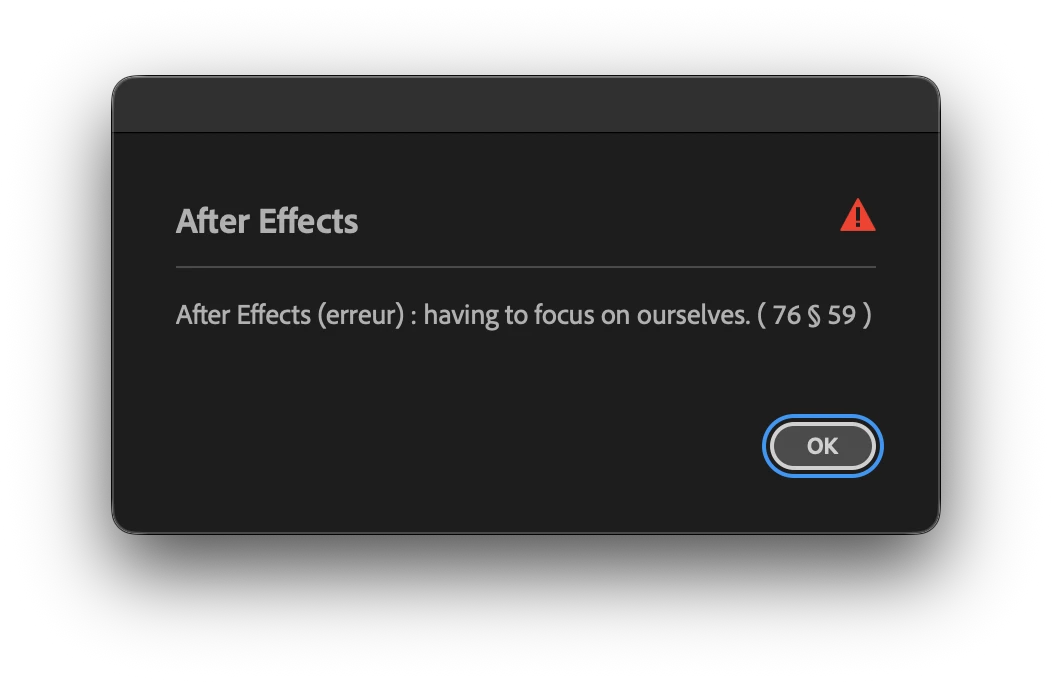
 

PS. My app is in french language. The message is not translated.

AE 25.5.0 — Mac Studio M1 Max — 32Go RAM — 130Go free disk space — Macos Tahoe 26.0.1 (25A362)
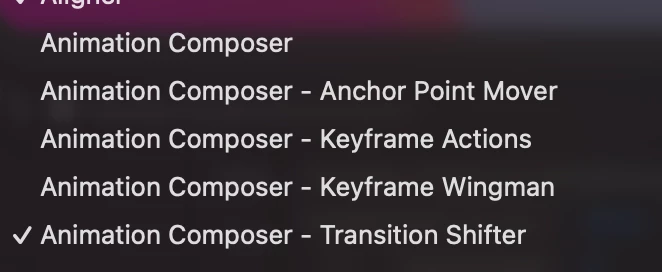
Correct answer Capvel Martain

TRUE !

After several tests (uninstall - reinstall) the pop-up appears ONLY if there is ANY WINDOW OPEN from this.

If there is no window opened from this, i can try hard fast-clicking, nothing is happenning.

I will report this to their team.

Many Thanks !

Cheers

2 replies

Participant
October 30, 2025

I'm pretty sure this error coincides with the Mister Horse Animation Composer plug-in. Nothing to worry about, just the plug-in being cheeky.

Capvel Martain
Capvel MartainAuthorCorrect answer
Inspiring
October 31, 2025

TRUE !

After several tests (uninstall - reinstall) the pop-up appears ONLY if there is ANY WINDOW OPEN from this.

If there is no window opened from this, i can try hard fast-clicking, nothing is happenning.

I will report this to their team.

Many Thanks !

Cheers

Demand Marketing
Known Participant
November 17, 2025

Yes i have reach them… "it is from AE"… so everyone claim it's the other and has no hands on this.

Better to down-date the version i guess.


PS I got same recommendation - roll back Mister Horse Animation Composer 3 anytime using the Mister Horse Product Manager. 'Known issue with last two versions of AE'.

nishu_kush
Community Manager
Community Manager
October 16, 2025

That's not ideal. Are there any third-party plug-ins or scripts installed? If yes, try removing them. You can disable the plug-ins from Effects > Manage Effects.

Let me know how it goes.


Thanks,
Nishu

Capvel Martain
Inspiring
October 16, 2025

Thanks for your fast concern. 

I started in safe mode (cmd + opt + shift) , brand new file, and it still pops up when my clicks are too fast on a texte layer., with the text tool. No pop-up when double-click with selection tool, which automaticly change the tool to text tool and having all the texte selected. 🤷🏻

nishu_kush
Community Manager
Community Manager
October 16, 2025

Did you disable the third-party plug-ins when you proceeded with Safe Mode? If that didn't help, go to the following location and remove (or move to a different location to keep a backup) all the files and folders except dummy.txt and try to launch After Effects.

Location on macOS - HD/Library/Application Support/Adobe/Common/Plugins/7.0/MediaCore

All the files and folders (except dummy.txt) in the MediaCore folder are related to third-party plug-ins. Moving them out will prevent After Effects from loading them. If the issue is related to plug-ins, you won't see the error.

Let me know.


Thanks,
Nishu