Brique
Inspiring
February 14, 2019
Answered

AE insists on rendering at half size?

  • February 14, 2019
  • 1 reply
  • 1168 views

Hi Everybody! 

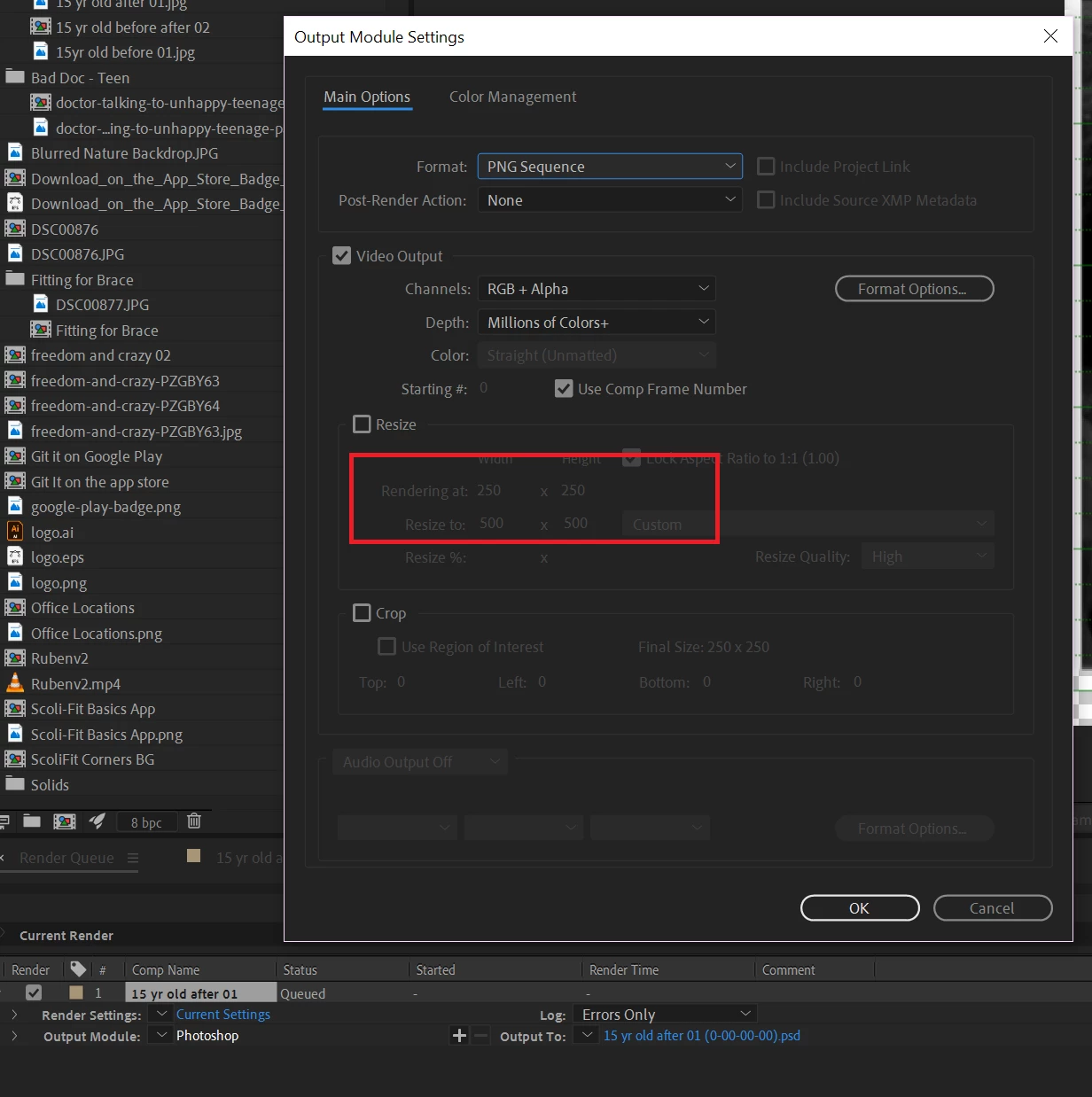
I'm trying to render out a frame of my comp as a .png and for some reason, AE insists on rendering it out at half size.  The comp is 500x500, but in the render queue settings it says it's going to render out at 250x250.  If I force the size to 500x500 then my output is super pixelated, meaning it took that 250x250 and scaled it back up to 500x500.  The source images in the comp are 467x467 (before I applied masks to them).   Scale is set to 100% on both images.

For the life of me, I can't understand why AE is scaling the whole comp down in the render queue.  I feel like it must be something simple I'm missing, but maybe my brain's not firing on all cylinders today?

Can anyone help?
    This topic has been closed for replies.
    Correct answer Mylenium

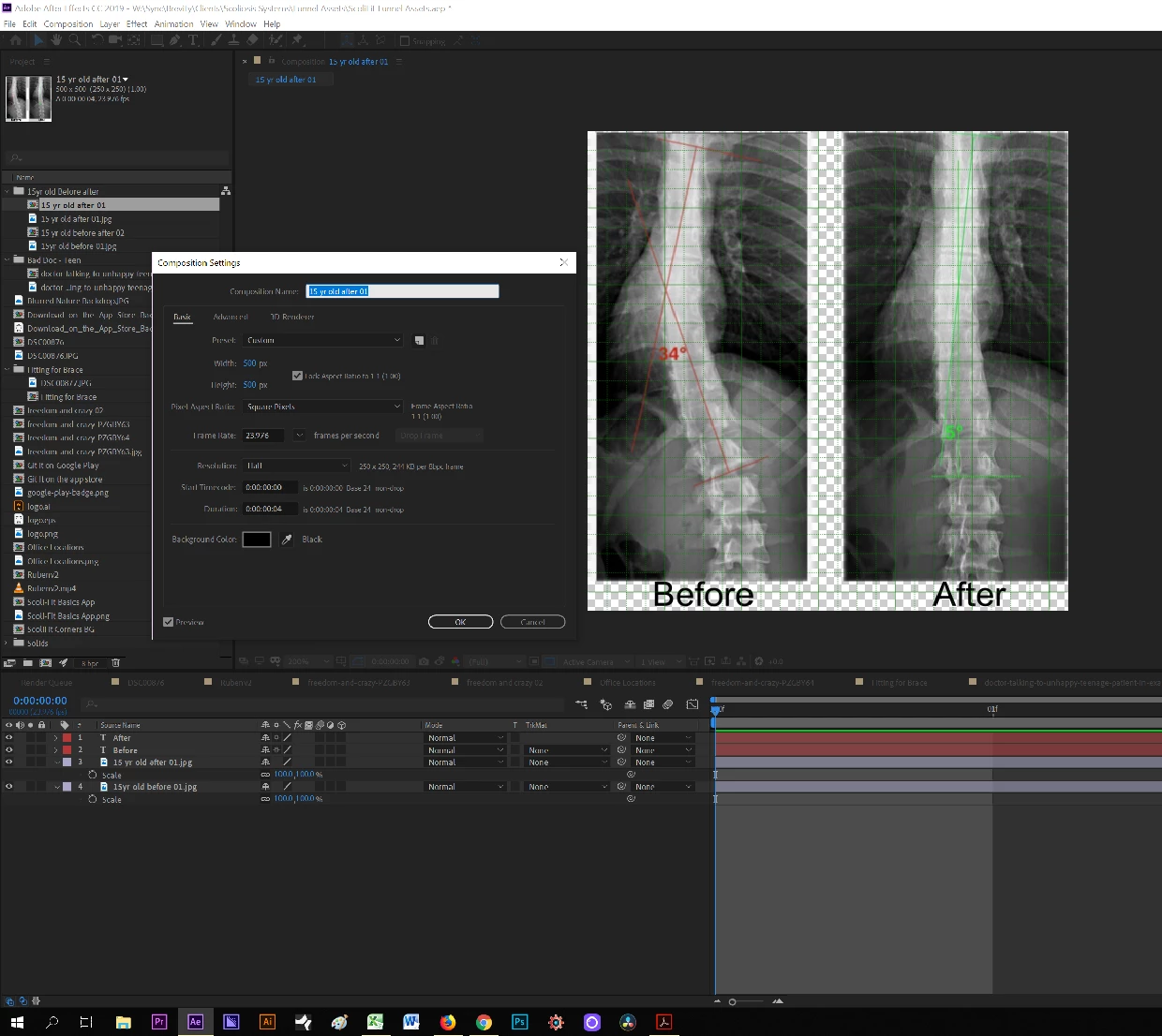
    Nothing wrong. Your comp resolution is set to Half and by default AE will use whatever the comp setting is as an auto setting for the render output when "Current Settings" is used. Easily overriden in the render settings or "fixed" by making sure to actually work at full res. I would suggest you brush up on your basics by reading the help on render settings.

    Mylenium

    1 reply

    Mylenium
    MyleniumCorrect answer
    Legend
    February 14, 2019

    Nothing wrong. Your comp resolution is set to Half and by default AE will use whatever the comp setting is as an auto setting for the render output when "Current Settings" is used. Easily overriden in the render settings or "fixed" by making sure to actually work at full res. I would suggest you brush up on your basics by reading the help on render settings.

    Mylenium

    Brique
    BriqueAuthor
    Inspiring
    February 14, 2019

    Ah, I see it.  I knew it had to be something simple.  I don't know how that got set to half - must've been a misclick at some point.  Thanks!