

Gabe Valente
Inspiring
May 18, 2021
Answered

AERender Error -1701

  • May 18, 2021
  • 19 replies
  • 17257 views

Hi there, I'm getting an error that I can't seem to find any info on.


Specifially, when running aerender int he terminal, i'll get this:


aerender ERROR -1701: AEGetParamPt failed at line 918


The only clue I've come across is somethign to do with Adobe ExtendScript Toolkit, which is deprecated and no longer even downloadable.


Any help would be appreciated.

Thanks!


_

G
This topic has been closed for replies.
Correct answer Rameez_Khan

Hi all,


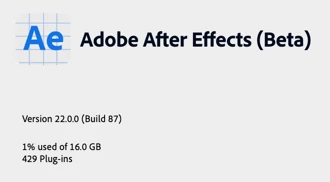
UPDATE: The After Effects team has put a fix for the aerender bug in the latest After Effects Beta, version 22.0.0 (Build 87).

Please note that the fix is applicable to macOS Catalina 10.15.7 and Big Sur only. It would be great if you can test the bug-fix and let us know if aerender works for you. Due to the complexity of the bug, you might run into issues here and there. If you do, please let us know.


Thank you all for your patience on this. 🙏


Best,

Rameez

After Effects Community Manager

19 replies

Inspiring
June 22, 2021

Getting the exact same issue on my end with CC 2019.

Inspiring
June 22, 2021

Yeah, seems to affect all AE versions. Seems unlikely Adobe will update the older ones. Or maybe the fix will come from Apple.

Participant
June 22, 2021

Hope we'll get a fix soon, security patches within the same point release OS version should not break software, and as Adobe costumers we need functionality support with at least a little backward compatibility. 


Participant
June 21, 2021

Same issue here using Render Garden, MacOS Big Sur 11.4 and the latest update stopped with the same error. I reached out to Mekajiki Support who led me here. Sad that Adobe can't get multi-thread to work, adn now we can't even use a third party plug-in to get our monies worth.


SMH

Participant
June 22, 2021
  • Yeah Adobe? Whats the deal? Why are you moving backwards?
juicybiscuit
Participating Frequently
June 17, 2021

Same here. MacOS 11.4. BGRender and RenderGarden refuse to work.

18.2.1x8 / 11.4

Aerender ERROR -1701: AEGetParamPt failed at line 918

Destroyed my workflow overnight.....

Participant
June 10, 2021

Update - it seems this issue is still persistent in version 18.2.1

Attempting to initiate a background render with the renderGarden plugin resutls in the following:


RENDERING
2021-06-10 09:59:09.079822

command:
"/Applications/Adobe After Effects 2021/aerender" -project "/Applications/RenderGarden/SEEDBank/1_Untitled_Project/01_Scott_Rissmiller/./_source/Untitled_Project.aep" -rqindex 1 -output "/Applications/RenderGarden/SEEDBank/1_Untitled_Project/01_Scott_Rissmiller/./_segments/seed02_Scott_Rissmiller.mov" -s 26550 -e 53098 -v ERRORS_AND_PROGRESS

aerender version 18.2.1x8
PROGRESS: Launching After Effects...
aerender ERROR -1701: AEGetParamPt failed at line 918
Output file not found: /Applications/RenderGarden/SEEDBank/1_Untitled_Project/01_Scott_Rissmiller/./_segments/seed02_Scott_Rissmiller.mov

Error code returned: 1

RENDER FAILED
2021-06-10 09:59:24.098941
Studio Patricia
Participant
June 8, 2021

Same issue here. 😞

Catalina 10.15.7

AE 2020

If it's an OS issue, how do we know whether Apple are working on it?

Thank you.

Inspiring
June 8, 2021

How do you know anything with Apple??


You'll just have to take my word for it that Adobe knows and they are working on it with Apple. Of course, that gives us absolutely no idea when a fix might be available.

Studio Patricia
Participant
June 8, 2021

Thank you. Fingers crossed then...

Participant
June 7, 2021

I am having this same issue. Curiously it is only on 1 out of 3 machines, all of which are on Big Sur & the same builds of Ae (17.0.4) Ae & Terminal have Full Disk Access on all three. 


I tried with the newest builds of Ae 2020 & 2021, no dice there either. I've found a bunch of other posts with this problem but no solutions.

Inspiring
June 22, 2021

I'd guess the Mac that works hasn't updated itself to 11.4 yet?

Participating Frequently
June 4, 2021

Just updated to Catalina 10.15.7 (19H1217), and now getting the same error when launching aerender via the Terminal:

aerender version 18.2x37
PROGRESS: Launching After Effects...
aerender ERROR -1701: AEGetParamPt failed at line 918

Privacy settings for Terminal automation has After Effects checked. Also attempted to give full disk access to aerender, Adobe After Effects Render Engine.app, and Adobe After Effects 2021.app, but error persists.


Attempted to install Adobe ExtendScript Toolkit (ESTK 3.5) (downlaoded from here: https://www.adobe.com/devnet/scripting/estk.html) but got an error stating that the disk image is not recognized..


Is there a fix? Or a workaround?

Inspiring
June 4, 2021

No workarounds that I am aware of. All we can do is sit and wait. And render through the Render Queue.

Inspiring
June 4, 2021

…Unless you can backpedal your OS. In a production environment, you should be able to wipe your machines at a moment's notice.

Inspiring
May 28, 2021

Apple broke something with their recent Catalina and Big Sur uppdates. Maybe this can be used to back up?


Another thing to try: check to see if aerender has asked permission to do anything in the Privacy tab in System Preferences > Security & Privacy. If so, enable it.

Gabe Valente
Inspiring
May 28, 2021

@fnordware I suspect as much from the link I posted...

Not sure what you mean by "used to backup" you mean restore from backup? If so, not an option for me, but thank you for the suggestion.


Thought about privacy / permissions, as well, and all permissions are enabled on my system, but i still get the error...

Gabe Valente
Inspiring
May 27, 2021

Seems like I'm not the only one with the issue. Someone has reported the same bug here:


https://adobe-video.uservoice.com/forums/911311-after-effects/suggestions/43509876-aerender-fails-on-mac-os-11-4-with-error-1701-ae