
After Affects doesn't allow to save on SSD external Drive
Hello,
I have a Mac Studio M1 Max 32GB, and I work and save all my files directly on the external SSD drive I use: a 1Tb Samsung T7 Shield. So far all types of documents have worked for me without any problem, both reading and writing.
Except After Effects projects.
When I want to save from After Effects, I get the error shown in the attached image (image 1). I have already checked the read and write permissions of the disk, its format and its compatibility, and everything is in order.
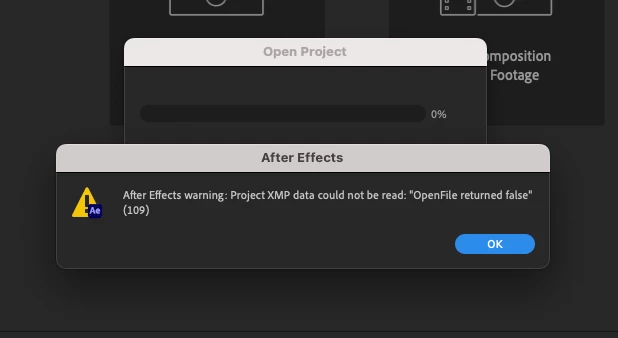
When I save the project to the Mac directly, it works perfectly. But when I copy the file to the external SSD, and try to open it, I get the messages of the attached images (image 2, image 3)
The Adobe license is legal and After Effects is updated to its latest version (23.1)
Can someone please help me to solve this problem?
Thanks,
IMAGE 1
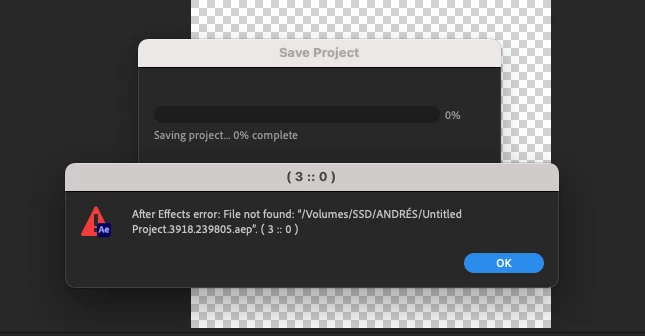
IMAGE 2
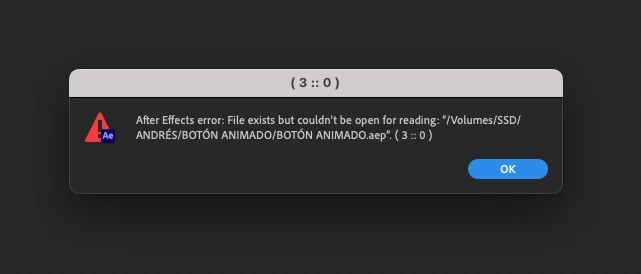
IMAGE 3
 AdChoices