

Rameez_Khan
Legend
May 19, 2020
Question

After Effects 17.1 is here!

  • May 19, 2020
  • 15 replies
  • 20485 views

Today, we're releasing After Effects 17.1 which is available for download from the Creative Cloud desktop application. We're excited to announce tapered shape strokes, concentric shape repeater, ProRes RAW import support, and more. For more details, visit https://helpx.adobe.com/after-effects/using/whats-new.html


After Effects 17.1 New Features


- Tapered shape strokes

 

Tapered shape strokes add smoothness to your shapes and let you create interesting animations. With tapered strokes, you can adjust where the taper begins or ends, adjust the roundness of your taper, create waves, and use other modifications such as dashes and trim paths to create different looks. Check out the feature in more detail here.


Download the sample file to create this write-on effect with tapered strokes.



- Concentric shape repeater
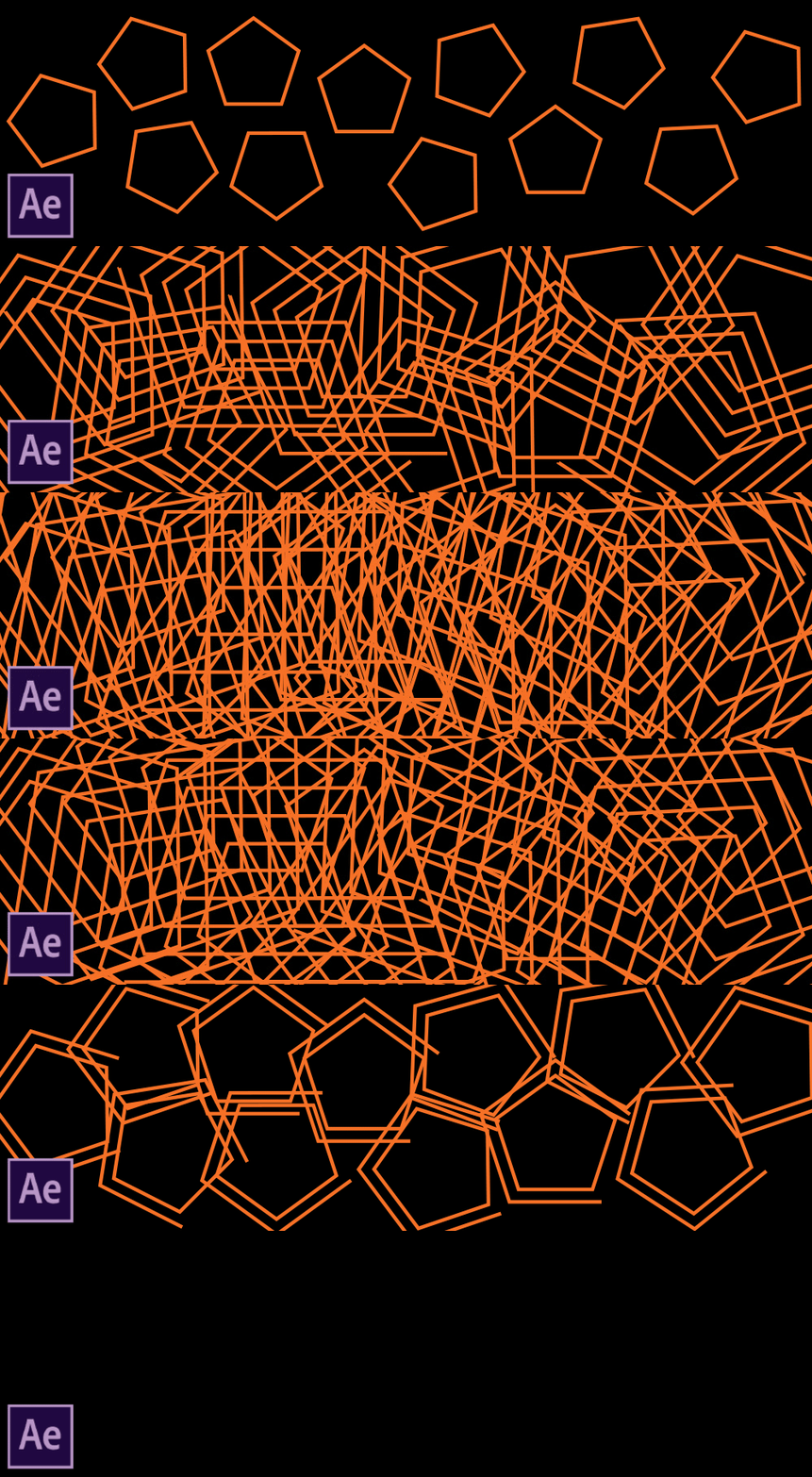
 

Concentric shape repeater lets you create geometric patterns and concentric duplicates of shapes, animate their position, create nesting or expanding animations, and apply other shape customization features. Check out this feature in more detail here.


Download the sample file to play with concentric shape repeaters of letters shown below.



 - ProRes RAW import support

- Automatically update audio devices (macOS only)

- Copy media to a shared location

- Enable collaboration on cloud documents


How do I update After Effects?
To update After Effects, open the Creative Cloud desktop application and click Update.


What should I do if I don't see the update in my Creative Cloud desktop application?
Click Help > Check for Updates from the Creative Cloud desktop application to refresh it.


This topic has been closed for replies.

15 replies

seamartin1247
Inspiring
July 17, 2020

I have a brand new iMAC pro .... using After Effects I cant even use Warp stabilizer without the error ... unable to obtain dynamiclink server.

So annoying!! Not what I thought I was paying for ... surely Adobe WAKE UP!!! customers first and foremost need reliability especially when using the systems for work.  😞

DrTc
Inspiring
March 23, 2021

I cant seem to get tapered strokes working with dashes.

Im trying to create a dotted trajectory, of variable width, the closer to moving object larger and tapering down .
The moment I add the slightest taper of  even 0.1 the dotted lines dissapear.
Any solution?
Is this a limitation of Shape layers?

For example this effect is easily done with trapcode 3d stroke.

SteveRinzen
Known Participant
June 19, 2020

I'm having issues with rendering my basic comp. Really simple project - a series of still images over 10 minutes grouped into pre-comps with audio and an adjustment layer with grain and color grading. The renders from ME initially had these odd frames from one area show up multiple times in the timeline. I cleared my cache and now I get timing erorrs - like the out point of two images in two different pre comps aren't being rendered as they are in the AE composition.


This comp is taking almost 10 hours to render and I've done it 3 times hoping each would be successful. Deadline is in a few minutes. I'm stressed out and completely dissappointed with After Effects. You rely on this program to do it's job - like it did previosuly - without complicating a very simple task.


And yeah.. i have an older MacBook Pro that neither Apple or Nvdia will update drivers for.

Rameez_Khan
Legend
June 22, 2020

Hey SteveRinzen,


Sorry for your issues!

First of all, 10 minutes is way too long for an After Effects composition. The way After Effects works is that it renders each and every frame in your composition. If your comp has 30 FPS, After Effects has to render 18000 frames and if the frame size is Full-HD, it can take a long time depending on the effects that you have applied and the power of your machine.

The kind of work that you have described above is more suited for a video editor, that After Effects is not. Premiere Pro is the right tool to do the job and will save you a lot of time and effort.


Thanks,

Rameez

SteveRinzen
Known Participant
June 25, 2020

Rameez,

I started in Premiere and yes it would have been my choice for a project like this. However I couldn't move the assets around in the timeline without serious lagging and waiting on every movement. It was painful. After Effects was infinitely faster to order the images and sequence the layers. Premiere just feels clumsy and archaic - iMovie could probably do a better job. Might be time to switch to DaVinci Resolve it seems like that application is combining effects and editing in a more useful and logical way. 

Participant
June 15, 2020

i have problem on import Psd file ... cant some body help .. i'll have updated everthing and it still stuck whn impoerting psd file tu after effect ... 

My After efefct version  : 17.1
      Photoshop Version    : 21.1.3

P.M.B
Legend
June 15, 2020

Do you get any error messages?   You haven't provided enough information for anyone to be able to tell you what's wrong.

Error messages.  Specifics about the file..color mode, size, content, etc...  How are you trying to "import it".   

~Gutterfish
Participant
June 15, 2020

my pc just hang when improt pdf file


P.M.B
Legend
June 6, 2020

Happy to announce another buggy, poorly performing version AE that we've stacked a couple new sparkly shortcuts on top of.  APPLAUSE!!!

~Gutterfish
Rameez_Khan
Legend
June 16, 2020

Hey Gutterfish,


What kind of issues are you running into? Can you provide more details?


Thanks,

Rameez

Participating Frequently
June 3, 2020

can someone help me? my recent post explains how I am having a issue with rendering.

jimfury
Participant
June 3, 2020

Since the update, I'm getting a very weird movement bug. I have 3 keyframes but it's acting like I have 4. There is no easing currently on any of the keyframes and it only begins to add the extra movement the further I pull my object off frame on the first keyframe. I have screenshots and a video showing exactly what I'm referring to. it needs to be resolved ASAP as I depend on this for work. 

Here is a video showing EXACTLY what is happening. https://youtu.be/KlHWTG7YIqo


Rameez_Khan
Legend
June 16, 2020

Hi jimfury,


Sorry about this!

Looks like the video has been removed. Are you still running into this?

Let me know.

Rameez

Inspiring
May 25, 2020


After the update mercury transmit previews on  computer monitors don't work anymore. It's so wonderful to be a paying betatester...

Inspiring
May 25, 2020


After the update mercury transmit previews on  computer monitors don't work anymore. It's so wonderful to be a paying betatester... 🙎

Rameez_Khan
Legend
June 16, 2020

Hi cdertschei,


Can you provide more details about your computer configuration and OS?


Thanks,

Rameez

Known Participant
May 23, 2020

I've just posted a forum post, but having aquick scan here seems there are many issues. My Mac Pro 2019, 16-core, 192gb RAM, W5700X after sleep, can work for several hours but the moment i launch AE i get a crash. system hangs but totally unresponsive, eventually crashing. SO annoying. Wonder if anyone creating these updates is checking these things work on the Mac? 

Known Participant
May 28, 2020

After some more tinkering here, and using the sytem back and forth after multiple sleeps and not launching any CC app no issue. This morning after a 12 hour sleep i opened InDesign - and instantly the system froze. Then resumed with sluggish performance. Then totally crashed. This is SUPER annoying.

Participant
May 23, 2020

I really hope I finally can import mp4 video directly from my phone camera again. It's such a major annoyances in my workflow, to spend time converting all files before starting a new project.