

Rameez_Khan
Legend
March 10, 2021
Question

After Effects 18.0 is here!

  • March 10, 2021
  • 10 replies
  • 15647 views

Hi friends,


Today, we're releasing After Effects 18.0 which is available for download from the Creative Cloud desktop application. We're excited to announce that this release introduces several enhancements such as Media Replacement in Motion Graphics templates and Essential Properties, Real-Time 3D Draft Preview, 3D Ground Plane, Improved Composition Toolbar, performance improvements, and bug fixes. For more details, visit the What's New page.


After Effects 18.0 Enhancements


1. Media Replacement in Motion Graphics templates and Essential Properties:
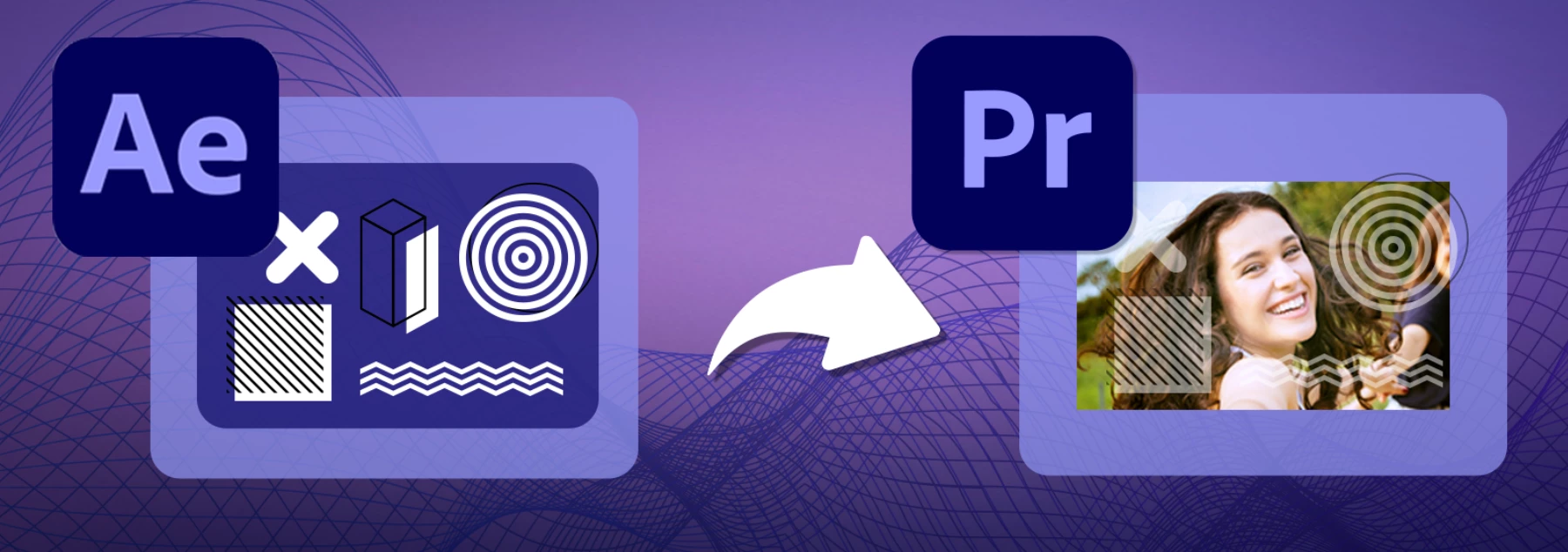
MOGRTs now support replaceable media such as videos and images allowing you to generate multiple variations of a template using Essential Properties. Editors can use them in Premiere Pro to swap logos, create social media graphics, animated slideshows, or dynamic transitions between video clips. For more details, visit this article.

Try out the sample project!

Download the sample MOGRT and follow the steps given in the article linked above to play around with the feature.


2. Real-Time 3D Draft Preview:
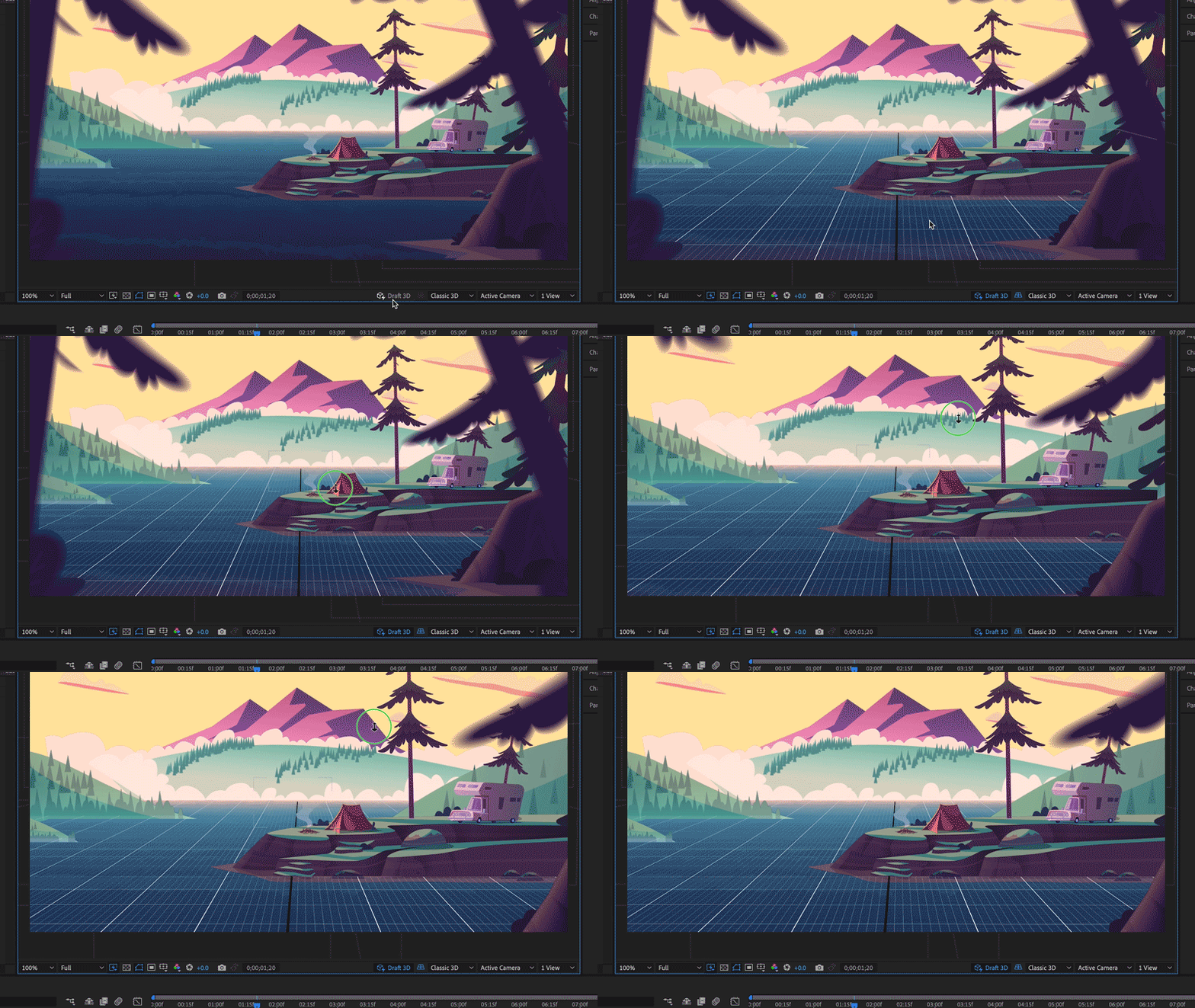
Leverage the Real-Time 3D Draft Preview that uses the faster Real-Time Engine (RTE) renderer to preview in real-time the changes you make to your 3D scenes. It is an engine built to assist animation workflows by speeding up real-time playback in heavy scenes. ​The renderer utilizes the GPU and unlike other renderers in After Effects, it is only intended for draft quality and not the final output.​ For more details, visit this article.


3. 3D Ground Plane:
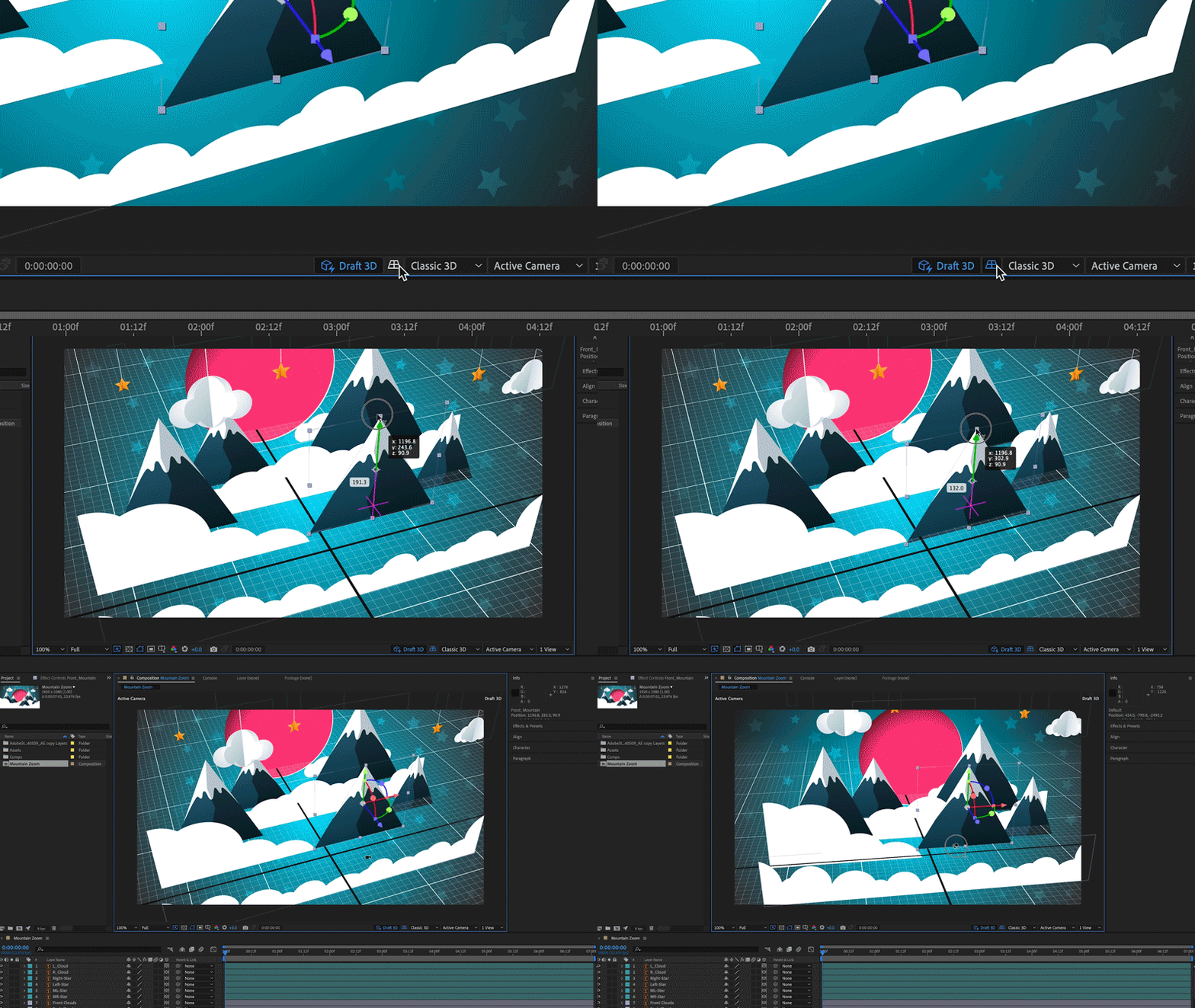
A ground plane is a horizontal plane of projection that gives you a sense of perspective and space within your 3D scene. It has a dedicated toggle button that appears in the Composition panel toolbar. This enables designers to orient their designs in space, providing a horizon line and vanishing point. You can toggle a grid on and off for accurate orientation and use snapping to align objects in space or in relation to each other. The Ground Plane button only appears when using the new Draft 3D preview mode. For details, visit this article.


4. Improved Composition Toolbar:
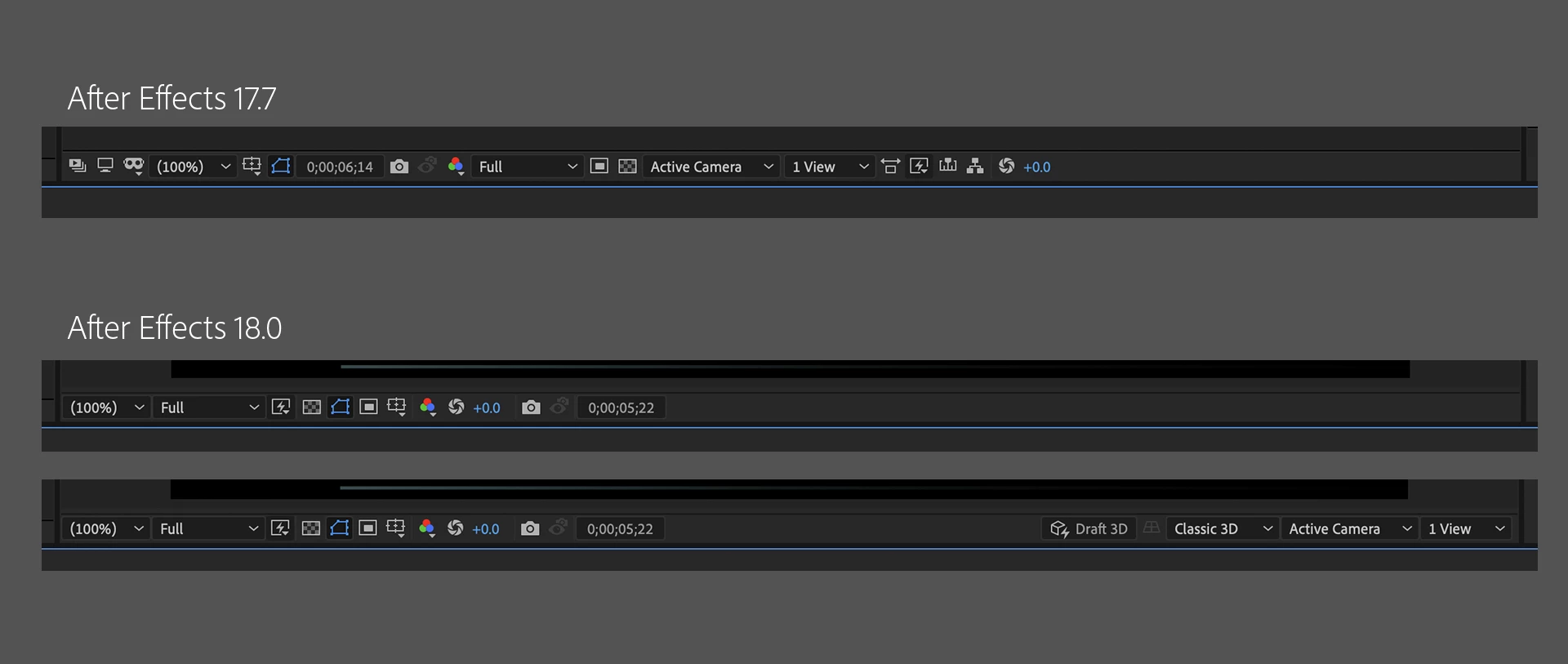
With the improved composition panel toolbar, work faster and without distraction when creating and designing 3D scenes within After Effects. The UI and placement are the same as the default composition toolbar at the bottom of the Composition panel when you work with 2D assets. Once you add 3D content to your scene, the Composition panel containing the 3D menu is displayed. After Effects adds more 3D controls to the Composition panel toolbar and controls that are not needed for your current workflow move out into the Composition menu. For details, visit this article.


4. Team Projects performance improvements:

Cloud-based collaboration is more fluid and efficient. After Effects artists can now share and receive changes to Team Projects faster. Searches are now at least twice as fast, thanks to more efficient indexing.


Currently in Beta

Multi-Frame rendering:

The After Effects Beta includes new Multi-Frame Rendering support for export via the updated Render Queue. When fully implemented, Multi-Frame Rendering will allow After Effects to take advantage of multi-core CPUs for improved export and preview rendering performance. Check out this page to learn more.


Bug-fixes in After Effects 18.0

After Effects 18.0 contains a lot of bug fixes. For details, visit the Fixed Issues page.


How do I update After Effects?

Open the Creative Cloud desktop application and click the Updates tab on the top-left. Find After Effects in the list and click Update.



What should I do if I don't see the update in my Creative Cloud desktop application?

Click Help > Check for Updates from the Creative Cloud desktop application to refresh it.

This topic has been closed for replies.

10 replies

Participant
April 26, 2021

It's wonderful that you've released the new AE version, but it would be even more wonderful if it would allow initiation of the trial on a 2020 iMac (OS 10.15.7).  Just downloaded half an hour ago, restarted computer, open application, clicked 'start free trail' button yet in response keep receiving '/!\ An error occurred' red bannered message in window. What tha?!

Not impressed.

Participant
April 27, 2021

I have no idea why but it drives me completely mad, that I cant rotate anymore on the Y-Axis. When I try to orbit my camera it only tilts up and down and setting up a camera using only the Orientation settings is tedious. Maybe a problem on 4k displays? It's frustrating!

Known Participant
April 19, 2021

Would be great if the program was stable. I've never had more issues with AE than now. Premiere Pro included. From thumbnails hanging on load in PrPro to dynamic linking causing strange issues. Don't really care all that much for these updates because they cause enormous issues when your team doesn't do a proper QA because of the insane timelines management expects you to meet. Its cool that you add cupholders but if the engine is leaking oil and you have a flat tire it makes no sense.


Inspiring
April 16, 2021

Beam no longer appears to be working.

I add beam to a solid layer, connect the starting point to a shape layers position, connect ending point to another shape layers position and.. nothing

Inspiring
March 18, 2021

Realtime 3d and Groundplane do not work here...
I tried the 3D realtime renderer + Groundplane latest AE Version and only got garbage.

I tried internal & external GPUs, no difference.  (Macbook Pro 16", AMD Radeon Pro 5500M / external Radeon RX 5700 XT)

Participating Frequently
March 17, 2021

Anyone else had trouble with AE 18 crashing when changing between comps? Working in a project originally made in v17, if the project has several comps, then starting in one comp and clicking the tab to open another comp on the ribbon crashes AE about 8 times out of 10. It makes AE almost totally unusable. I'm going to have to roll back to 17.x.

Rameez_Khan
Legend
March 19, 2021

Sorry to hear this, simon_p_m!

Are you on Windows and have a multi-monitor set up? If yes, you are probably encountering a bug that has been fixed in After Effects 18.0.1. More info here: https://community.adobe.com/t5/after-effects/after-effects-18-0-1-released-to-fix-a-crash-when-closing-the-timeline-panel-on-windows-os/td-p/11907084

If your issue is different, let me know.


Thanks,

Rameez

Snakedogman
Inspiring
March 11, 2021

Wow another new 3D renderer in After Effects... but I tried it out (I'm using the project file from this School of Motion tutorial for testing: https://www.schoolofmotion.com/blog/cameras-after-effects/?) and it's not "real time" at all. In fact it seems hardly any faster than the regular renderer in 3D at something like half res. What's the point of this exactly? 3D software including free Blender can do actual realtime, full 3D scenes with millions of polygons, lights and materials with something like Eevee for years already. It's even possible to use that for final output since the quality is so high.

Now in AE with the new renderer we still get choppy 5 fps rendering of a bunch of 2D planes in 3D space. Bravo.


Rameez_Khan
Legend
March 12, 2021

Hi Snakedogman,


Sorry to hear that you're not seeing any performance improvements. Can you go through this blog post and test the benchmark project that's linked on that page? Instructions on sharing the results with the After Effects team are also listed in the blog.


Thanks,

Rameez

Snakedogman
Inspiring
March 12, 2021
Hi Rameez,
That blog post concerns the new (beta) multi frame rendering, not the new
"real time" draft 3D renderer.
I will test out the multi frame rendering though. It's good to see it's
coming back, even if it took what... 10 years since you removed it from
After Effects?
Participating Frequently
March 11, 2021

After Effects v 18.0 update failed. 

Also since updating to the latest Media Encoder I can no longer render compositions with ME. 

Rameez_Khan
Legend
March 11, 2021

Hello Victor CHM,


Sorry to hear that you're unable to update After Effects. Most likely it happens if you're low on disk space. Can you verify that?

I suspect the dynamic link issue is due to the mismatched versions of After Effects and Media Encoder. Dynamic link works only when you're on the same major version of the apps. For instance, AE 17.x.x will work with ME 14.x.x.

Now that you have updated Media Encoder but not After Effects, this is likely to happen. Once After Effects gets updated, it should work fine.


Thanks,

Rameez


Participant
March 11, 2021

I recently found 2 problems


1) the right side of the compositional tool bar is cut off on the right side making it impossible to actually adjust the active camera or multiple views

2) after effects keeps crashing when I either close the program (which is fine anyways) or closing composition tabs. 


I use a Ryzen 5 5600x CPU, Geforce 3070 GPU, and 32 GB of RAM so it's not a weak computer

Rameez_Khan
Legend
March 11, 2021

Hey default7rzfzye7s55x,


Sorry to hear about your problems.

1. Can you provide a screenshot or a screen recording of the issue?

2. Do you get any error messages when it crashes? Does it go into a "not responding" state?


Can you verify if the After Effects process is still running in Task Manager after the crash?


Happy to help.

Rameez

JurriaanHos
Known Participant
March 11, 2021

I have a similar problem, I work in a project created in the former version of afx.

I have a scene with 7 mp4's stacked (no effects other than being used as a matte) and some text. 

It used to be a bit heavy, waiting for some 10 sec before the preview frame was ready. Now in the new version it seems to calculate in a differnt way? It feels like the newer version has more troubles with it. My CPU is being used completely? It consumes Very high power and about 90% CPU. And even after the render the CPU keeps on using between 75% and 90% of CPU. While doing nothing, so my entire pc is now lagging because of afx. This also goes for rendering through media encoder.

I have to actively kill afx or the encoder to remove the CPU usage.


Any idea? 


Specs:

AMD Ryzen Threadripper 3970X 32-Core Processor 3.69 GHz

128 GB RAM

64 bit

seperate SSD for cache 850GB dedicated to afx


Participating Frequently
March 10, 2021

After Effects 18.0.0 will not import H.264 mp4 files.  They show up as all green clips.  WINDOWS 10.  

Participating Frequently
March 10, 2021

No problem here.

Participating Frequently
March 10, 2021

I have a small problem with the Icons in the Windows Start Menu.

Rameez_Khan
Legend
March 10, 2021

Hey Jan-Marco5ED2,


Can you elaborate on what the problem is?


Thanks,

Rameez

Rameez_Khan
Legend
March 11, 2021

Hello @Rameez_Khan 

the icons from After Effects, Illustrator and Premiere Pro are not displayed correctly in the Windows 10 Start Menu with the dark layout.


I tried to repro this on my Windows machine but it's working fine on my end. Can you show me a screenshot of your Colors window? Here is where you can find that:

Right-click on your desktop, click Personalize and then click Colors in the pane on the left side. I want to see the accent color that you're using.


Here is something you can try in the meantime:

- Change the accent color or theme on your machine and see if that brings any change.


Best,

Rameez