

KazuT
Inspiring
May 20, 2021
Answered

After Effects 18.2 Hide preview thumbnail in Project panel

  • May 20, 2021
  • 2 replies
  • 483 views

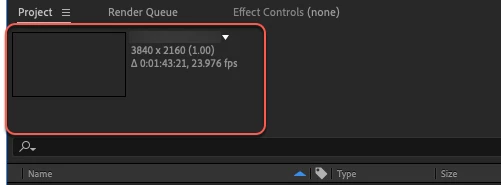
How do I hide the preview thumbnail in the Project panel? It eats up a lot of valuable real estate. I see how to disable the thumbnails in Preferences, but not how to hide the preview area (which I don't need once I've  disabled the thumbnails):
Correct answer Mylenium

There is no such function. You have to live with it.


Mylenium

2 replies

Inspiring
April 9, 2025

[This only applies to Premiere] When I hit "Shift-P", it goes away. In my Keyboard Shortcuts, it's listed as:

Mylenium
MyleniumCorrect answer
Legend
May 21, 2021

There is no such function. You have to live with it.


Mylenium