
After Effects 2019 falha ao iniciar e mostra erro de OpenGL
Olá, meu after effects está apresentando esse erro ao iniciar, ele abre a splash screen, mas fecha após mostrar esse erro:
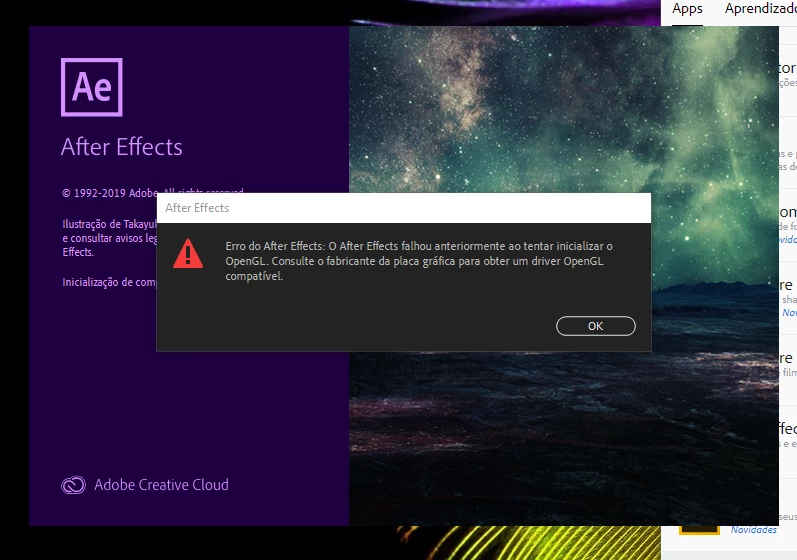
Meus drivers estão atualizados, assim como o after effects em si. Não tenho atualização pendente do sistema operacional ou de nenhum outro componente do computador.
Especificações:
Windows 10 Home Single Language 64 bits
processador Intel I5 6200U 2.30GHz-2.40 GHz
8 gb de memória RAM
placa de video onboard Intel HD Graphics 520
placa AMD Radeon R5 M330
Esta é a primeira vez que uso o after effecs neste computador, todos os outros programas funcionam normalmente, eu tentei algumas soluções que encontrei online, mas nenhuma resolveu; entre elas esta a instalação limpa do AE, mover as pastas de plug-ins e componentes e instalar versões anteriores. No caso de instalar versões anteriores, o problema continua o mesmo.
Desde já agradeço!
 AdChoices