Exit
  • Global community
    • Language:
      • Deutsch
      • English
      • Español
      • Français
      • Português
  • 日本語コミュニティ
  • 한국 커뮤니티
0

After Effects 2020 Won't Launch

New Here ,
Mar 29, 2020 Mar 29, 2020

After Effects 2020 Won't Launch stuck in this  :
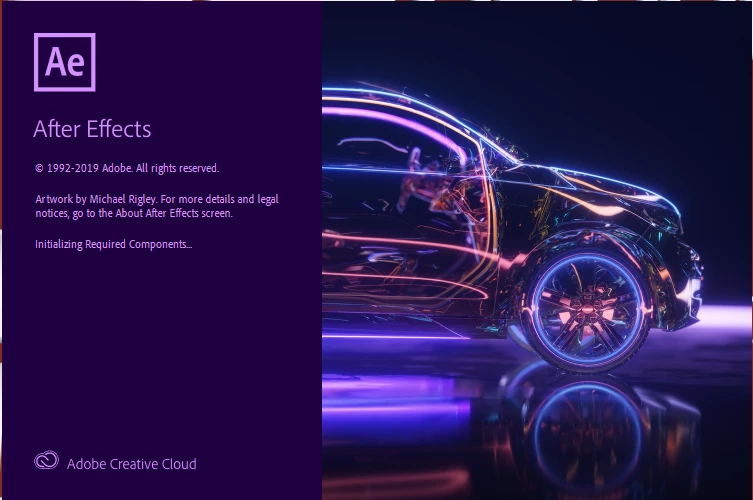
2020-03-30_3-58-08.png

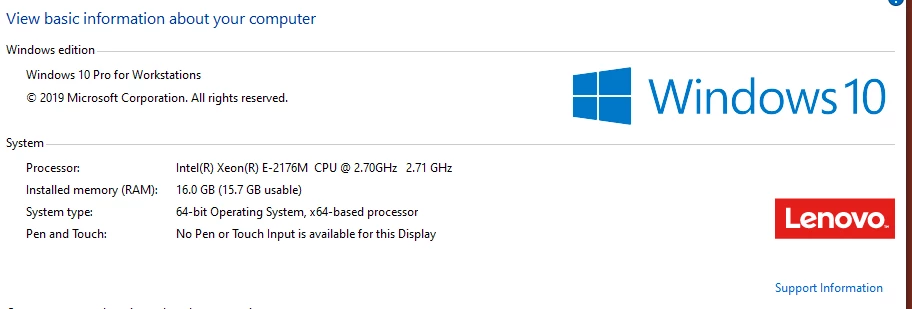
My Computer INFO : 

2020-03-30_3-58-57.png

Please HELP ME !!!!!

34.7K
Translate
Report
Community guidelines
Be kind and respectful, give credit to the original source of content, and search for duplicates before posting. Learn more
community guidelines

correct answers 1 Correct answer

Adobe Employee , Apr 01, 2020 Apr 01, 2020

Would you mind resetting the preferences and media cache manually to make the settings default? Here are the steps:

Reset media cache- 

  1. Go to C:\Users\username\AppData\Roaming\Adobe\Common
  2. Rename Common as Commonold


Reset preferences

  1. Go to C:\Users\username\AppData\Roaming\Adobe\After Effects
  2. Rename 17.0 as 17.0old
  3. Go to C:\Users\username\Documents\Adobe
  4. Rename After Effects as After Effectsold
  5. Restart your computer.


Launch After Effects and check if it brings any change.


Let us know.

...
Translate
LEGEND ,
Mar 30, 2020 Mar 30, 2020

Start by updating your drivers, either via the Lenovo tool or Windows update.


Mylenium

Translate
Report
Community guidelines
Be kind and respectful, give credit to the original source of content, and search for duplicates before posting. Learn more
community guidelines
New Here ,
Mar 30, 2020 Mar 30, 2020

same problem not working !!!

Translate
Report
Community guidelines
Be kind and respectful, give credit to the original source of content, and search for duplicates before posting. Learn more
community guidelines
Adobe Employee ,
Mar 30, 2020 Mar 30, 2020

Hi there,


Welcome to the community and sorry for your issue. As suggested by Mylenium, try updating the driver and installing the windows updates. Outdated drivers are one of the most common reasons for After Effects not launch properly. In addition to that, try the steps suggested in the following article: https://community.adobe.com/t5/after-effects/faq-how-to-fix-common-after-effects-crashes/td-p/106841...

Let us know how it goes.


Thanks,

Nishu

Translate
Report
Community guidelines
Be kind and respectful, give credit to the original source of content, and search for duplicates before posting. Learn more
community guidelines
New Here ,
Mar 30, 2020 Mar 30, 2020

not working !!!

Translate
Report
Community guidelines
Be kind and respectful, give credit to the original source of content, and search for duplicates before posting. Learn more
community guidelines
New Here ,
Jun 30, 2021 Jun 30, 2021

Hi,

i just downloaded the app, i have a macOS and i have recently updated it, but when i open adobe after effects it just shows the youtube videos and not the actual editing platform please can you help mr fix this so i can start to use the app.

Thank you.

Translate
Report
Community guidelines
Be kind and respectful, give credit to the original source of content, and search for duplicates before posting. Learn more
community guidelines
New Here ,
Mar 30, 2020 Mar 30, 2020

not working !!!


Likes

 
Translate
Report
Community guidelines
Be kind and respectful, give credit to the original source of content, and search for duplicates before posting. Learn more
community guidelines
Adobe Employee ,
Mar 31, 2020 Mar 31, 2020

Thanks for trying. What happens if you leave After Effects for some time. Does it show any error message? Try disabling the Windows Defender or any other anti-virus and see if it brings any change.

Let us know.


Thanks,

Nishu

Translate
Report
Community guidelines
Be kind and respectful, give credit to the original source of content, and search for duplicates before posting. Learn more
community guidelines
New Here ,
Mar 31, 2020 Mar 31, 2020

yes i leave After Effects for some time, and i disabling the Windows Defender , and same problem ... check this video : 

Translate
Report
Community guidelines
Be kind and respectful, give credit to the original source of content, and search for duplicates before posting. Learn more
community guidelines
Adobe Employee ,
Apr 01, 2020 Apr 01, 2020

Would you mind resetting the preferences and media cache manually to make the settings default? Here are the steps:

Reset media cache- 

  1. Go to C:\Users\username\AppData\Roaming\Adobe\Common
  2. Rename Common as Commonold


Reset preferences

  1. Go to C:\Users\username\AppData\Roaming\Adobe\After Effects
  2. Rename 17.0 as 17.0old
  3. Go to C:\Users\username\Documents\Adobe
  4. Rename After Effects as After Effectsold
  5. Restart your computer.


Launch After Effects and check if it brings any change.


Let us know.


Thanks,

Nishu

Translate
Report
Community guidelines
Be kind and respectful, give credit to the original source of content, and search for duplicates before posting. Learn more
community guidelines
New Here ,
Jul 11, 2020 Jul 11, 2020

I'm just gonna go ahead and say this worked for me. 🙂

Translate
Report
Community guidelines
Be kind and respectful, give credit to the original source of content, and search for duplicates before posting. Learn more
community guidelines
New Here ,
Nov 04, 2020 Nov 04, 2020

Hi, This worked for me. If this was the solution, what was the issue?

Translate
Report
Community guidelines
Be kind and respectful, give credit to the original source of content, and search for duplicates before posting. Learn more
community guidelines
New Here ,
Dec 10, 2020 Dec 10, 2020

as for 12/10/2020 i dont understand where to get to app datai tried going to help section on my mac but cant find anything or anywhere i tried cleaning caches but it didnt work for me please help is there any script that i can put in terminal cause my aftereffects is not launching at all its like bouncing but the thing like with the car doesnt pop up and it just stops bouncing i tried all the ways i can so please if its ok make a script for terminal 

info abt my mac

Version 10.14.6

and I use after effects cc2020

Translate
Report
Community guidelines
Be kind and respectful, give credit to the original source of content, and search for duplicates before posting. Learn more
community guidelines
Engaged ,
Apr 12, 2021 Apr 12, 2021

Saved the day! I could not even open AE, after doing a clean reinstal.
Thanks.

Translate
Report
Community guidelines
Be kind and respectful, give credit to the original source of content, and search for duplicates before posting. Learn more
community guidelines
New Here ,
Dec 09, 2020 Dec 09, 2020

1. Right-Click the app

2. Right-Click "Adobe After Effects (year)"

3. Click "Properties"

4. Click "Compatibility"

5. Click "Run Compatibility Shooter"

6. Click "Try Recommended Settings" 

7. Click "Test the Program"

This fixed mine right away!

Let me know if it worked!!!

Translate
Report
Community guidelines
Be kind and respectful, give credit to the original source of content, and search for duplicates before posting. Learn more
community guidelines
New Here ,
Mar 31, 2023 Mar 31, 2023

Thank you so much, you saved me.  It wouldn't open after like a 100 trys, and I have a deadline, and found this and it worked!  Yay! U rock!!

Translate
Report
Community guidelines
Be kind and respectful, give credit to the original source of content, and search for duplicates before posting. Learn more
community guidelines
New Here ,
Aug 08, 2023 Aug 08, 2023
LATEST

Thank you so much, I have a deadline this worked

Translate
Report
Community guidelines
Be kind and respectful, give credit to the original source of content, and search for duplicates before posting. Learn more
community guidelines
Explorer ,
Dec 09, 2020 Dec 09, 2020

I had the same problem last night with 2020. It was missing the GeForce Experience and Nvidia Studio drivers.


I also think I had bad RAM, so if you've moved that around recently maybe take a look, see you have matching DIMMs and in the recommended slots (read the motherboard manual re. slots)

Translate
Report
Community guidelines
Be kind and respectful, give credit to the original source of content, and search for duplicates before posting. Learn more
community guidelines
New Here ,
Aug 20, 2021 Aug 20, 2021

Hi, I can't open after effects. i've reinstalled it but still can't open itafter.PNGeffects.PNG

Translate
Report
Community guidelines
Be kind and respectful, give credit to the original source of content, and search for duplicates before posting. Learn more
community guidelines
New Here ,
Sep 17, 2021 Sep 17, 2021

Adobe After Effects needs to be run in Windows 8 Compatibility Mode to make it work

Translate
Report
Community guidelines
Be kind and respectful, give credit to the original source of content, and search for duplicates before posting. Learn more
community guidelines