



After Effects 23.4.0 is now available for download!
We are excited to announce that the May update of Adobe After Effects, Version 23.4, is now available for download. With several new features, this release includes the Properties Panel to ease your workflow.
What's New?
Properties panel for Text and Shape layers
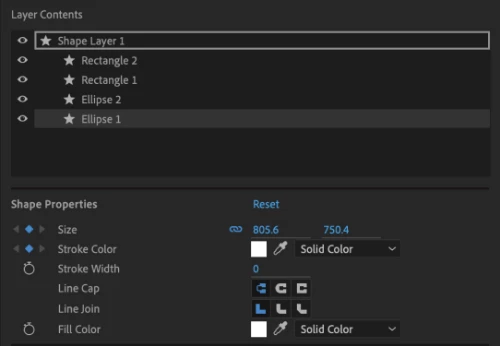
Creating motion graphics is easier and faster with the Properties panel. Use this to quickly access the important properties of selected Text and Shape layers in the timeline without twirling open multiple layer hierarchies or opening a different panel. It improves the accessibility of layer properties that speed up your workflows.
Read more about the Properties panel in After Effects.
Effect Manager
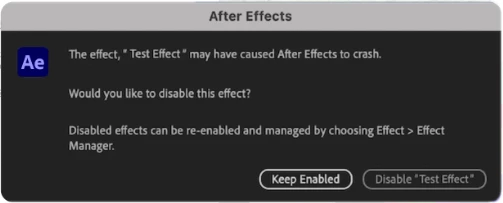 After Effects now attempts to identify effects potentially interfering with your project workflow and forcing the application to crash.
 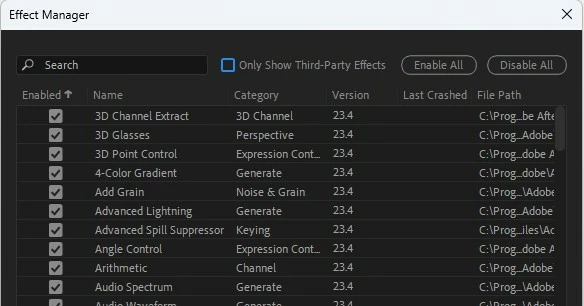 This can save you a lot of time, as you won't have to continually deal with the issues caused by problematic effects.
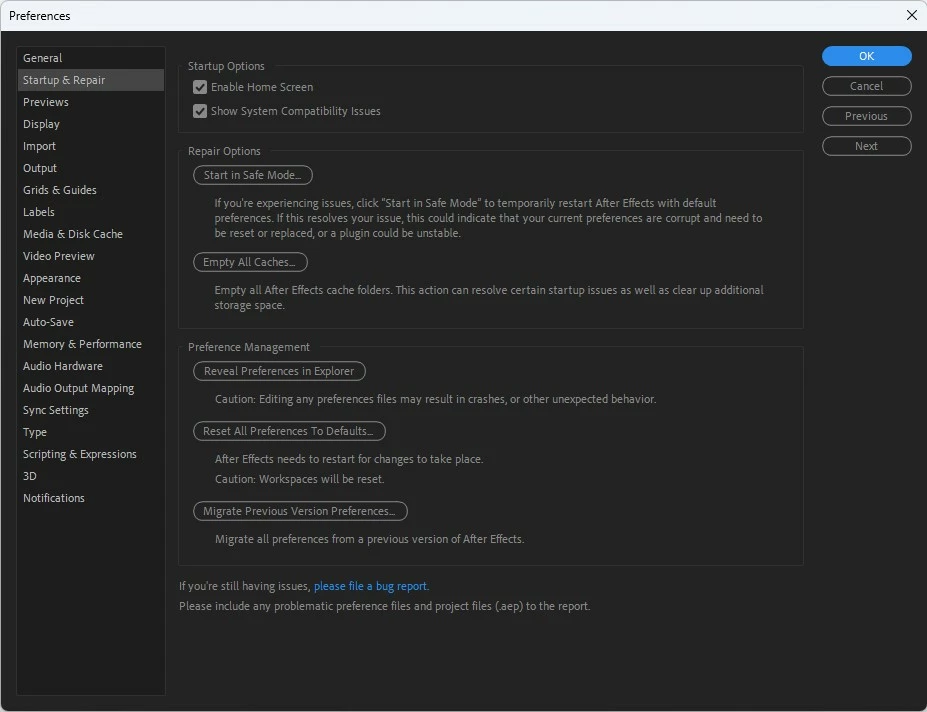 Use the Startup & Repair panel under Preferences to troubleshoot your set preferences in After Effects without changing or removing them or starting over from scratch.
Start in Safe Mode - Launch After Effects once using only the default After Effects preferences and disabled third-party plugins. It helps you identify if any of your current set preferences are corrupt and need a reset.
Empty All Caches - Empty all After Effects cache folders. This action can resolve certain startup issues as well as clear up additional storage space.
Reset All Preferences To Defaults - Reset all preferences to defaults permanently.
Reveal Preferences in Finder - Navigate directly to the locally saved After Effects preferences file.
Migrate Previous Version Preferences - Migrate all preferences from previous After Effects versions to the current one.
Learn more about the Startup and Repair feature in After Effects Preferences.
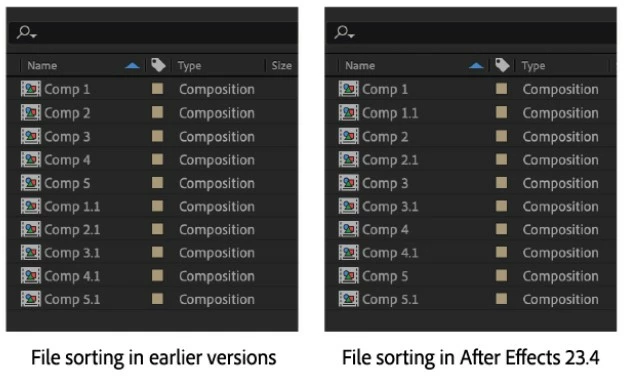
Improved file sorting in the Project panel
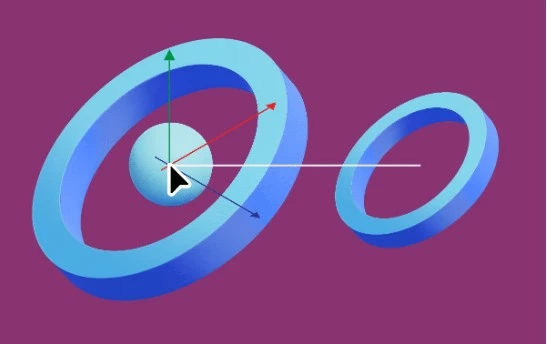
You can now snap layers in 3D space while dragging the constrained X, Y, and Z position handles of the 3D Gizmo. This includes the XY, XZ, and YZ combo handles of the 3D position gizmo.
With this new improvement for 3D workflows in After Effects, you can use snapping, both constrained and non-constrained while working with 3D model layers.
Revamped Track Matte pick whip icon
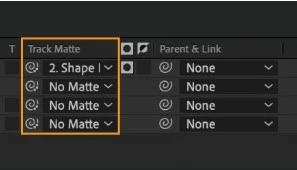
The new Track Matte pick whip icon is designed for you to easily differentiate it from the Parent & Link one. The new icon combines the pick whip shape with a hint of transparency grid and is effortlessly identifiable while working on your workflows.
Learn more about Track Matte in After Effects.
Support for new formats
 After Effects now offers support for the footage shot on Sony VENICE 2 V2.00 and on iPhones in Cinematic mode.
Take a look at all the supported formats.
What's Fixed?
- Fixed an issue that caused some options from the camera submenu to be greyed out.
- Fixed an issue that caused a ‘zero denominator in ratio addition.’ error when dragging the anchor point of a shape layer in 3D space.
- Fixed an issue that caused After Effects to hang when collecting files that contain a Cinema 4D file in composition.
- Fixed an issue where After Effects could crash when using a Wacom Tablet with Paint and Brush tools.
- Fixed an issue where 12-bit color DNxHR HQX video in MXF files was being decoded as 8-bit.
- Fixed an issue where Media Browser favorites were not being saved.
- Fixed an issue with migrating preferences that caused After Effects to become unresponsive.
- Fixed an issue with the render engine that caused After Effects to crash when choosing a folder from Watch Folder in the file menu.
- Fixed an issue with Puppet Tool that caused After Effects to crash when changing the engine from Advanced to Legacy.
- Fixed an issue that caused MXF assets with Alpha Channel to not be transparent.
- Fixed rendering notifications for non-English OS languages.
- Fixed an issue where footage containing audio using 16kHz, 64kHz, 88.2kHz, or 176.4kHz Sample Rates would not play or export correctly.
How to update After Effects to version 23.4?
Open the Creative Cloud desktop application and click the Updates tab on the top left. Find After Effects in the list and click Update.

I don't see the update in my Creative Cloud desktop application. What should I do?
Click Help > Check for Updates from the Creative Cloud desktop application to refresh it.
NOTE: Updates are rolled out in phases. Please check back after a few hours if you don't see the new version in your CC desktop app.
 AdChoices