Participant
September 28, 2017
Question

After effects adds black screens between clips

  • September 28, 2017
  • 2 replies
  • 4353 views

So, i have had this problem every project i've made. But "cheatfixed" it. Now im getting tired of it.

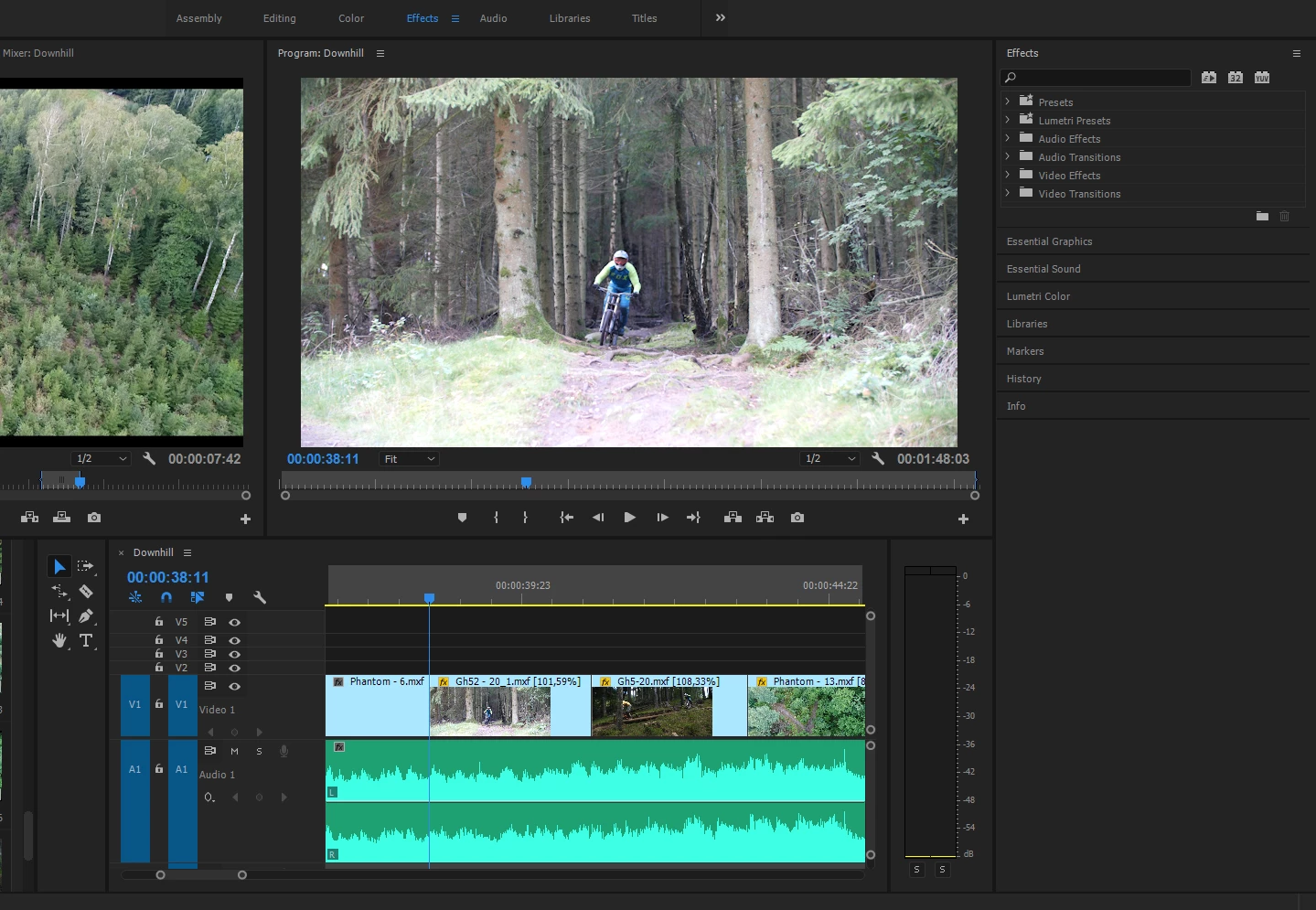
This is what happens. I make my entire project in Premiere Pro CC, time it with the music, dont put any effects in premiere pro except slowmotion. I replace it with after effects composition to add all the effects i want. And in between some clips i get a black screen that certainly wasnt there in Premiere. And when i look at the clips, they are tight and no space inbetween. After effects added a black screen between my clips. Its not between all clips. But its enough to annoy me.

Is there any solution to this?


Here is what it looks like:
Thankfull for any help. Best regards

Edin

    This topic has been closed for replies.

    2 replies

    angie_taylor
    Legend
    September 28, 2017

    Have you tried changing the speed in Prempro to an even multiple of the frame rate Before dynamic link to AE? Try this to see if it fixes the issue?

    EdinBilalAuthor
    Participant
    September 29, 2017

    Im sorry but i dont understand what you are trying to say. My english is not world class so that may be the case. Is there any possibility you could explain with an example. That way i could perhaps understand better.

    Edin

    Kevin-Monahan
    Community Manager
    Community Manager
    October 10, 2017

    Hi Edin,

    Do you still have an issue with your workflow? Have you tried anything to help you solve your main issues?

    Thanks,

    Kevin

    Kevin Monahan - Sr. Community and Engagement Strategist – Adobe Pro Video and Audio
    Warren Heaton
    Community Expert
    Community Expert
    September 28, 2017

    It sounds like the Speed/Duration clip setting in PR is introducing something that AE is not able to recreate for source footage as expected.

    Have you tested if this happens if you don't apply the speed change?

    Assuming that clips without a speed change never have black frames when you get to AE, you could nest each clip that's been retimed in the PR Timeline into a subsequence, render those and then replace them with the rendered, retimed version prior to going to After Effects.  This will render a new file with the correct timing and (in theory) eliminate the miscommunication between PR and AE.

    It's going to be a lot of futz work if you've never done it before and be sure to use a mezzanine CODEC (one that's good for editing) like Apple ProRes 422 or GoPro Cineform.

    I haven't had to so this for this specific issue, but I have had to do it now and again to avoid having to manually redo in AE what was already done in PR.

    -Warren

    EdinBilalAuthor
    Participant
    September 29, 2017

    Yeah, i have had the same problem as you. With effects dissapearing when put into AE. And i cant say that the advice you gave me would really help since the black screens differ every time. I can take the same project from PremPro and put it into AE, and every time, the black screens will be put in different places(between different clips). Sometimes i get the privilege of havibg just one black screen. And sometimes its 10+ in a small project.