
After Effects Background issue
Hi
So I worked on this project in Premiere had linked comps in after effects with that premiere project. After the last comp, I saved the after effects project and quit out of the program. I start up a new project with a new name, not even linked to premiere in any way and when I start a new composition the last frame from the previous project shows up as the background but the video name doesn't appear anywhere. I even deleted the after effects project file and nothing worked. I just want it to have a black background.
I have the latest version of After Effects CC 2017 up to date and it's on MAC OS X Sierra.
I've provided an image of what I see
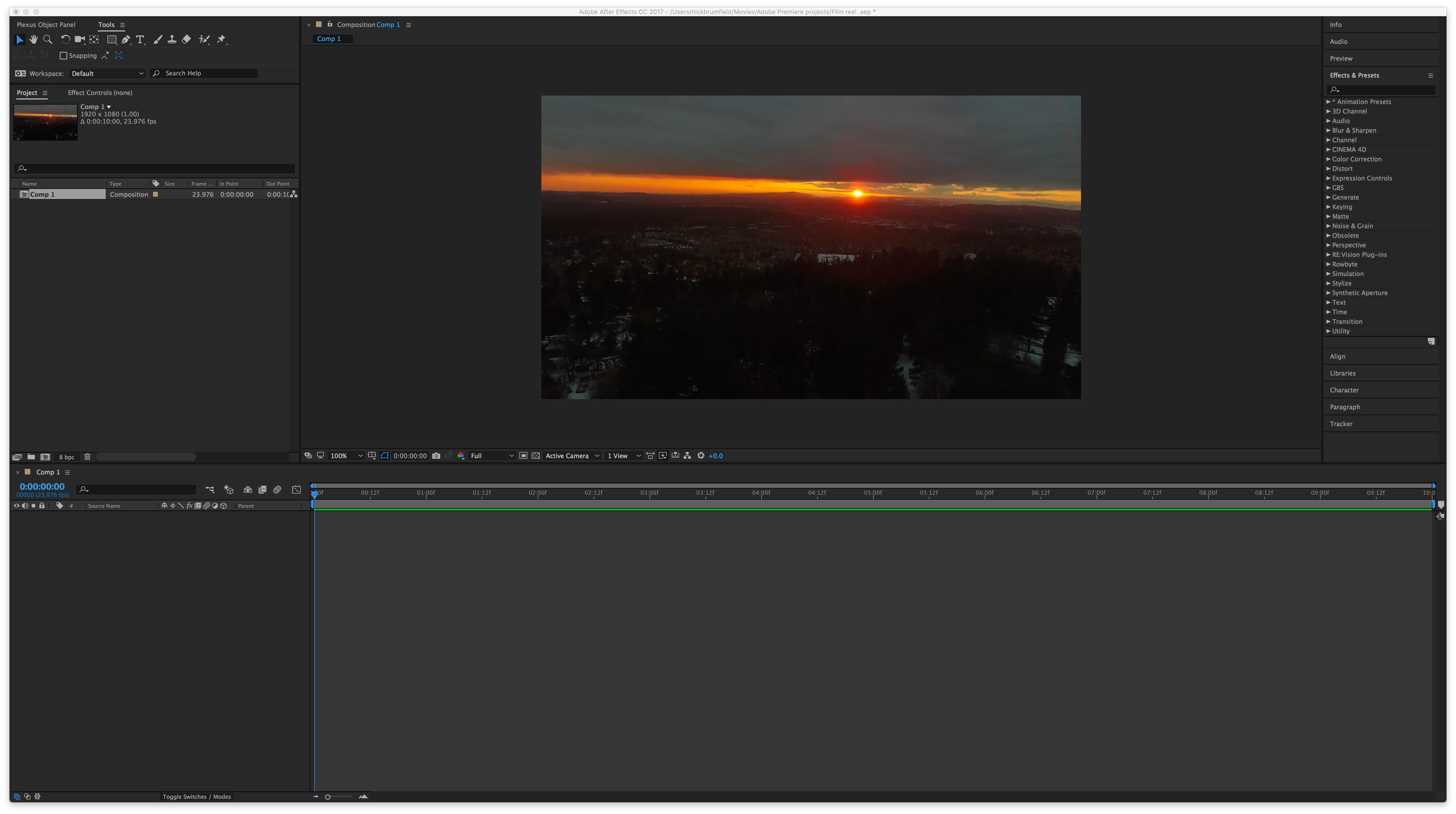 The video file that shows in the screen isn't even on my computer anymore. I moved it to my hard drive so the video would no longer link.
Any advice will help!
thanks
 AdChoices