
Copy link to clipboard
Copied
My main composition is completely black I've looked at many other forums and can't
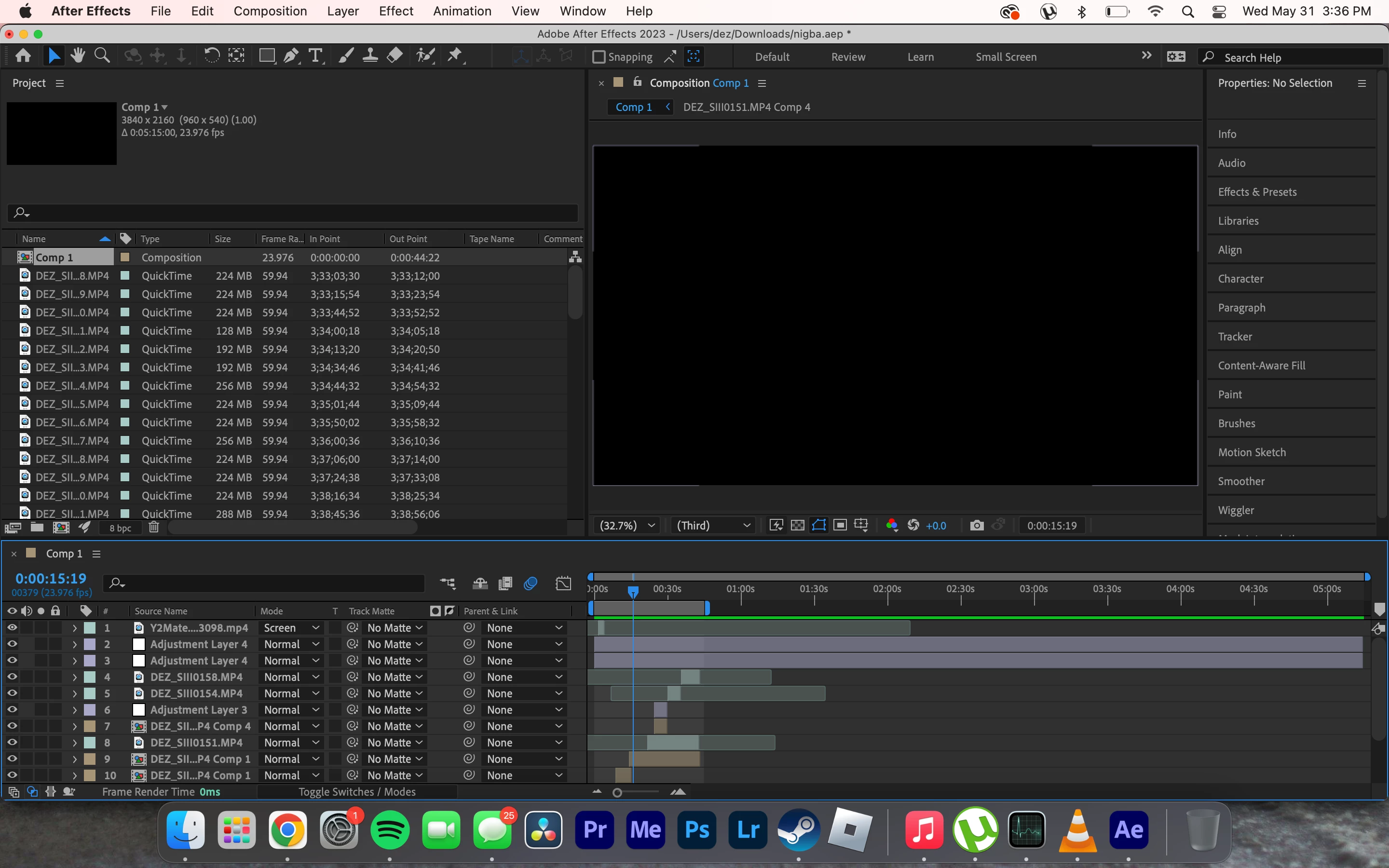
find anything. If I open up a composition inside the composition I see the video but not in my main composition. I can also hear the clips volume. Please help, this is a finished project just needs to be exported.
Copy link to clipboard
Copied
Hi Dezmen30197470awv6,
Welcome to the community and sorry for your issue.
Does it happen with all the projects? Can you try importing this project into a new one? What's the version of After Effects you're using? If it's the latest, can you try running After Effects in Safe Mode (go to After Effects Preferences > Startup & Repair)?
Let us know how it goes.
Thanks,
Nishu
Copy link to clipboard
Copied
Im using the latest Premier Pro on an M1 Macbook. It is only happening to this 1 project. I tried safe mode start up and got nothing.
Copy link to clipboard
Copied
When that happens on my computer, it's usually something to do with the graphics card. If you shutdown your computer and restart, does the problem resolve itself?
Copy link to clipboard
Copied
I am on m1 macbook, Ive restarted multiple times.
Copy link to clipboard
Copied
Even when i copy and paste it into a new comp in the same project its blank but if I click into an individual layer I can see the single layer.
Copy link to clipboard
Copied
Can you try importing the project into a new comp?
It sounds like there's a piece of footage which is corrupt and AE is having trouble processing it
Get ready! An upgraded Adobe Community experience is coming in January.
Learn more