This topic has been closed for replies.

1 reply

Community Expert
January 28, 2017

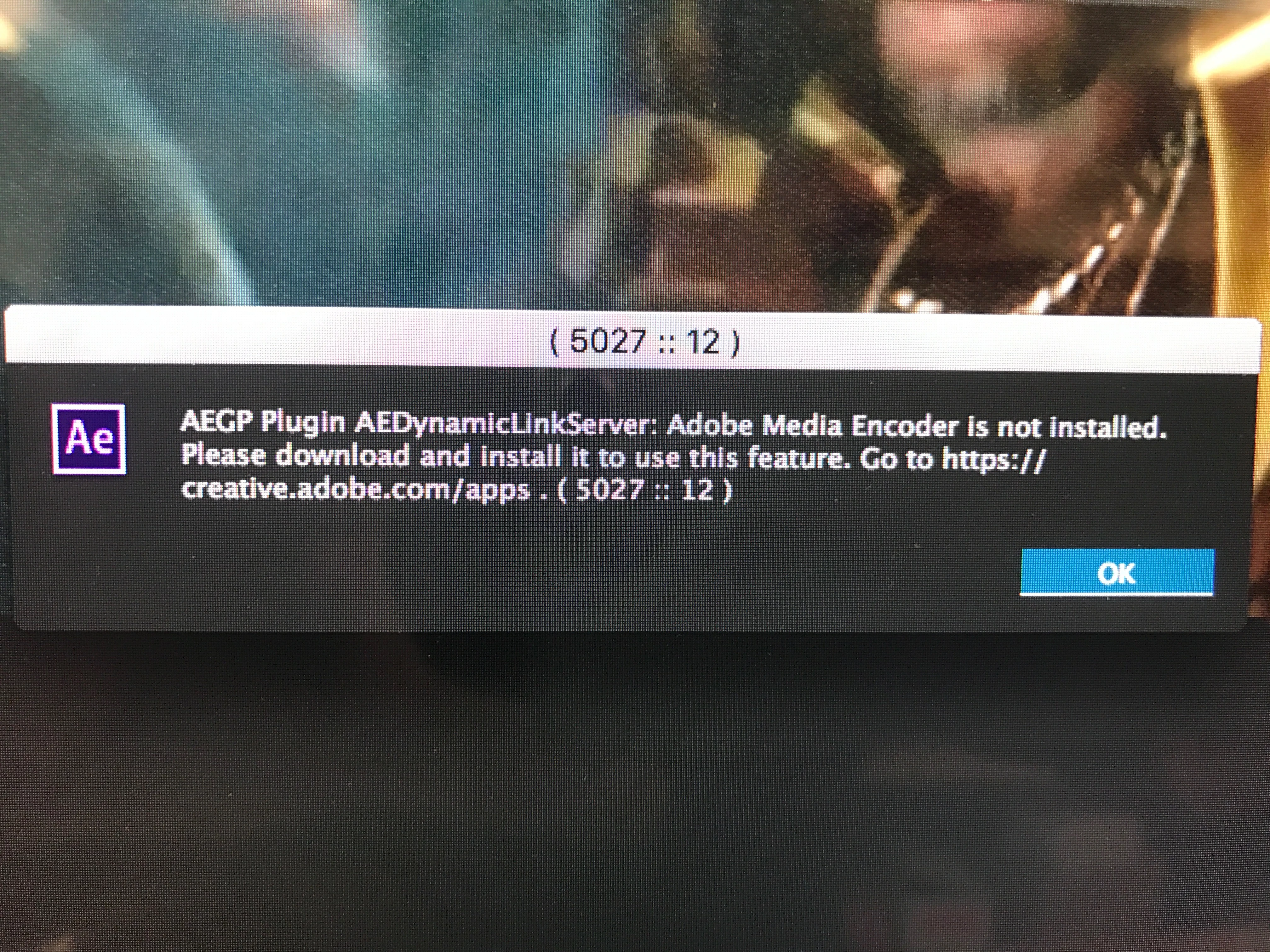
Open up the Creative Cloud App, and uninstall AE, then re-install. If you also have Premiere Pro make sure that the versions are compatible.

If you have any other problems let us know.

Ryanm907
Ryanm907Author
Participant
January 28, 2017

It seems to have fixed the Dynamic Link Server error pop up, But AE 2017 still hangs when exported to media encoder or rendered through Adobe Render Queue. Ive deleted every adobe product as well as the CC desktop app and reinstalled with 2017 software with the same issue. Anyone else with a similar issue?


Mac Pro (Late 2013)

10..12.1 Sierra

2.7 GHz 12-Core Intel Xeon E5

64 GB 1866 MHz DDR3

AMD FirePro D700 6144 MB

Pegasus2 R6 Outboard RAID

Adobe After Effects 2017.1

Version14.1.0.57

Media Encoder 2017.0.2

11.0.2.53

Kevin-Monahan
Community Manager
Community Manager
February 23, 2017

Hi RyanM,

I just did a test and am not seeing the same thing as you are. Can you try exporting a test from a new project and see if you get the same results?

Thanks,

Kevin

Kevin Monahan - Sr. Community & Engagement Strategist – Pro Video and Audio