
Participating Frequently
May 28, 2020
Answered

after effects crashes when i select Cinema 4D renderer

  • May 28, 2020
  • 4 replies
  • 12419 views

Whenever i change my render type to cinema 4D my AE stops responding and closes.

anyone know what i need to do?

This topic has been closed for replies.
Correct answer nishu_kush

No it does not show any error messages besides AE not responding , I have attached my task manager in order for you to see what it is doing once it has crashed.


I also just reset my preferences and still crashes , not sure if it has something to do with the cineware
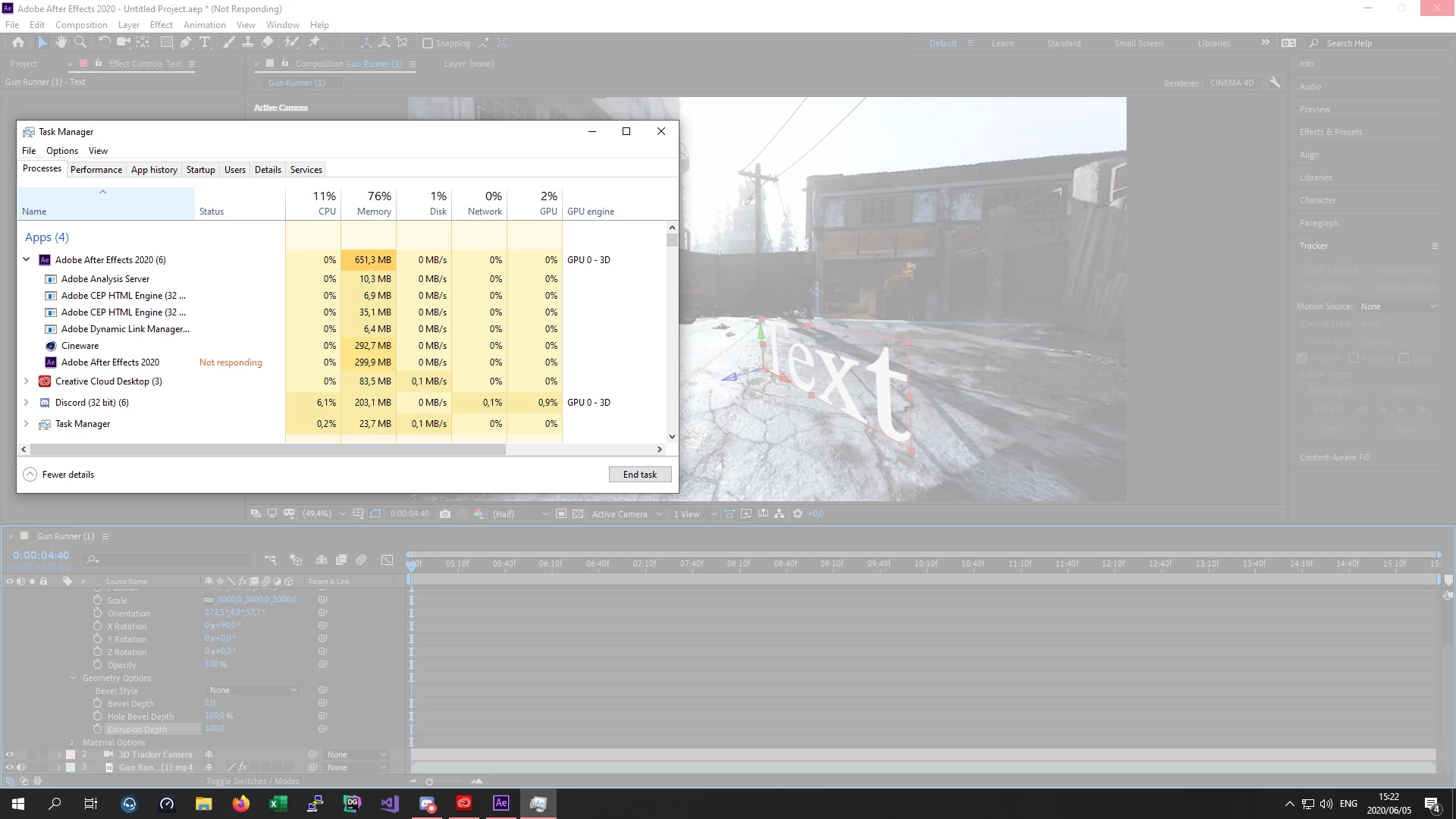


Thanks for sharing the details, Ryan.

Would you mind disabling your AMD GPU from Deice Manager and then test? Here's how: https://www.computerhope.com/issues/ch001900.htm

Let us know how it goes.


Thanks,

Nishu

4 replies

Jon.M.
Inspiring
June 18, 2023

This was driving me crazy. Updated the A5000 Nvidia GPU driver, same problem... Then I saw the last post where José30065204jtcp reinstalled C4D and that worked for them, so I uninstalled AE and then reinstalled it, then I could pick and use the C4D renderer no prob. Thanks Jose.

Participant
May 25, 2023

I resolved this issue reinstalling  the lastest version of Cinema 4d.

Participating Frequently
September 13, 2022

Im having the same problem on a Mac M1 pro laptop.
The moment I chose C4d renderer for 3d work, my project crashes.
I have trashed my Preferences, but it still crashes.
I have plenty of ram left over 

Only happens in AE 22.6.0 Build 64


nishu_kush
Community Manager
Community Manager
September 13, 2022

Hi jscottk,


Sorry for your issue. Could you share your system specifications (CPU, GOU, RAM, OS version)? What do you mean by "my project crashes"? Does After Effects close the project file and remain responsive? Please share more details on that.

Also, did you try disabling your GPU from Device Manager?

Let us know.


Thanks,

Nishu

Participating Frequently
September 13, 2022

 Ae Crashes as in total shut down, small send report window left.


How do I disable my GPU from my device manager on a mac?


ToolfarmJP
Community Expert
Community Expert
May 29, 2020

Would you check the capability of the memory size left in Task manager when the screen is frozen? You also check the up-to-date driver of your graphic card.

Participating Frequently
May 29, 2020

Graphics drivers are up to date and once AE crashes task manager says I still have 6gb of remaining ram usage. This only started happening when I installed newest version of AE. Once it crashed it is still busy using up 11gb of memory but cpu usage goes to 0% , i can move my timeline needle although the actual preview will not move and then ultimately crash.

nishu_kush
Community Manager
Community Manager
June 9, 2020

I re activated my GPU , and now after effects will not respond as soon as  i add a video to my composition.


A computer restart should help with that.

Would you mind installing a previous version of your GPU driver and see if it helps with your main issue?

I appreciate your patience and cooperation.

Looking forward to your response.


Thanks,

Nishu