
Participant
November 24, 2019
Answered

After Effects distorting lines glitch on macbook pro 16"

  • November 24, 2019
  • 3 replies
  • 2759 views

Hi,

when I use After Effects, the frame looks like this,
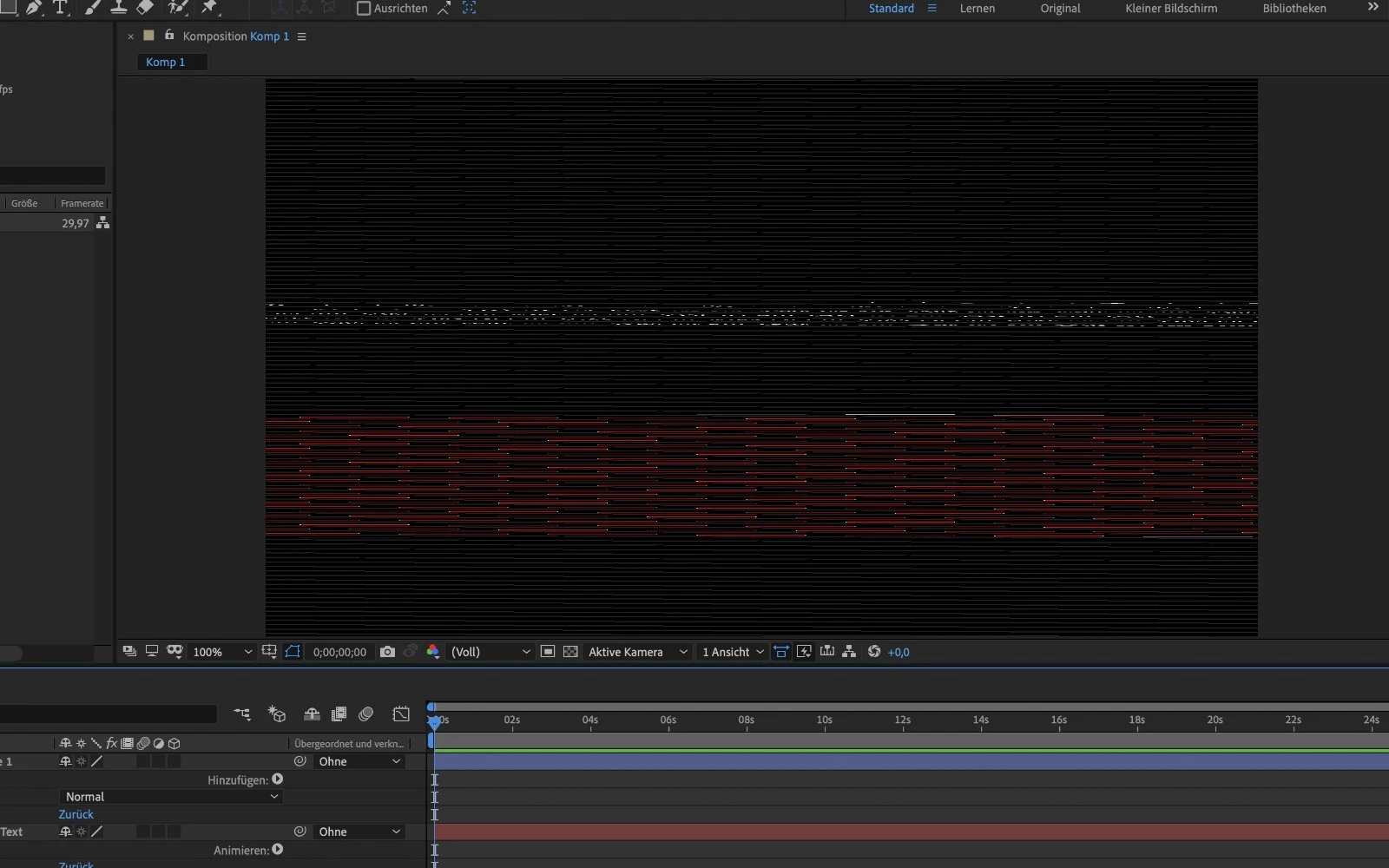
when in reality it is supposed to look like this:
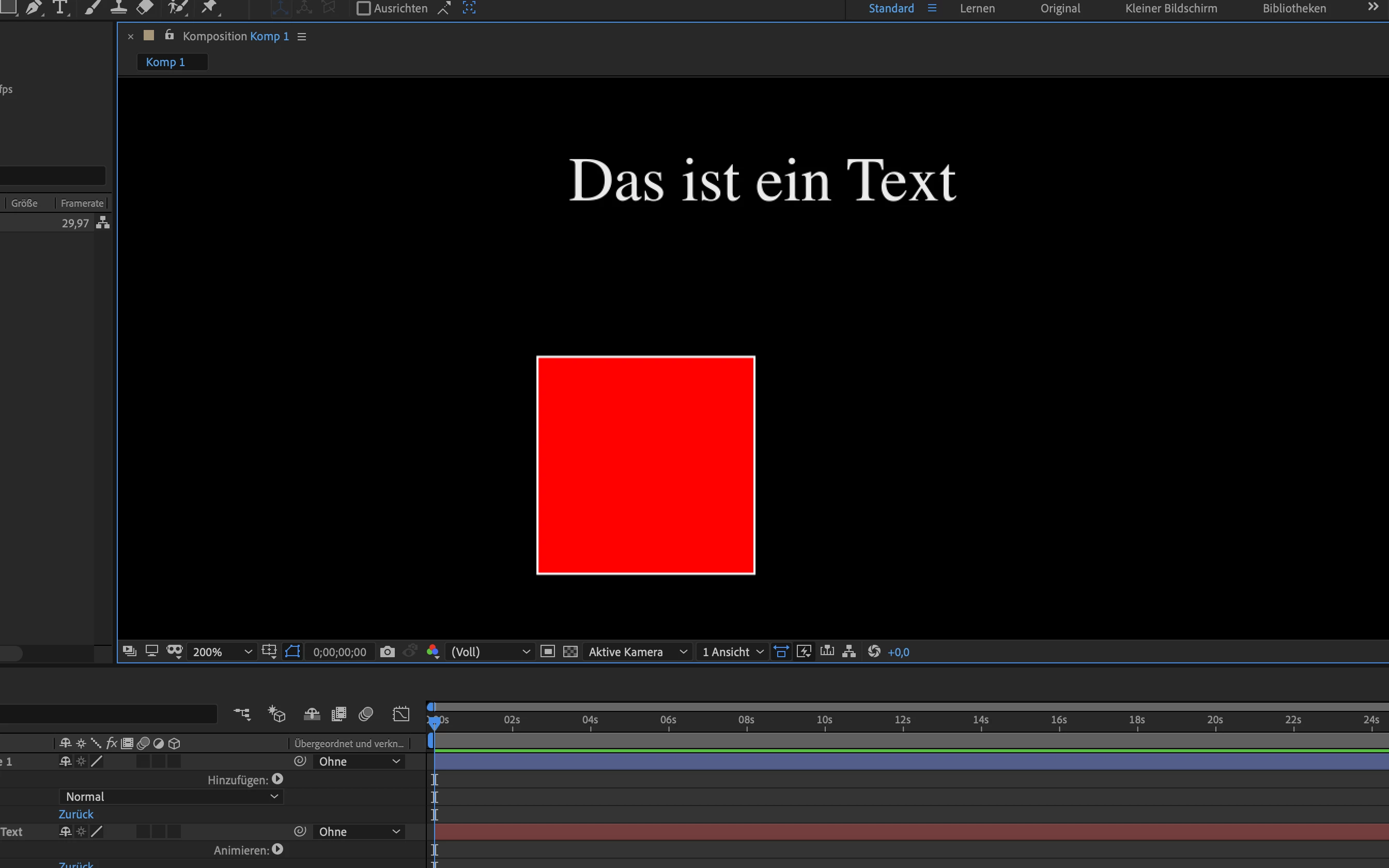
When zoomed into the frame by quite a bit, the shapes and texts appear as they should, so I guess it is a bug on the side of After Effects?


I'm using the brand new MacBook Pro 2019 - 16" intel i9, 5500M 8GB, 64GB Ram, so performance isn't a problem.


I was experiencing similar issues in InDesign, when I previewed a page (shift + w) there were line-glitches all over the place. I researched the web and found out it was a commonly known problem with the solution to simply disable the GPU performance and it worked perfectly fine again. Now disabling the GPU in after effects is a thing I'd rather not try (don't even know if that's possible on the newest version).


Is there a simple answer to this problem, or do more people than me experience this kind of problem?

Thank you all for your answers and ideas!

This topic has been closed for replies.
Correct answer johnm11376824

This is now fixed in version 17.0.1! A fix for premiere is next I hope.

3 replies

johnm11376824Correct answer
Inspiring
December 10, 2019

This is now fixed in version 17.0.1! A fix for premiere is next I hope.

Known Participant
May 13, 2022

It's 2022, version 22.0 Still having this exact problem:

Known Participant
May 13, 2022

AMD Radeon 6800 Graphics card.

sebastian yepes6154284
Participant
December 1, 2019

Hi there, I have the exact same problem going on in my MacBook 16". I am hopping is just a problem that will get fix with an update. One thing that is working for me is to reduce the size of the AE window a bit so that it does not occupy 100% of the screen, that seems to solve the problem at least temporarily. 

Participant
December 6, 2019

Yes that is the same with me. I just got my MBP a few days ago. The resizing does work for me as well. I'm not sure why it does that.

Participating Frequently
December 10, 2019

I'm having the same issues. Anyone figure it out yet? Resizing doesn't really work for me. ?? 

assause
Community Expert
Community Expert
November 24, 2019

The MacBook Pro 16inch is a new piece of hardware, so it's not yet widely used.
And with the newly designed Mac hardware and the newly released macOS combination, it's no wonder that trouble occurs.


At the moment, sound related problems are exposed.

https://discussions.apple.com/thread/250867287

https://discussions.apple.com/thread/250879269


Move thread from Community Help to After Effects.