
Allec800420130007
Participant
January 22, 2018
Question

After Effects Error (25 :: 237)

  • January 22, 2018
  • 7 replies
  • 18045 views

Hello, I am having an error in AE when trying to render out a project. It is not to long, maybe a 10 sec clip. But might be a bit heavy on effects. I will attach a file at the bottom of this post, that shows the message. I am using a Mac book pro with 16gigs of ram, 2.8 GHz Intel Core i7,

AMD Radeon R9 M370X 2 GB

Intel Iris Pro 1536 MB.

Any ideas on what I can do to fix this problem?
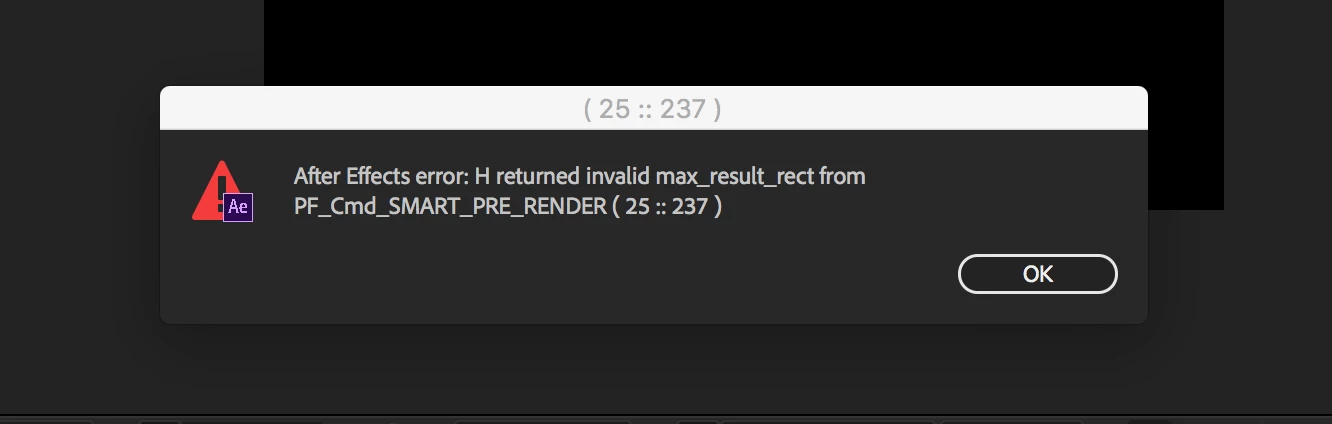
    7 replies

    Participant
    July 12, 2024

    In my case, i just remove the effect "deep glow" and that's working. Even if i have many layers with this effect in my composition is still working ...

    NewtV
    Known Participant
    July 9, 2024

    That's an old bug that Adobe team seems not to care to fix. Generally it's a layer that causes the problem. After restart AE you have to delete half the layers and check if the problem persists, and keep doing it untill you spot the damaged layer. If you delete and recreate that layer exactly as it is the issue will no longer appear.
    You didn't make anything wrong, it's an AE bug.

    Participant
    June 29, 2023

    Hi I have that same problem but with T not H and I dont know what is it please help me


    Participant
    February 6, 2023

    In my case i was working with expressions in an adjustment layer! Once i deleted the adjustment layer it all worked out.

    Participant
    June 7, 2022

    that problem shows up when i use "deep glow" effect on a moving text(the rainbow thingy), i fixed it by pre-composing the animated text first then apply deep glow effect. i dont know if his works to other plugins/effects, but you are free to try it. i hope you fix your problem

    Participant
    February 28, 2023

    tys bro <333333333


    Allec800420130007
    Participant
    January 22, 2018

    OK, thanks for your time Mylenium. I'll prob just start over and try it again.

    Known Participant
    April 26, 2022

    Hi, i had the same error using a fractal noise on a 4k adjustment layer. Switching to adaptive resolution did the trick for me.

    Known Participant
    April 27, 2022
    Mylenium
    Legend
    January 22, 2018

    Without any idea about what is actually going on in the comp nobody can tell you much. This kind of warning is triggered by some effect, possibly in conjunction with using a pre-comp, but we honestly can't know. You have to provide much more info.

    Mylenium

    Participant
    October 28, 2023

    hello idk if you could help me but i'm having the same problem, that error. i don't have too much precomps and i did a slight change to a text i wanted to fix and get that error. this has also happened when i precomped all my comps, adjustment layer, put 3 effects on that adj layer, and when playing on the timeline, i get that error. even after purging cache. this isn't my first time getting this but anything i do it's only temporary. deleting the plugin, reinstalling, nothing works, any help ?