
Participant
December 20, 2019
Answered

After effects error: crash in progress [Windows 10]

  • December 20, 2019
  • 4 replies
  • 51300 views

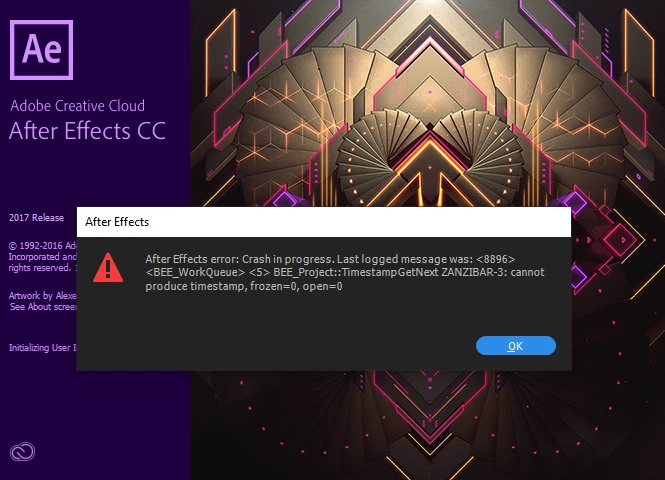
After effects error: crash in progress, last logged message was:<8896><BEE_WorkQueue><5>BEE_Project::TimestampGetNext ZANZIBAR-3: cannot produce Timestamp,frozen=0, open=0
Note:
adobe master collection cc 2017
Windows 10 Pro


Title edited by Mod

Correct answer christinar29522630

This workaround WORKS! First, launch AE by clicking on a file extension that is supported by AE; I used .aep. After effects will launch and open the project file. Second, head over to preferences GENERAL dialog and untick the ENABLE HOME SCREEN. Close then re-launch AE by ticking on your shortcut to the AE executable and enjoy. Thank you!

4 replies

Participant
January 22, 2023

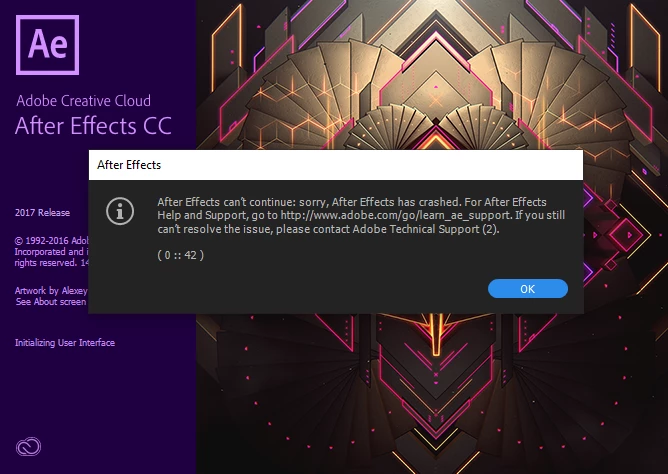
Can anyone pls help solve my issue, when i open after effects, the crash error messages pop up and when i press "ok" for both of them and gives me a chance to save the project which i'm never able to start since yesterday, i looked at the comments below and most of the solutions are not possible for me as none of the buttons or functions are working. Please help if you know what this is. 

Also, 

i'm using after effects 2022 on a dell laptop, i'm not sure which one though sorry. 

Participant
January 22, 2023
It will work if you open an existing project by clicking on the ae file
then follow procedure, don’t launch the project on it’s own
Participant
September 23, 2023

Thanks you so much ! This work for me

Participant
November 8, 2022

I still have this issue!! When I try the workaround, it says "Invalid Menu Option" on clicking the Edit button!!

Participant
June 1, 2021

Hello ...
How to Resolve this problem ?
Same Condition 

christinar29522630Correct answer
Participating Frequently
June 15, 2021

This workaround WORKS! First, launch AE by clicking on a file extension that is supported by AE; I used .aep. After effects will launch and open the project file. Second, head over to preferences GENERAL dialog and untick the ENABLE HOME SCREEN. Close then re-launch AE by ticking on your shortcut to the AE executable and enjoy. Thank you!

Participant
November 30, 2021

where is the ENABLE HOME SCREEN option?
if possible send a screenshot, because i can't find it

Shivangi_Gupta
Community Manager
Community Manager
December 21, 2019

Hi Mohamadh,


I understand After Effects fails to launch for you. Could you share the following information before we start troubleshooting?

  • Please share your system details(RAM, GPU, CPU, etc)
  • The screenshot you shared says the application is from 2017 release. Is there any reason for not updating the software?


Looking forward to the response. Meanwhile, I'd recommend to try this:

Right click on the application shortcut > Select Run as administrator


Let us know if it helps.


Thanks,

Shivangi

Participant
December 21, 2019

thank you Shivangi
the reason was the mediaplayer i installed
when i uninstall it it work good
thank you

nishu_kush
Community Manager
Community Manager
December 27, 2019

Glad to know that you were able to resolve the issue. Would you mind sharing the name of the media player?


Thanks,

Nishu