
After Effects: Error reading XMP metadata from file
Hello, and good day!
So I have come across a problem this morning. So I downloaded a PNG file from somewhere (from Mega Website, it is a safe file sharing site), and I imported that PNG file along with 2 more PNG files. My problem is that, after importing the PNG files, I first dragged one of the PNG file (the one I downloaded from Mega Website) to the workspace, only to get this message:
"After Effects error: Error reading XMP metadata from file"
(screenshot is given)
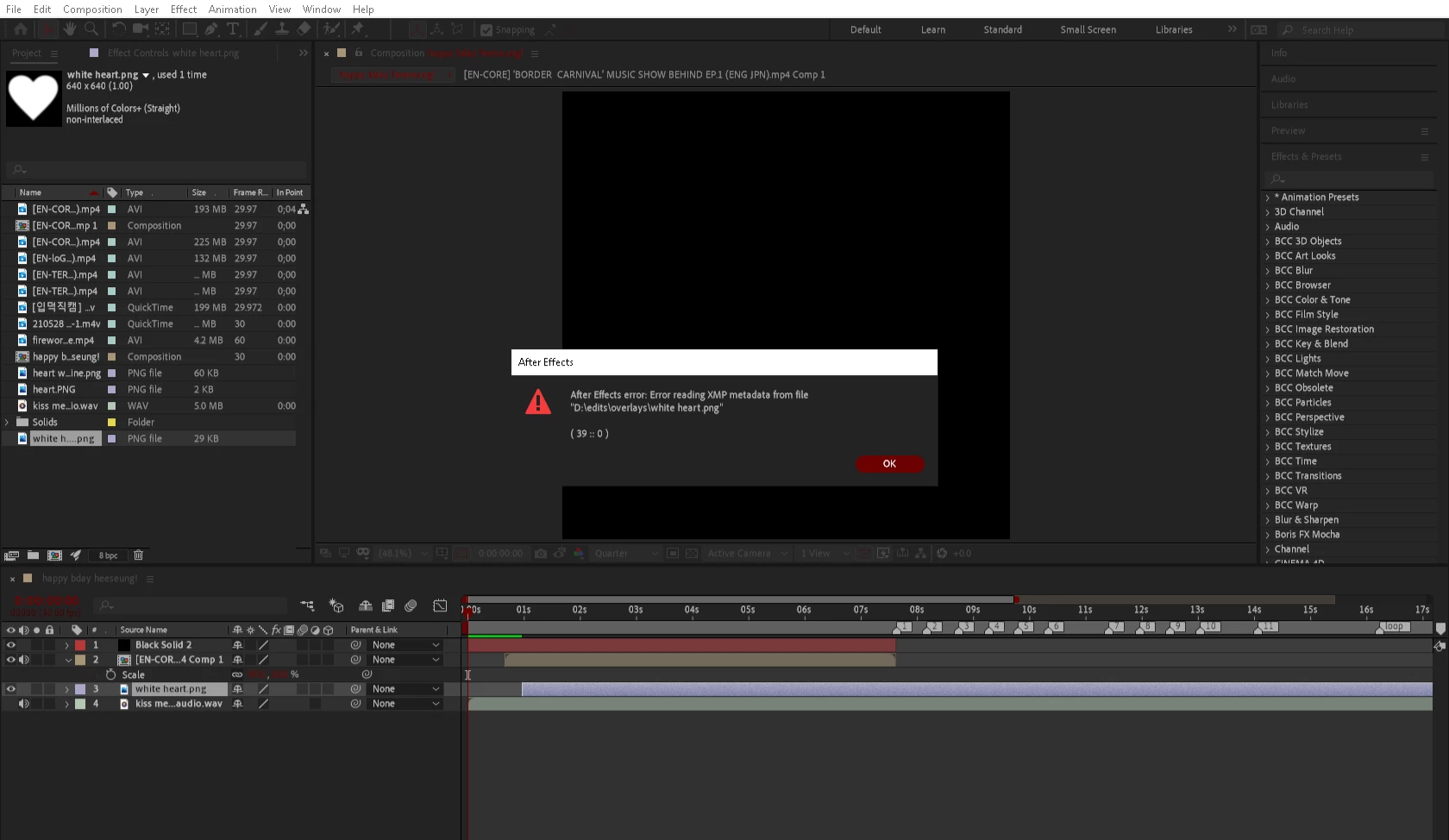
(if it is not clear, i gave another file in here for you to see)
The thing is, other PNG files and other video files and such that I imported are working perfectly fine, it's just that only this certain PNG file gave me this error. May I know why it gives me an "Error reading XMP metadata from file" error?
Thank you and I would appreciate it!
 AdChoices