
Sagesb17
Participant
August 1, 2017
Answered

After Effects error: zero denominator in ratio addition 17::16

  • August 1, 2017
  • 8 replies
  • 90189 views

I'm still a noob when it comes to After Effects, and I have looked everywhere on how to fix this issue. My last resort was asking on here. I don't know what information is needed to figure out the problem, so I'll explain what I can. I have windows 10. This stupid error only started popping up since yesterday, when I tried going onto graph editor to view the speed graph. On both the value and speed graph, the keyframes weren't visible. The one time they were, I only managed to modify one before After Effects crashed. I tried again a few more times, and got the same result. This isn't a problem with importing a composition, just editing the graph. Restarting or uninstalling and reinstalling has not helped. Has anyone else experienced this error? Because for some reason there's no trace of it, where I've looked. This is really frustrating and I want to fix it soon. Please help! Here's a screenshot of the popup I get:

This topic has been closed for replies.
Correct answer milena1587

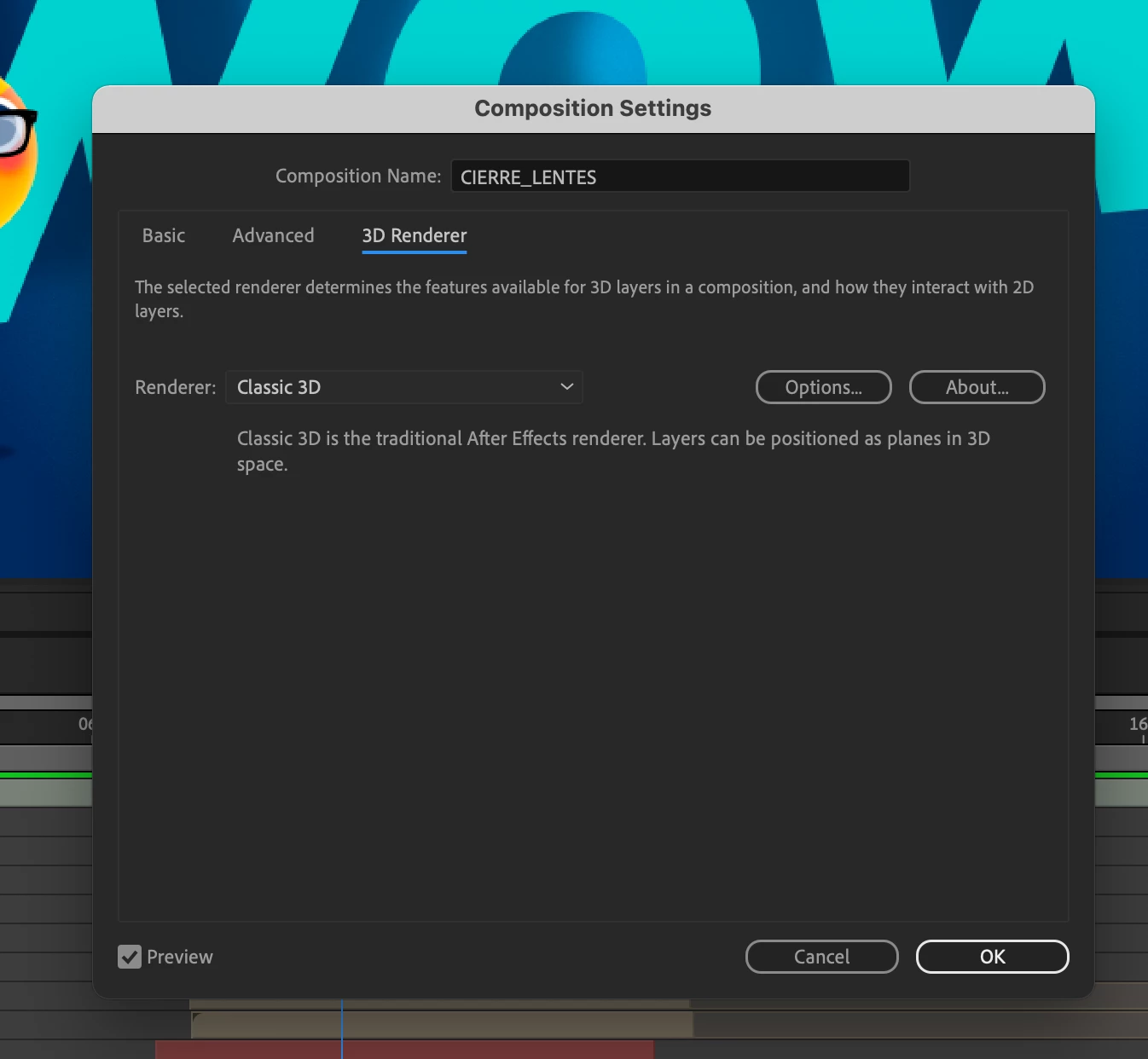
I was having the same problem and I fixed it! in the comp settings > 3D renderer, you have to select "Classic 3D" as shown in the image. That's the only way I found to make it work. Try it! 🙂

8 replies

magnus atom
Participant
March 10, 2024

I changed my composition back to "Classic 3D" from Cinema 4D. Restarted After Effects and now it's working again.

Participant
October 17, 2023

The only solution that seems to really work was "REMOVED BY THE MODERATOR"???

Participant
August 22, 2023

Hello, If you want it to work now just install a older version those ones don't have any problems 😉

Participant
August 18, 2023

I got this error after updating to v23.6.
I tried changing the settings as recommended here and while it didn't pop-up as frequently, still kept happenning.
I've rolled-back to v23.5 and so far everything is OK, no pop-ups.

* MacOS 13.4.1

* Apple M1 Max

* 32GB RAM 

nishu_kush
Community Manager
Community Manager
August 17, 2023

Check out this new thread on the topic for the latest updates.


Thanks,

Nishu

milena1587Correct answer
Participant
August 12, 2023

I was having the same problem and I fixed it! in the comp settings > 3D renderer, you have to select "Classic 3D" as shown in the image. That's the only way I found to make it work. Try it! 🙂

Participant
October 6, 2024

It's worked for me!
Thank you.

Kevin-Monahan
Community Manager
Community Manager
August 15, 2017

Hi SageSB,

Sorry for this issue. Did you ever find a solution? Please let us know if you have or if you still need help.

Thanks,

Kevin

Kevin Monahan - Sr. Community and Engagement Strategist – Adobe Pro Video and Audio
Sagesb17
Sagesb17Author
Participant
August 17, 2017

No, unfortunately not. The other day it was working just fine, but I tried again today and the same issue occurred. I just do this for a hobby and have had no training, so I don't know how to re-code/transcode a source file like the other user suggested. Do you know how I can fix this? Thank you!

Kevin-Monahan
Community Manager
Community Manager
September 11, 2017

Hi sagesb,

Did you do as recommended and transcode your file? You can do so in Media Encoder. Here's some basic steps: [Removed by moderator]


Let us know if you have questions.


Thanks,

Kevin

Kevin Monahan - Sr. Community and Engagement Strategist – Adobe Pro Video and Audio
Mylenium
Legend
August 2, 2017

This error can have al lsorts of causes and without better info nobody can really tell you where it is coming from. It's an internal math error, obviously, and can affect anything from decoding the footage to specific functions and effects. Based on your screenshot the only thing thatr comes to mind is trying to re-encode/ transcode your source file in case its streams are damaged. this may avoid the issue then...

Mylenium