
Participant
May 29, 2018
Answered

After Effects: Footage doesn't show anymore?

  • May 29, 2018
  • 3 replies
  • 6705 views

I have been working on this project all day. After effects crashed and when I reopened it, this error message came up
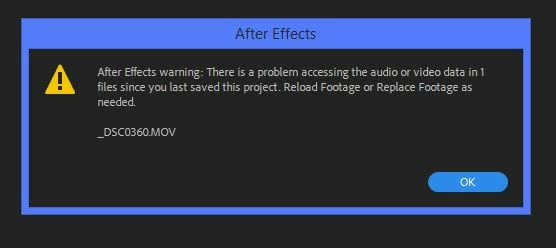
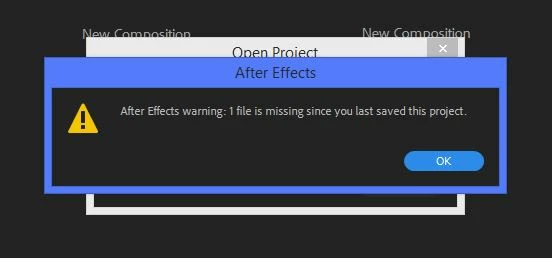
So I reloaded AND replaced the footage and it shows up in the Project and Layer panel just fine but the footage doesn't show in the composition preview? I noticed that the little eye next to layers to turn on/off visibility is not even there...
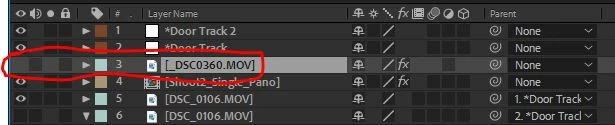
The eye used to be there before it crashed. I even tried to start a new project with a new composition and load the footage but it still doesn't show up. The footage plays perfectly fine with Windows Media Player. and I can upload the footage to youtube/facebook, and plays fine in Premiere Pro. So I know its not a problem with the footage. After effects just likes to be difficult.

I've done the obvious like; restart AE, restart computer, and Empty Disk Cache.

Here is my computer specs
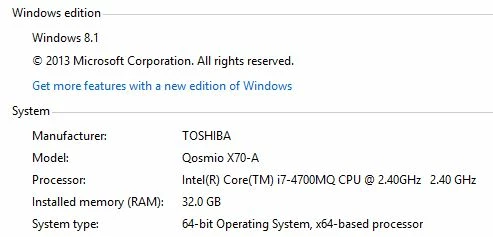
Any have the same issue and gotten around it? Any suggestions?

This topic has been closed for replies.
Correct answer Dave_LaRonde

If you can see this footage in Adobe Media Encoder, use it to transcode the clip to a different media container & codec.  We don't know enough about your precise AE version nor the specifics of the footage to figure out what's wrong.

3 replies

simonw20180990
Participant
December 8, 2018

Had the same issue with a huge 56.5gb file, so changing the format of the whole thing was going to be a pain in the ass. Tried everything I could think of and the only thing that worked was making an identical copy of the file and re-importing it. Weird Bug.

Participant
August 16, 2018

I've had the EXACT  same thing happen. Mine are .MP4 files originally clipped in Premiere and dynamic linked to AE using Replace with AE Comp function. They were proxies that I sent. I rendered out fine, closed project. Client wanted changes, reopened project to those same dialog boxes. Relinked and nothing. Eyeball is gone and my .MP4 is now audio only. Its a 23.976 clip. I have 3 comps with 3 different clips. 2 of them have this issue and one doesn't. Also, these files don't open in footage panel either. Toggled proxies to no avail. Very odd.

Be interesting to see the outcome.

Dave_LaRonde
Dave_LaRondeCorrect answer
Inspiring
May 29, 2018

If you can see this footage in Adobe Media Encoder, use it to transcode the clip to a different media container & codec.  We don't know enough about your precise AE version nor the specifics of the footage to figure out what's wrong.

Participant
May 29, 2018

Ok I will try that.

I am using After Effects CC 2018.0

Footage is a Quicktime movie, 129 MB, 1920x1080, 29.97 fps,

When I originally made the composition I used all of the same settings.