Participant
October 21, 2024
Question

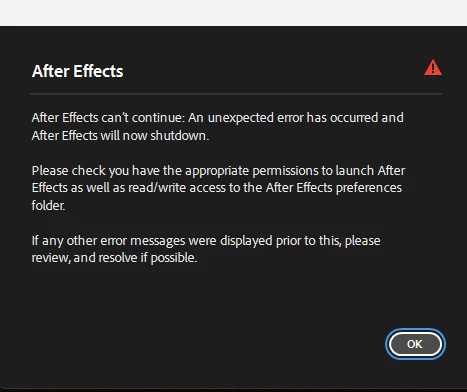
After effects Not Opening Unexpected error please check appropriate permissions to launch

  • October 21, 2024
  • 2 replies
  • 543 views


2 replies

ToolfarmJP
Community Expert
Community Expert
February 21, 2025

If you move Edit menu > Preferences > Media & Disk Cache section, you can find the location of the cache disk. You change the permission of the folder.


Participant
February 21, 2025

I checked and its set to Read & Write. This is after I reinstalled an older version 24.0 Anything beyond that I can't get out of the splash screen.

Participant
October 21, 2024

please anyonbe who knows how to clear it please help me

jane-e
Community Expert
Community Expert
October 21, 2024

@lijin_4049 


I've moved your post from Creative Cloud desktop to the After Effects forum where you are more likely to get assistance. 


Were you able to launch After Effects earlier or is this a new install?


What version of AE and what is your OS?


What did you find when you checked your permissions as asked in the dialog?


Jane