
Exit
  • Global community
    • Language:
      • Deutsch
      • English
      • Español
      • Français
      • Português
  • 日本語コミュニティ
  • 한국 커뮤니티
0

After Effects opening problem

New Here ,
Feb 24, 2021 Feb 24, 2021

Hi guys, suddenly After Effects starts to open like this (attached video), uninstalling doesn't help, i have wiped every Adobe related file/folder from system.. and nothig, any ideas?

This same happend one day layter on another computer in our company.
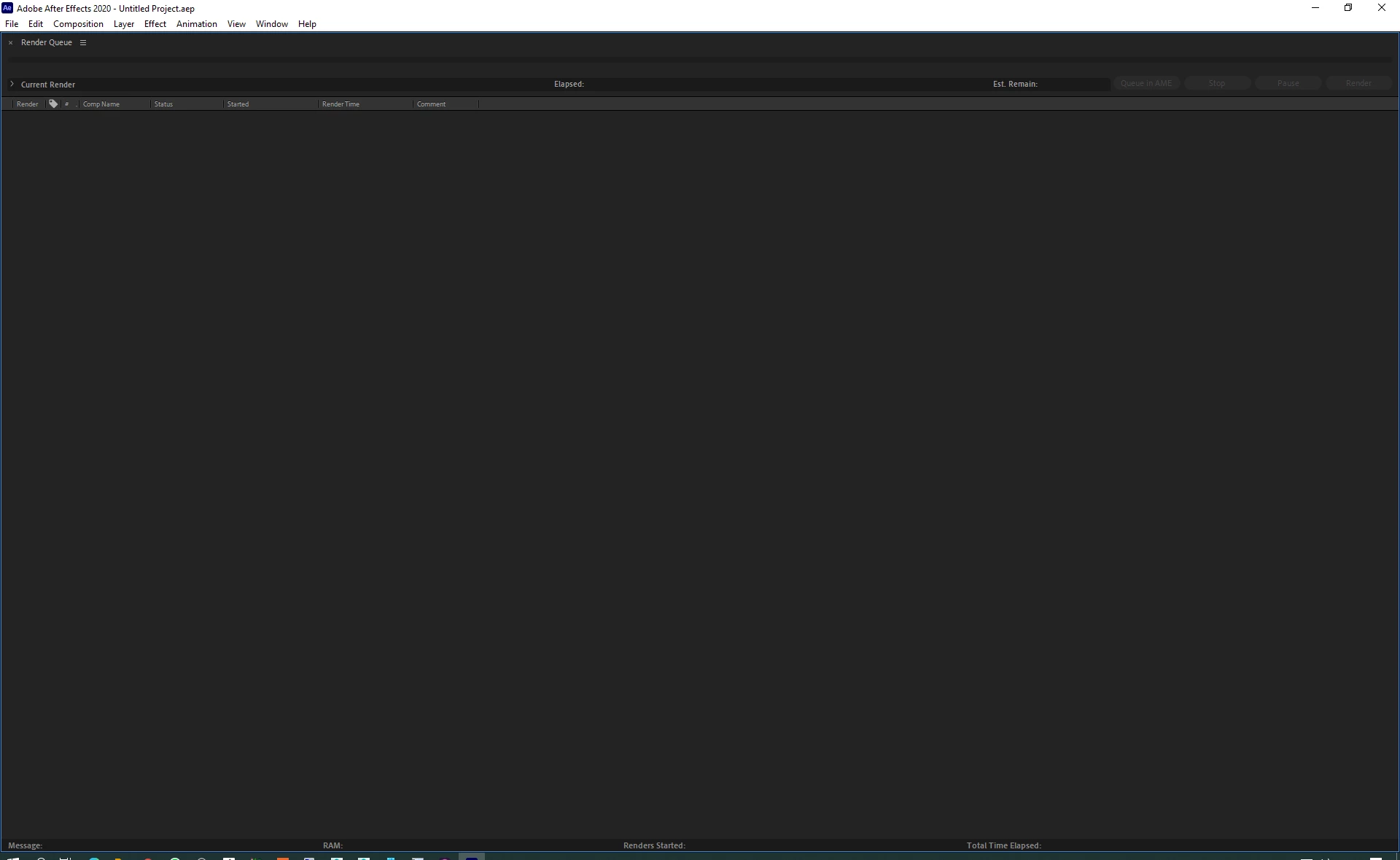
after start.png

TOPICS
Error or problem , Freeze or hang , User interface or workspaces
597
Translate
Report
Community guidelines
Be kind and respectful, give credit to the original source of content, and search for duplicates before posting. Learn more
community guidelines

correct answers 1 Correct answer

Mentor , Feb 24, 2021 Feb 24, 2021

This is AE render-only version.


Check where your shortcuts are pointing to.


For AE it is:

"C:\Program Files\Adobe\Adobe After Effects 2020\Support Files\AfterFX.exe"


For Render-Only:

"C:\Program Files\Adobe\Adobe After Effects 2020\Support Files\AfterFX.exe" -re


*Martin

Translate
Mentor ,
Feb 24, 2021 Feb 24, 2021

This is AE render-only version.


Check where your shortcuts are pointing to.


For AE it is:

"C:\Program Files\Adobe\Adobe After Effects 2020\Support Files\AfterFX.exe"


For Render-Only:

"C:\Program Files\Adobe\Adobe After Effects 2020\Support Files\AfterFX.exe" -re


*Martin

Translate
Report
Community guidelines
Be kind and respectful, give credit to the original source of content, and search for duplicates before posting. Learn more
community guidelines
New Here ,
Feb 24, 2021 Feb 24, 2021
LATEST

Thank you Martin!

that was the case, Dealine created file "ae_render_only_node.txt" in Documens after adding my computer to dedicated pool.

Translate
Report
Community guidelines
Be kind and respectful, give credit to the original source of content, and search for duplicates before posting. Learn more
community guidelines