
Participant
September 11, 2020
Answered

After Effects plugins won't show up

  • September 11, 2020
  • 6 replies
  • 39264 views

Hello all,


I am new user to After Effects for Mac.


None of the After Effect plugins I've downloaded are working.


I tried uninstalling/reinstalling After Effects several times.


And I also uninstalled and reinstalled the plugins multiple times but none of them ever shows up in the Windows > Extension except for Adobe Colors
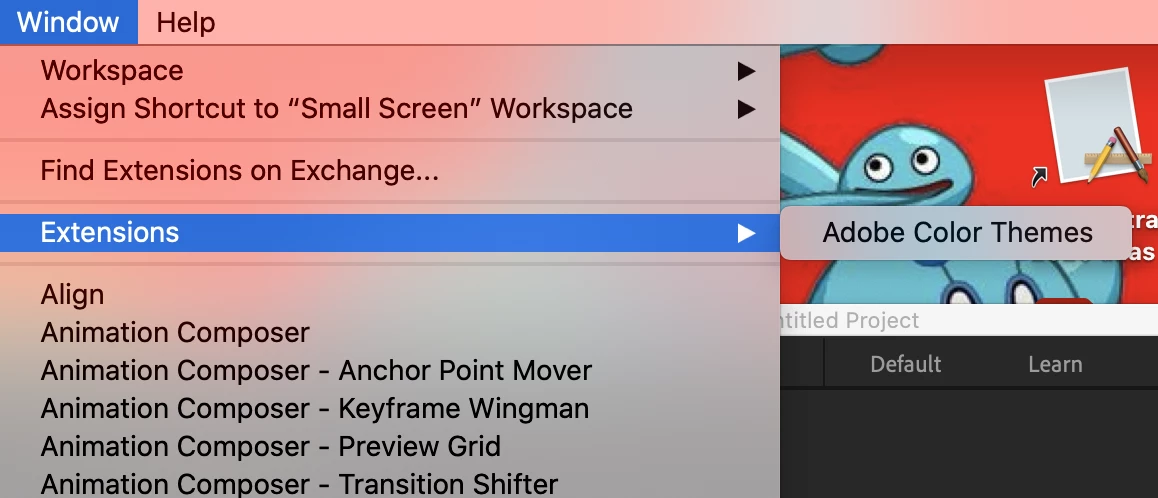


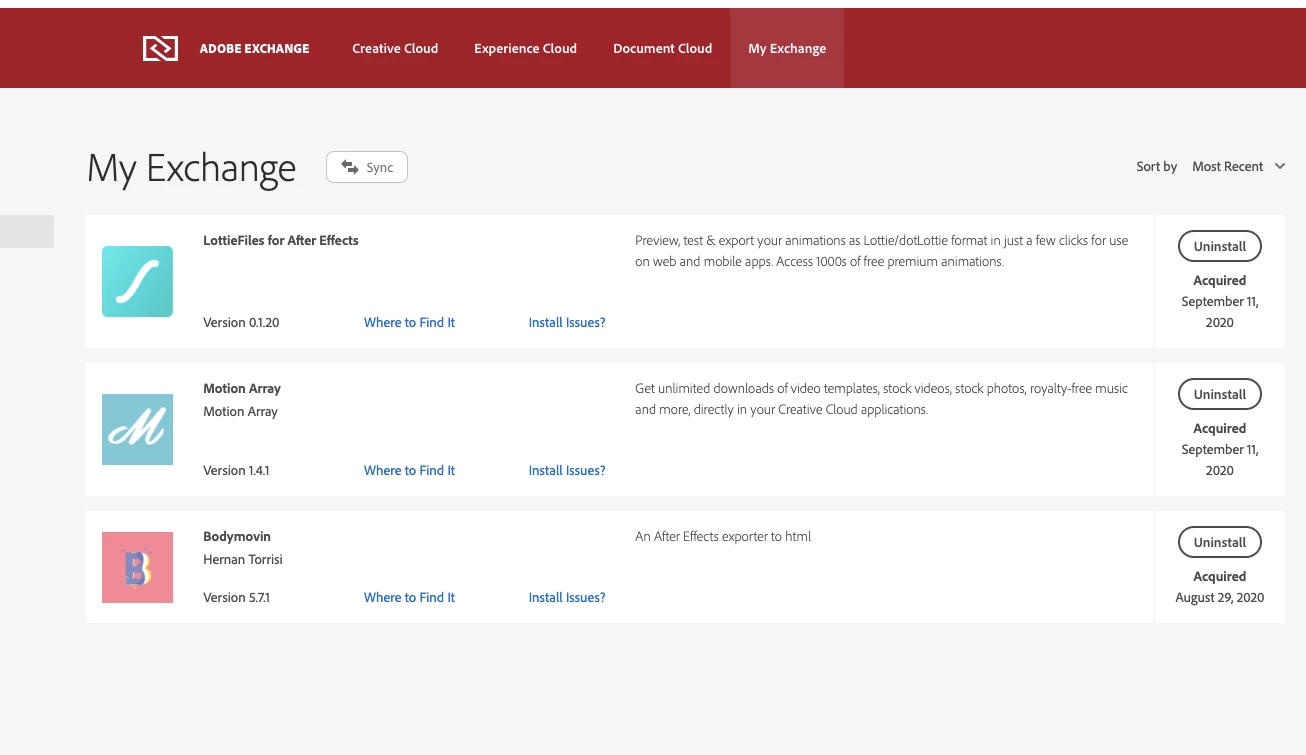
At first I thought it was only the Bodymovin but after installing 2 other plugins (Motion array &LottieFiles for After Effects) I realize that none of them are showing up in the Windows section.
 

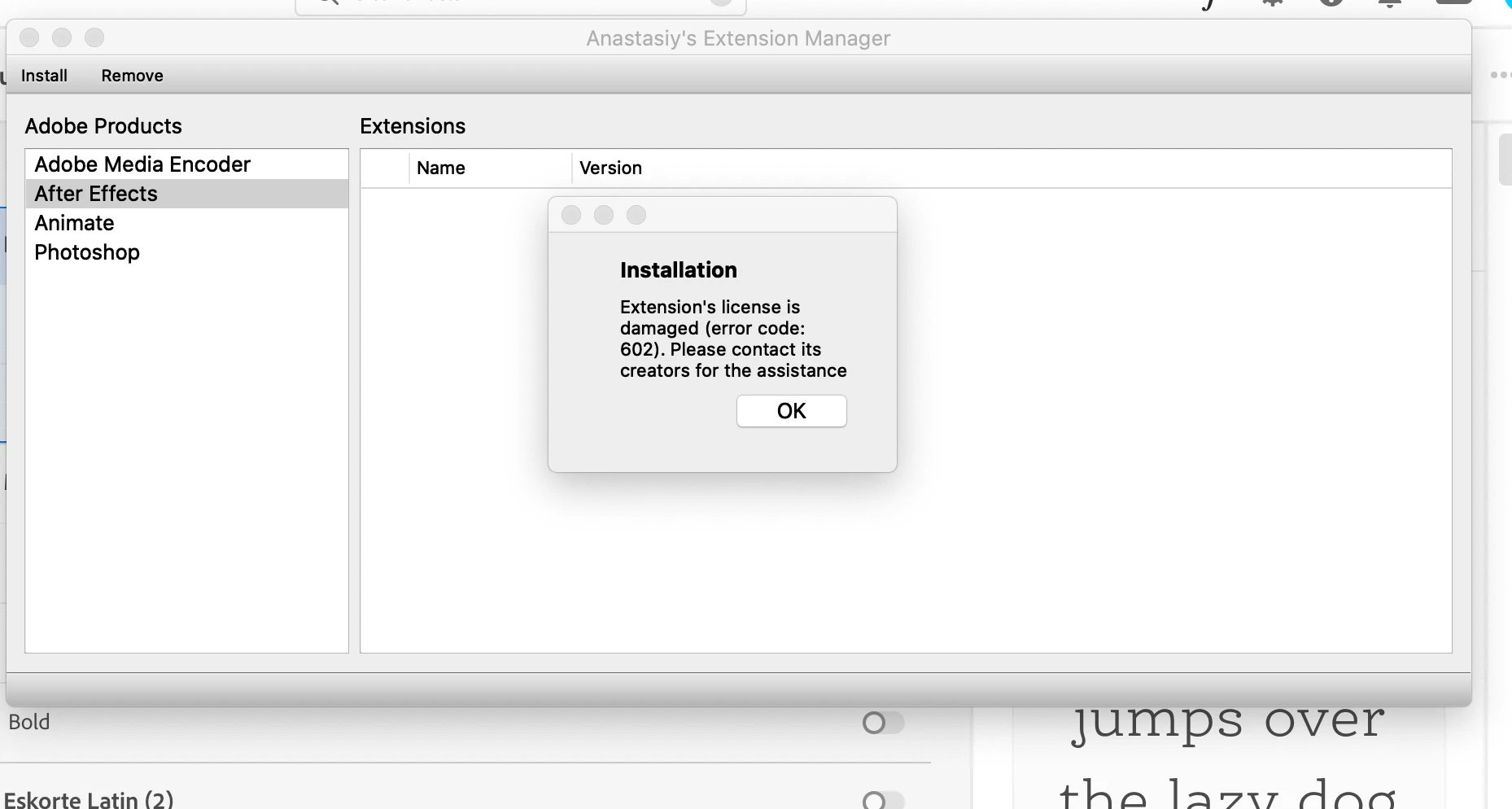
I also tried installing it using Anastasiy’s Extension Manager but keep getting a 602 error.


Please help :(, I keep looking up solutions in forums but can't find an answer.


Correct answer leighagius

Resolved!!!!

Thanks to other troubleshooting I did for a BLK Market Photoshop plugin.


involves copying the plugin file from CEP folders in your library


See the below link to get the answers

https://reactor.snazzydocs.com/docs/1.0/installation-help/installed-but-can-not-find-in-photoshop 


6 replies

Participant
October 29, 2021

I just wanted to post to let people know that I had this issue as well but found a fix (3rd party plugin's panels weren't showing up in Window -> Extensions in After Effects).


The issue for me turned out to be the inklab Photoshop plugin from blkmarket. I had to delete its folder from: Library > Application Support > Adobe > CEP > extensions


After deleting all of my panels now appear in After Effects. Hope this helps!


dakotah36420808
Participant
December 19, 2022

Whoever you are... YOU ARE MY SAVIOR! I have been looking for a solution to my extensions not showing since the Mac Studio came out and I purchased it for my motion work. This one little folder was messing with everything else. Thank you again. 

Participant
October 20, 2021

 Run the AE software as an Administrator then try to launch the lottiefiles plugin.   -Solved the issue for me

Zuhaib Ashfaq
Participating Frequently
December 1, 2021

Thanks for saving the Universe.JSON

Participant
June 15, 2021

I'm having the same issue with the Bodymovin plugin. I've tried all of the above including


  • Checking my CC is in sync
  • Re-installing plugin and AE (multiple times)
  • Installing via ZXP
  • rolling back my version to 17.1 


I'm not getting an error saying it can't be installed it's just installing but not showing up where it's supposed to.

I was using this plugin about a year ago so assume it's one of Adobe's updates??


Does anyone have a solution?


Participant
April 26, 2022

yess its not working, you found a solution?


Zuhaib Ashfaq
Participating Frequently
April 27, 2022

@Galiao reply worked for me.


Close all applications and processes of aftereffects (via task manager etc) and then launch After Effects 'As an Administrator' 

Charpnutz
Participating Frequently
January 26, 2021

I was able to get the extensions to show up by rolling After Effects to version 17.1.0.

Charpnutz
Participating Frequently
January 26, 2021

+1 for this issue. I've tried everything OP has and still in search of an answer. 

OussK
Community Expert
Community Expert
September 12, 2020

This is not a plugin, this is an extension, you may have a sync issue with adobe server so you are not able to get your extension, you must be sure your adobe creative cloud app is syncing normally with the adobe server.

another way try to install them manually if possible using some ZXP installer and highly prefer this one https://aescripts.com/learn/zxp-installer/

Participant
September 12, 2020

Hi Ouusk,


First off, thank you for your response. I have checked my adobe creative cloud app but didn't see errors with it.  I paused syncing then resume syncing multiple times but nothing happens. I've also uninstalled/reinstalled adobe creative cloud & uninstalled/reinstalled Adobe After effect but the issue still persists.   If there is any other troubleshooting you can recommend me to resync my adobe server I would love your input.


Also, I tried doing your ZXP installer but I get a pop up that states "No application compatible with Bodymovin_5.7.1. The same popup occur with a different zxp file as well (LottieFiles for After Effects_0.1.20.zxp). Even if I press "OK" it would just say It was not installed.


Please see screen-shots below. 


Really appreciate all the help. 


leighagiusCorrect answer
Participant
June 17, 2021

Resolved!!!!

Thanks to other troubleshooting I did for a BLK Market Photoshop plugin.


involves copying the plugin file from CEP folders in your library


See the below link to get the answers

https://reactor.snazzydocs.com/docs/1.0/installation-help/installed-but-can-not-find-in-photoshop