Participant
May 25, 2020
Question

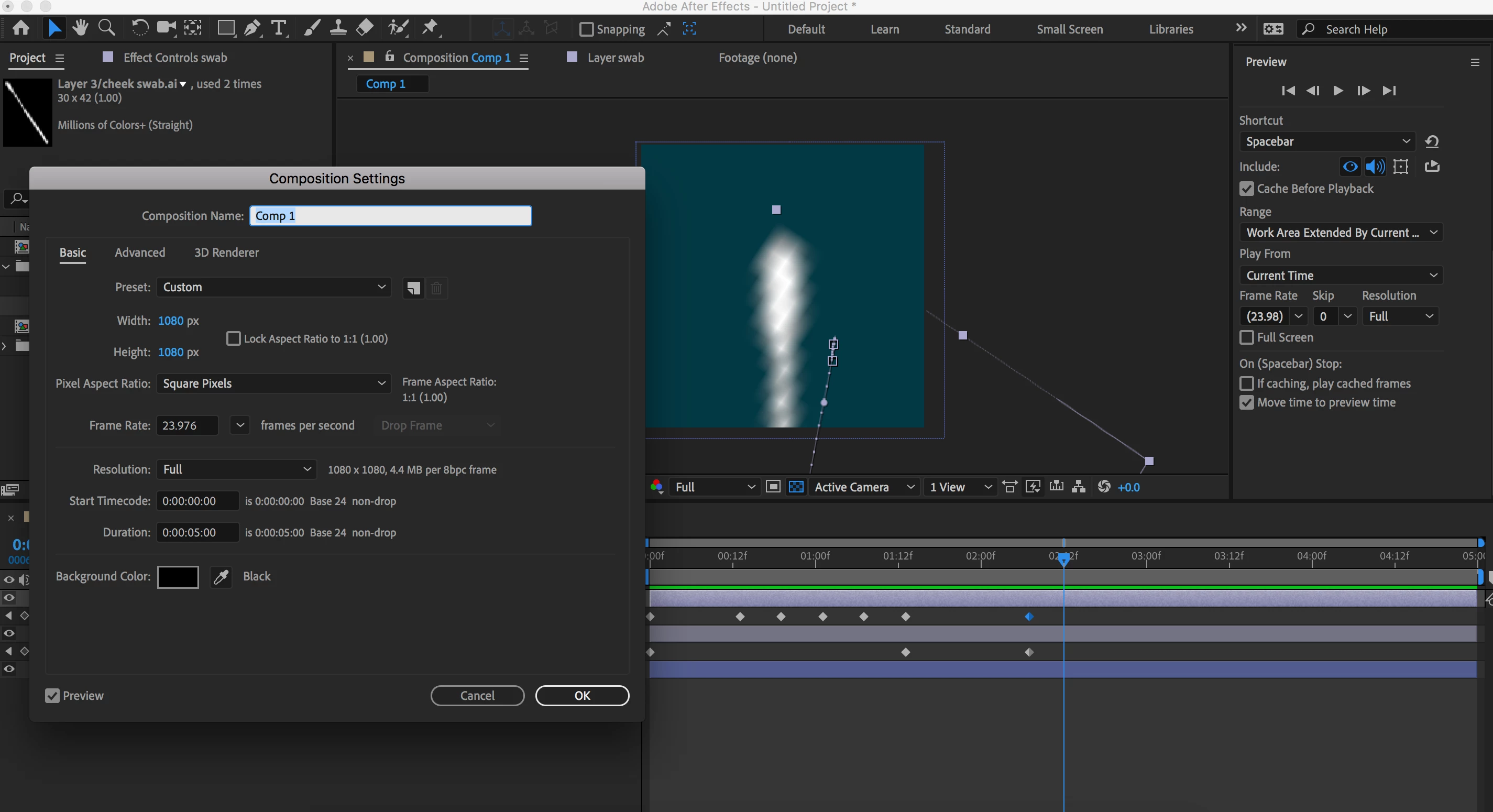
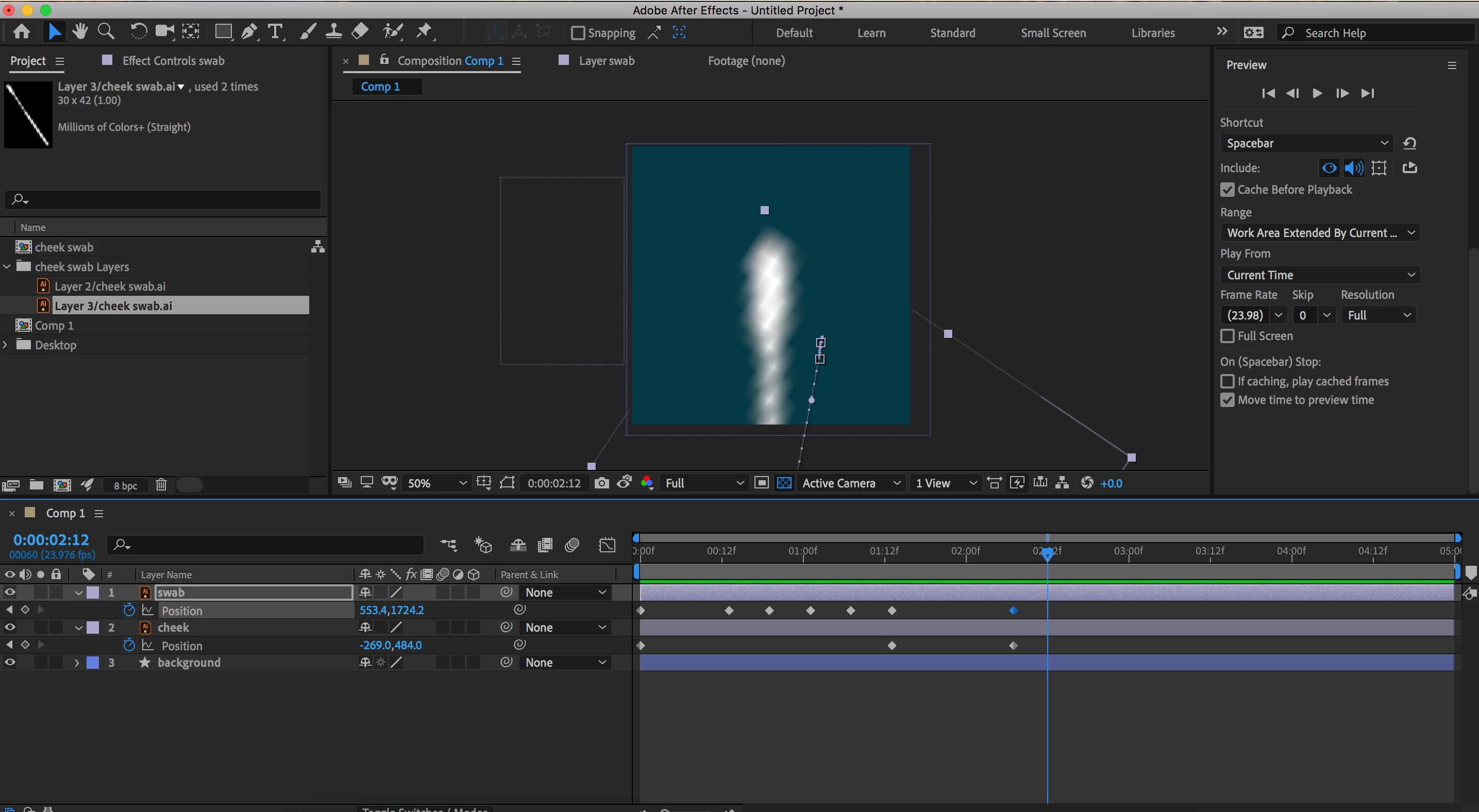
After effects preview is blurry

  • May 25, 2020
  • 1 reply
  • 1429 views

Hi, my preview is blurry. I have my resolution set to full on both the preview settings and the main screen, I only have a file with 2 adobe illustrator layers loaded so I know there's not to much going on that it's trying to catch up, the playback speed is fine but I can't work on my project with it so blurry. Please help 😞  
This topic has been closed for replies.

1 reply

Community Expert
May 25, 2020

The problem should be obvious:

If you had shown all modified properties in Layer 1 by pressing 'uu' the scale would probably be 500% or more.


The incredibly small size of the Illustrator layers tells me that the artwork was improperly prepared for use in video production. The artboard should be at least the same size in points or pixels as the Composition frame. The PPI settings in an image or in the Illustrator Raster settings do not mean anything because there are no inches in video or web pages.


You can still sharpen up the AI layer by turning Continuous Rasterization on in the timeline, but the original image size makes the artwork unnecessarily difficult to work with AE's comp panel.