
Participant
February 27, 2017
Question

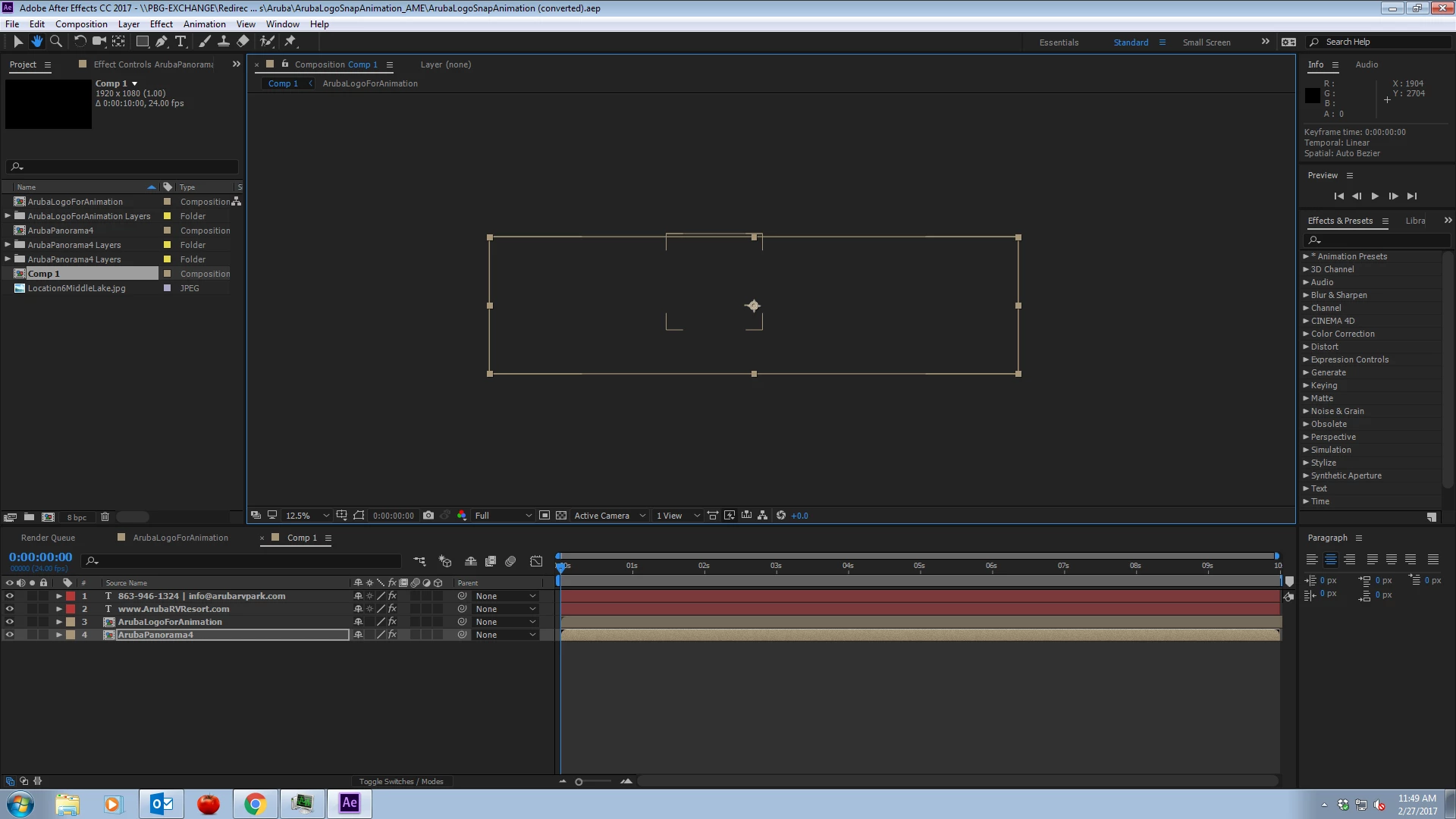
After Effects previews and composition screens blank

  • February 27, 2017
  • 3 replies
  • 704 views

Hello all,

I've scoured the forums trying to find an answer and so far, every solution I've discovered has not been fruitful.

I recently upgraded all of my apps to CC 2017. After Effects and Premiere are both having issues when closing a file. My biggest issue right now is that After Effects composition screens are blank, or showing bounding boxes of something. Playing a scene (either hitting space bar or clicking the play button) toggles the play button, but the time line marker does not move.

I'm working on a file that was converted after the upgrade.

I've manually reset the Preferences and checked all of the display options to be correct.

How can I fix this?
This topic has been closed for replies.

3 replies

Kyle Hamrick
Community Expert
Community Expert
February 27, 2017

Have you tried previewing using the NumPad 0 key? Have you tried tinkering with settings in the Preview panel?
Hard to diagnose too specifically, just tossing out suggestions of where I'd look to troubleshoot this if it were happening to me.

Participant
February 27, 2017

Hmm, just tried this. No effect. Hmm.

Kyle Hamrick
Community Expert
Community Expert
February 27, 2017

This issue is only happening in 2017, is that right?
Did you keep your previous version, or did you let the installer delete the old ones? (If that's the case, you should be able to reinstall 2015.3 from your Creative Cloud app - scroll down for older versions.)

While it doesn't address your immediate question, I always make a point of holding onto previous versions (there's a little twirly & checkbox when installing that allows you to keep the previous version) just to make sure I'm not dead in the water if something like this pops up.

Participant
February 27, 2017

I'm getting the old version right now, hopefully this'll help, at least for now until a new patch/update fixes this. I seem not to be the only one with the issue.

Kyle Hamrick
Community Expert
Community Expert
February 27, 2017

Resetting preferences was going to be my first suggestion, but sounds like you've already done so.
Have you cleared the disk cache? (Edit > Purge > All Memory & Disk Cache) I've found that's often a good first step in addressing any weirdness like this.

Are you having this issue in other projects, or only this one?

Participant
February 27, 2017

It appears to be happening to every file. I've even created a new project file and the same issue is happening. Clearing the cache has no effect either.