Participant
December 14, 2017
Answered

After Effects Render Fail

  • December 14, 2017
  • 4 replies
  • 9487 views

Hi all,

I'm having difficulty rendering out a small video I am making.

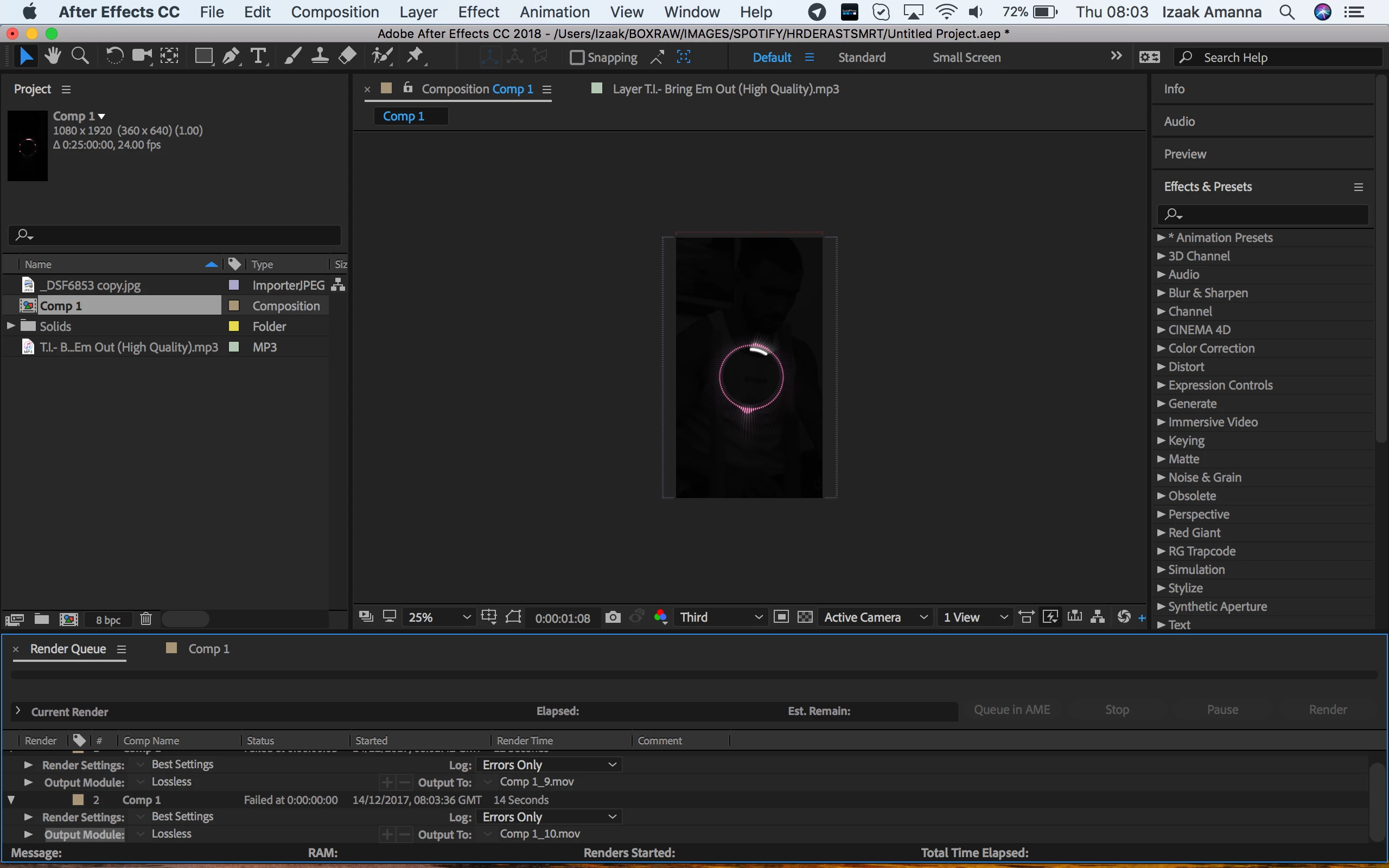
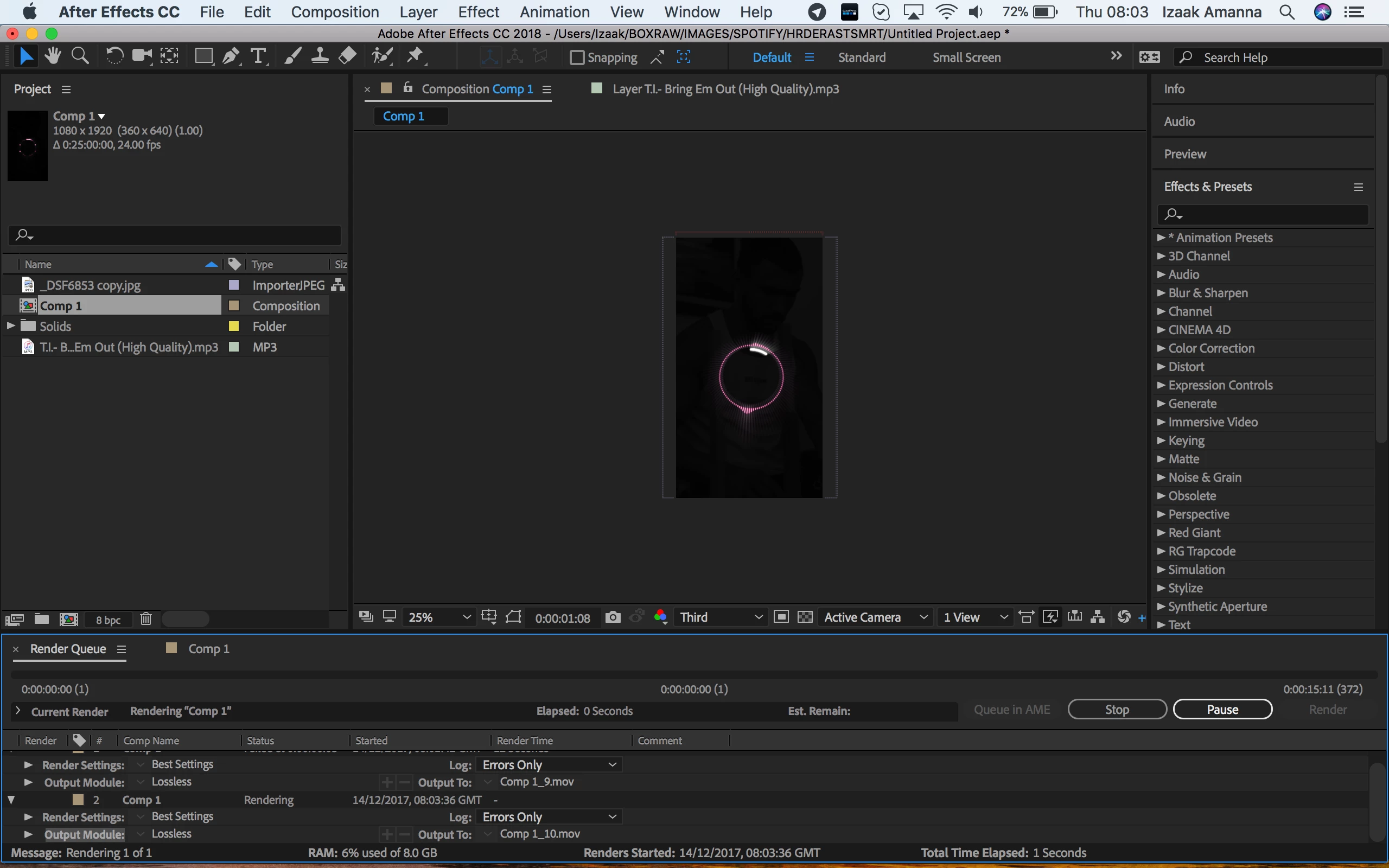
I will press render in AE and it takes 5 secs before I hear a Sheep noise. The finished video is 0.00 seconds long and is saved to my chosen destination. The information is the render queue says failed at 0:00.

I've attached screenshots below on what's happening. Any ideas?

Im running Mac OS High Sierra Version 10.13.1

After Effects CC Version 15.0.0 (Build 180)
Thanks!

Izaak
This topic has been closed for replies.
Correct answer Rick Gerard

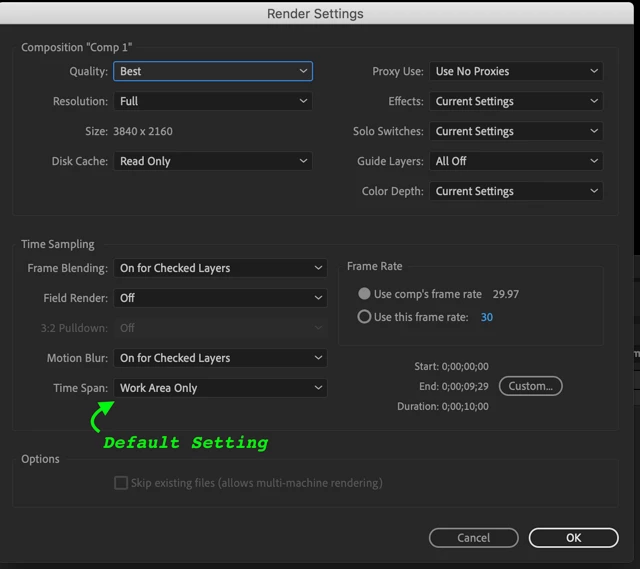
Have you checked Render Settings and Work Area? It is pretty easy to hit the N key when you are at the first frame so the work area is now one frame. The default Render Setting is to just include the Work Area. I don't see any error messages in your screenshots.

Are you still getting the "Baaaa" sound? Have you tried turning off all effects or turning off layers? What happens if you change the comp settings to the default HDTV setting that matches your frame rate? What happens if you make a new comp with the default settings and only put your footage in the comp? What happens if you try and export a frame as a PSD? What happens if you try and export an image sequence using one of the presets in the Output Module?

4 replies

Known Participant
October 23, 2018

Thanks everyone for trying to help!  Even the Watermelon suggestion.

-I downloaded Handbrake, converted the Quicktime .MOV file to .mp4

-imported the .mp4 clip into original Ae project, deleted the .MOV clip, and re-edited

-exported final Ae project to Media Encoder tried to render as H.264/mp4

Same result.... super fast encode, output is a single still frame 00.00.00

I've even heard people's entire video b-roll/Getty/ video are now unsupported

ScooterD76
Legend
October 23, 2018

Your main comp timeline is more than 1 frames long?

( Seems silly but its happened to me before )

Known Participant
October 23, 2018

I think my problem is/was Apple/Adobe no longer supporting Quicktime screen capture video (.MOV)

Kyle Hamrick
Community Expert
Community Expert
October 23, 2018

Sounds like a good thing to explore. Try converting your footage using Handbrake.

Known Participant
October 23, 2018

I'm having the EXACT same issue!  HELP someone, HELP!

Community Expert
October 23, 2018

No workflow details or system details = no way to have any idea at all what is going on. You won't find a solution to the problem without telling us what you are doing. You might as well ask "Why is watermelon?" Without more info, there is no answer.

ScooterD76
Legend
October 23, 2018

https://forums.adobe.com/people/Rick+Gerard  wrote

"Why is watermelon?"

Because Cucumber.

All these media conversion suggestions are good- also see if there are any of your elements that could be pre-rendered and brought back in, it seems you have a lot of layers going on. Lastly, render your final output to an image sequence, at least temporarily while troubleshooting.

Mylenium
Legend
December 14, 2017

Start by trying to renderi to a different format likle H.264 via AME. Also convert the MP3 file to an AIFF.

Mylenium

Participant
December 14, 2017

No joy