


Exit
  • Global community
    • Language:
      • Deutsch
      • English
      • Español
      • Français
      • Português
  • 日本語コミュニティ
  • 한국 커뮤니티
0

After Effects Round Stroke Adjustment Layer

New Here ,
Mar 23, 2019 Mar 23, 2019

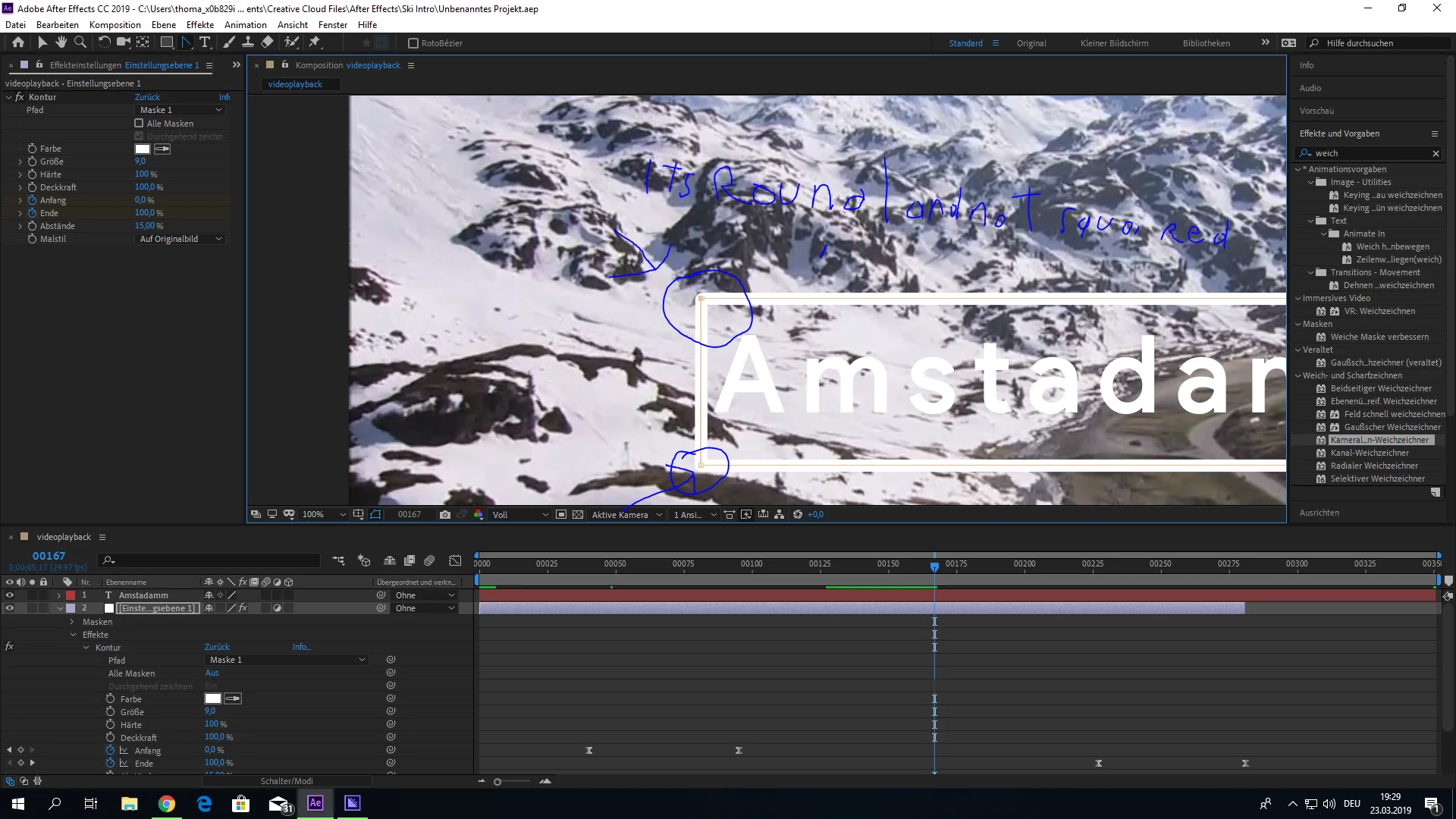
Hello, today i wanted to play a little bit with AE, but i ran into this annoying problem, that when i create a Adjustment Layer, then draw a mask on it and then apply the Stroke Effect to it and make the with something like 10, the corners are rounded and not Squared as i wanted them, can somebody help me how to do that.Unbsdenannt.PNG
841
Translate
Report
Community guidelines
Be kind and respectful, give credit to the original source of content, and search for duplicates before posting. Learn more
community guidelines

correct answers 1 Correct answer

Community Expert , Mar 23, 2019 Mar 23, 2019

Don't use a mask with stroke applied, use a shape layer. You have more options and you'll get a better result.

Translate
Community Expert ,
Mar 23, 2019 Mar 23, 2019
LATEST

Don't use a mask with stroke applied, use a shape layer. You have more options and you'll get a better result.

Translate
Report
Community guidelines
Be kind and respectful, give credit to the original source of content, and search for duplicates before posting. Learn more
community guidelines