
Inspiring
May 8, 2018
Answered

After Effects shows png's colors darker?

  • May 8, 2018
  • 5 replies
  • 5801 views

Hi,

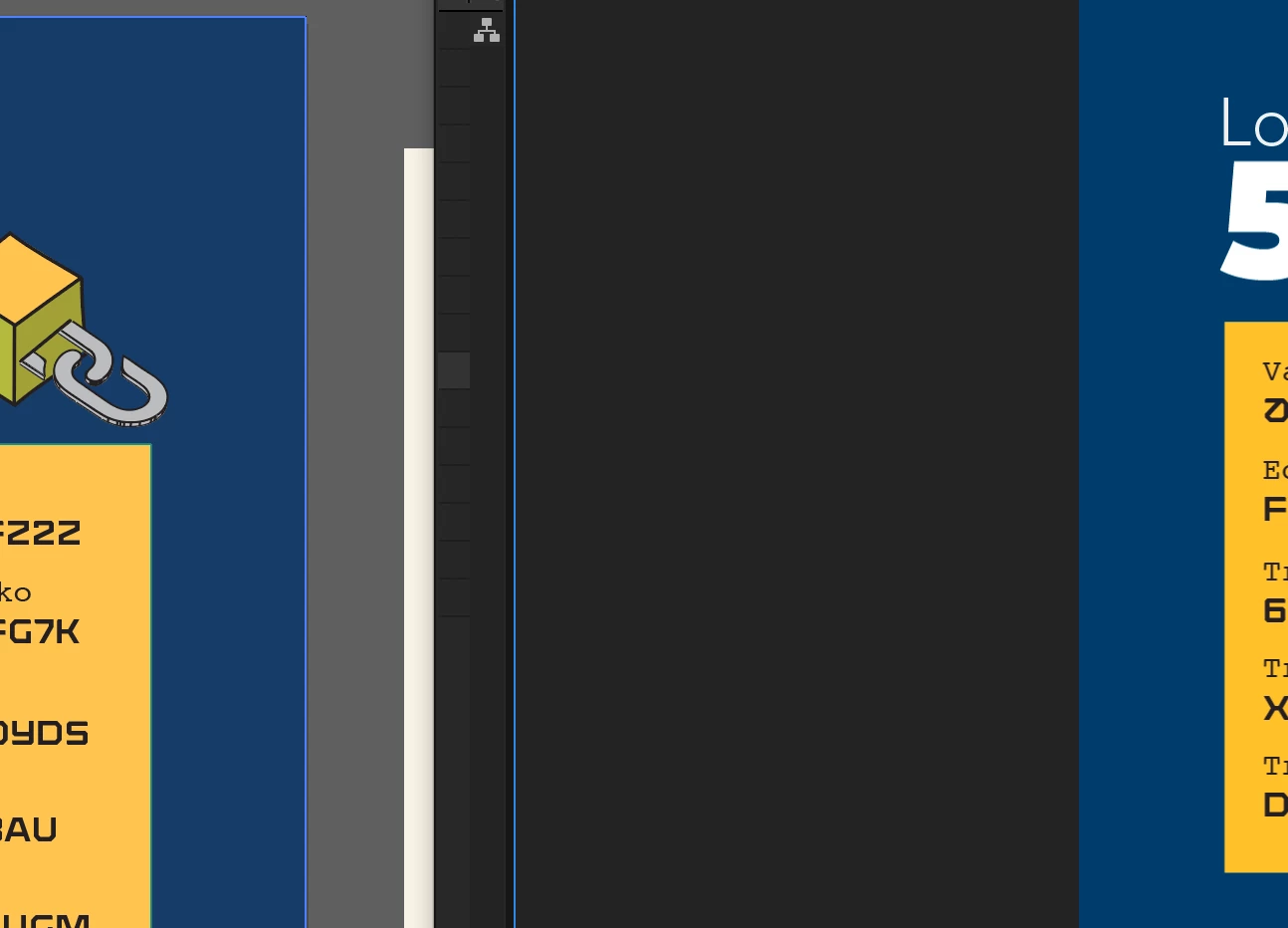
On the left: The colors of the artwork in Illustrator (.ai / rgb). From this artwork I have exported a PNG.

On the right: The colors of the exported PNG, while shown in AE.

Any idea why the colors of PNG are shown darker, while displayed in AE (with Full Resolution on)?
    This topic has been closed for replies.
    Correct answer deliverance

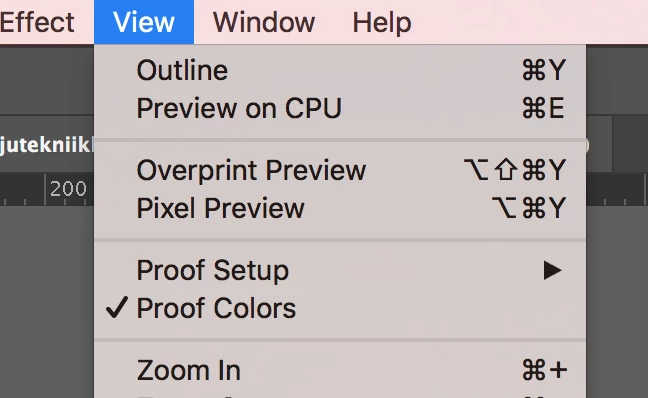
    I believe the issue was the AI setting of Proof Setup on Working CMYK.

    Thanks for help to everyone.

    5 replies

    deliveranceAuthorCorrect answer
    Inspiring
    May 11, 2018

    I believe the issue was the AI setting of Proof Setup on Working CMYK.

    Thanks for help to everyone.

    Inspiring
    May 11, 2018

    Here's the file, if you want to inspect it in your AI. (I removed part of the content for privacy)

    Dropbox - lkt_graph_2.ai

    Mylenium
    Legend
    May 8, 2018

    No point in dancing around: Simple lack of color management and then all those gazillion things Rick already mentioned like possibly using wrong color modes, messing up the transparencies and then some.

    Mylenium

    kirkeric
    Inspiring
    May 8, 2018

    I'd agree, just hard to tell, though I do see the slightly darker image on the right.  I personally would think it's just the difference between viewing it in two different applications but I'm sure you can check the color identification in each for comparison.

    Eric

    Community Expert
    May 8, 2018

    First, without knowing how you rendered the PNG from Illustrator or what your color management settings are, or if there is transparency involved it's impossible to say what is going on. I suspect you chose CMYK when you created the PNG.

    Second, there is almost no reason that I can think of to convert an AI file to a PNG to use it in After Effects.

    Sorry, I can't be of much help without some workflow, system and AE version details.

    Inspiring
    May 11, 2018

    "without knowing how you rendered the PNG from Illustrator"

    I exported the png's through Export for Screens.

    --

    "what your color management settings are"

    I'll insert the AI screenshot here.

    --

    "if there is transparency involved"

    There's no transparency involved.

    --

    "There is almost no reason that I can think of to convert an AI file to a PNG to use it in After Effects."

    Importing AI to AE so that layers are readily available in AI seemed like a workflow with lots of hassle compared to using Export for Screen / Assets (png).

    Anyway, even though I import the .AI to AE, the same color distortion appears in AI. In other words, it seems to have nothing to do with the PNG export.

    P.M.B
    Legend
    May 11, 2018

    In your screenshot it looks like Illustrator is telling you why your colors are inconsistent and how to rectify it or at least try to rectify it.

    Do you not see that?

    ~Gutterfish