
avid_mindset15C3
Participating Frequently
March 24, 2020
解決済み

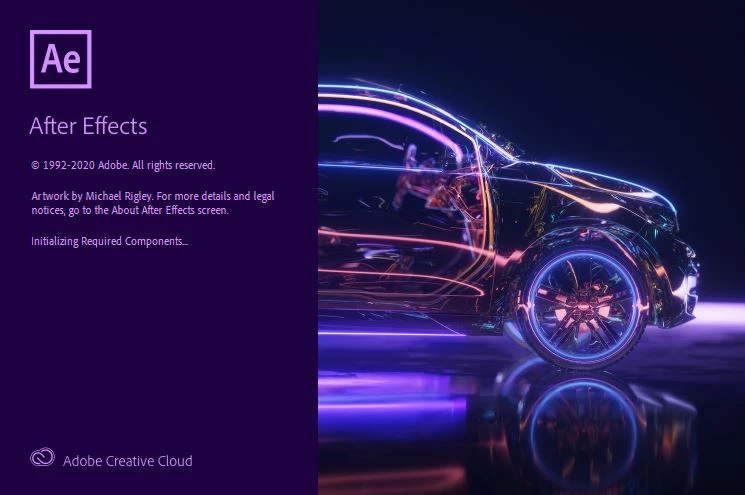
After effects stuck at "initializing required components"
  • March 24, 2020
  • 返信数 6.
  • 23689 ビュー

After effects is stuck at "initializing required components" part.

I have uninstal with creative cloud and creative cloud cleaner tool.

re install and the same happens, stuck at "initializing required components" 

I have deleted the plug ins and didn´t work

I have worked with after affects a few hours ago and sudently does not start.

PC Specs: Intel Core i5 7600K, ATI Radeon RX 580, 16gb ram

Thank you

解決に役立った回答 Eddy5E53

been stuck on this error install font frenzy app and defrenzy all the fonts installed and it worked seems it was an error of fonts


返信数 6

Participant
July 22, 2022

同じ問題が発生しました。

改善策として指示のあったメディアキャッシュを含むフォルダの場所が見つからないのでmacOS Monterey 12.1での解決方法もお願いします。

Participant
June 27, 2021

اواجه نفس المشكلة كيف احلها الرجاء  الرد

Eddy5E53解決!
Participant
July 4, 2021

been stuck on this error install font frenzy app and defrenzy all the fonts installed and it worked seems it was an error of fonts


Participant
November 7, 2023

thankssssssss a lotttt  iwas watching 100 videos on YouTube to solve this problem and nobody knows how to solve it 

but this app helped me to open After Effect thanks again Eddy 

Participant
February 19, 2021

I have same problem and I did everything you said but it didn't work.

nishu_kush
Community Manager
Community Manager
March 3, 2021

Hi Ashraf,


Try changing the permissions. Here's how: https://helpx.adobe.com/in/x-productkb/multi/preferences-folder-read-only-error.html

If it doesn't work, create a new admin account on your computer and test After Effects in it.

Let us know if it helps.


Thanks,

Nishu

Participant
March 31, 2021

Same issue, tried everything on these forums. Uninstalled everything, deleted everything manually, reinstalled everything. Same issue always. Stop this system of innecesary updates please. Stop releasing everything in beta version. Please test the products before the release. Every new update is a nightmare. 

megaCHRIS360
Participant
June 11, 2020

I am experiencing same issue right now,

did all you suggested but it just did not work

nishu_kush
Community Manager
Community Manager
June 12, 2020

Hi megaCHRIS,


What happens when you try to launch After Effects? Is it stuck at the same loading module as in the screenshot above?

Let us know.


Thanks,

Nishu

Participant
June 23, 2020

Hi Nishu

I'm experiencing the same issue - it's just not getting past 'initializing required components'.

I've restarted my PC several times, followed all the steps above and managed to manually clear all the caches, but it's still not playing ball. I've even tried uninstalling and reinstalling.

I've experienced this issue once before - it went away after a day, but that's not reliable when I have deadlines to meet!

Hope you can help.

Matthew

nishu_kush
Community Manager
Community Manager
March 25, 2020

Hi there,


Welcome to the community and sorry for your issue.

I agree with Mylenium, by default Media Cache is stored at the following location:

C:\Users\username\AppData\Roaming\Adobe\Common


In addition to that, try resetting the preferences manually. Follow the steps:

  1. Go to C:\Users\username\AppData\Roaming\Adobe\After Effects
  2. Rename 17.0 as 17.0old
  3. Go to C:\Users\username\Documents\Adobe
  4. Rename After Effects as After Effectsold
  5. Now launch After Effects.

Let us know how it goes.


Thanks,

Nishu

avid_mindset15C3
Participating Frequently
March 25, 2020

It worked 🙂

I don't know for sure what it was but I did what you recommended and it worked.
Thank you so much for the time spent helping me 

Have a nice day and thanks again.

H.

nishu_kush
Community Manager
Community Manager
March 26, 2020

Glad to know that you fixed it. Feel free to reach out if there are any other questions.


Thanks,

Nishu

Mylenium
Legend
March 25, 2020

Have you actualyl trashed the prefs? Manually flushed the cache directories? If not, please do so. Also clear out your font caches and your CC App Libraries/ Sync folders. Damaged components and files in these folders have been known to cause odd effects. also of course check your system event viewer's logs. If something gets blocked or a critical system component fails to load you should see some indication of that there.


Mylenium

avid_mindset15C3
Participating Frequently
March 25, 2020

It worked 🙂
I don't know for sure what it was but I did what you recommended and it worked.
Thank you so much for the time spent helping me 🙂
Have a nice day and thanks again.

H.