OkinusMarketing
Participant
August 9, 2018
Answered

After Effects Track Matte not available in Online Tutorial

  • August 9, 2018
  • 1 reply
  • 1977 views

So I'm watching this tutorial online:Retro 80s Intro - After Effects Motion Graphics Tutorial - YouTube

And at the 2:28 mark the guy changes the Track Matte as "Alpha Matte Grid"

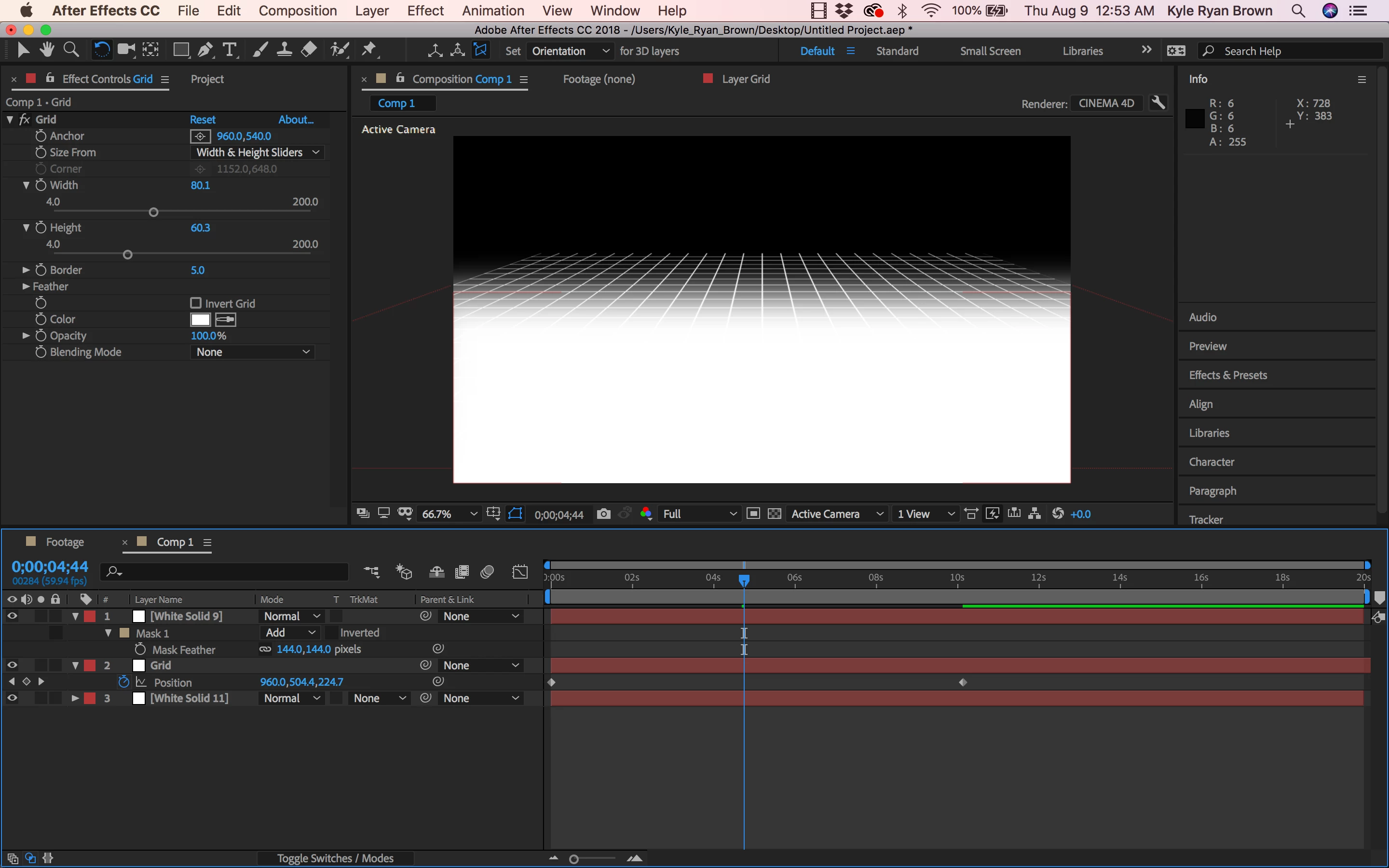
But when I go to do this effect it doesn't work because nothing is there. I followed this tutorial word for word but I don't know whats wrong.

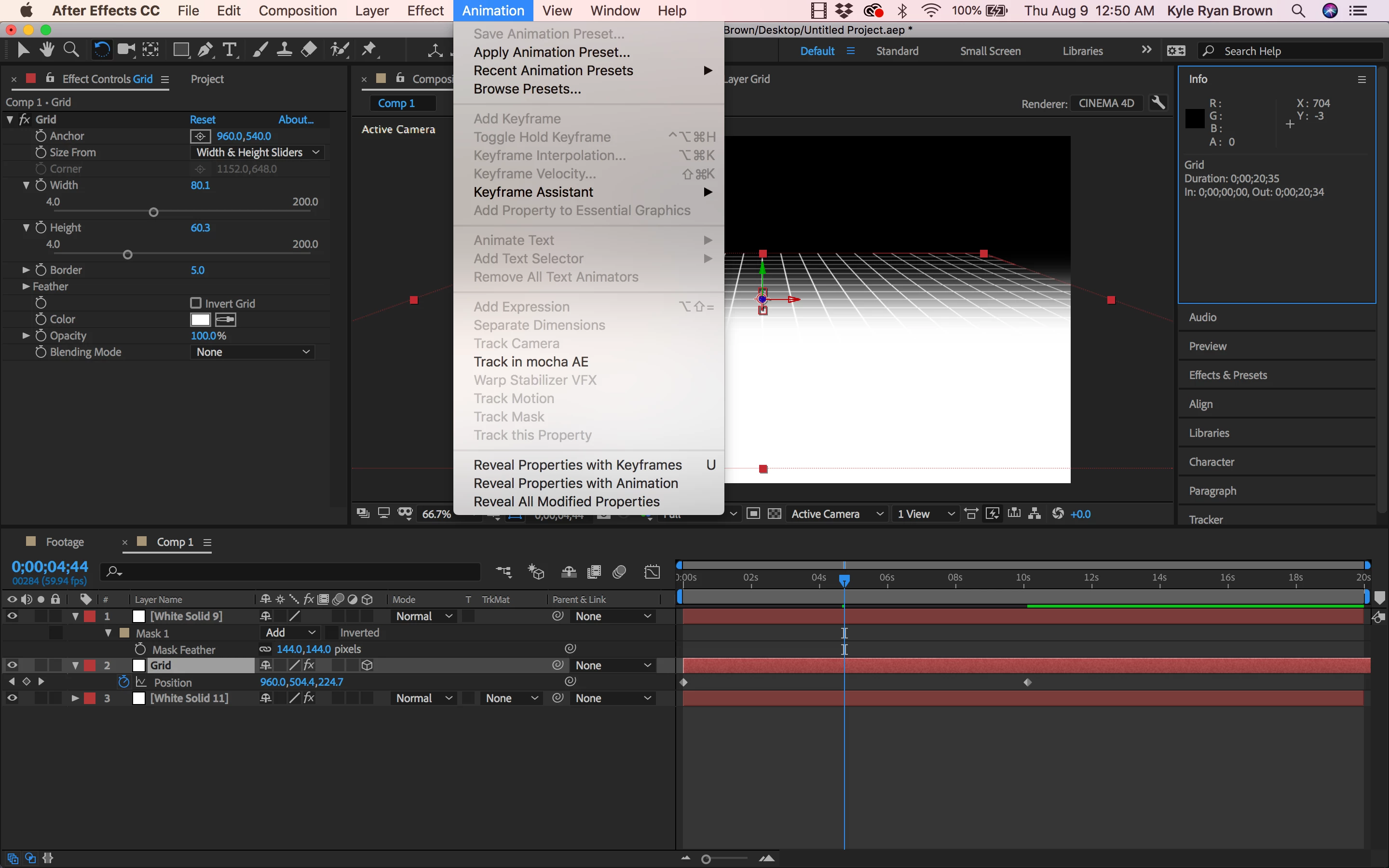
When I go back through the process it seems that everything's good until I make the Grid layer 3D but you can clearly see in the tutorial he makes it 3D and he has the option available.

I provided some screenshots for visuals
This topic has been closed for replies.
Correct answer Rick Gerard

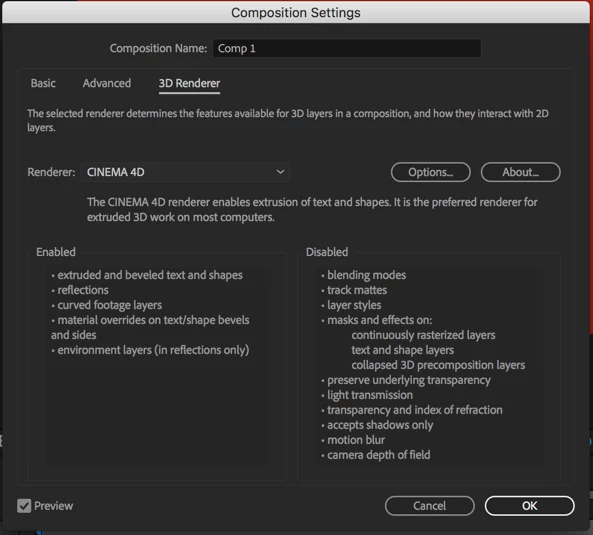
Track matte is not available when you use the C4D rendering engine. Change to Classic.

In the future make sure you read and understand the warnings and features of the different rendering options.

I would give that tutorial about a 7. The workflow is OK but the explanations are not as good as they should be.

1 reply

Mylenium
Legend
August 9, 2018

Expand the column header width of the timeline pane so AE can actually show the buttons.

Mylenium

OkinusMarketing
Participant
August 9, 2018

That didn't do anything.

Rick GerardCommunity ExpertCorrect answer
Community Expert
August 9, 2018

Track matte is not available when you use the C4D rendering engine. Change to Classic.

In the future make sure you read and understand the warnings and features of the different rendering options.

I would give that tutorial about a 7. The workflow is OK but the explanations are not as good as they should be.