
February 3, 2015
Question

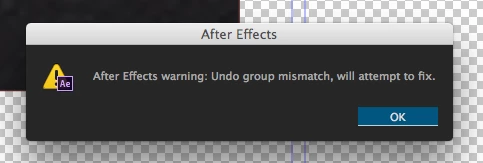
After Effects warning: Undo group mismatch, will attempt to fix

  • February 3, 2015
  • 8 replies
  • 38232 views

After Effects warning: Undo group mismatch, will attempt to fix. Have reinstalled After Effects a number of times, and now have a new computer. IT support at work are baffled. This happens as a result of not being able to import files in the normal way (File> Import, double click the media browser, right click on media browser and import) This is not a continuous issue, when I first open AE, I am able to work as normal, import at normal. Only after importing a few different comps does this begin to happen. I am suddenly unable to import any type of file or media. It does not respond or react to opening a box to even begin browsing for what I wish to import. The only other way to import would be to drag and drop my desired media into the project. As a result, when attempting to edit key frames for that imported item, this error (as before) will appear, and all imported media will disappear. Any idea how on earth to fix this issue, or what else I can do? The work around I have at the moment, is to close AE and reopen it, for it to work for about 30 mins before stopping again. it also quite often crashes when this pop up appears.
    8 replies

    Participant
    September 3, 2025

    Just had the same problem on CC 25.3.2

    The issue apparently was a bunch of shape layers, where the different contents inside a shape layer had the same name. So once I renamed the duplicate names, the error disappeared.

    jackthegiantkiller
    Inspiring
    November 16, 2023

    Yeah, still ongoing in AE 24.0.3, latest Ventura, with an M1 Macbook Pro Max topped off. It's not so debilitating on this end as it is annoying and silly. Why on earth would an error message be worded so vaguely, so passively? Will attempt? I don't want to know that the app is "attempting" anything, just freaking do it. If it fails then let me know.

    Warren Heaton10841144
    Community Expert
    Community Expert
    November 16, 2023

    It's phrased in developer-speak.


    It could read something like, "Something happened that could cause a crash.  After Effects is attempting to prevent it.  If a crash does not occur, this was successful.  Ok."


    jackthegiantkiller
    Inspiring
    November 21, 2023

    I hear you, but again, why do we need to see this message at all? If it crashes, it crashes, but why interrupt the process and make me have to click one more thing to get back to work?

    Kirby Krieger
    Participating Frequently
    August 15, 2023

    Resurrecting this thread for anyone else who is getting the error message:

    After Effects warning: logged 2 errors, please check log. First error was "warning: Undo group mismatch, will attempt to fix." 

    Has been happening for a few weeks before today Tue 15 Aug 2023. From this thread I'm concluding it is caused by the Plug-in script "Render Frame at Markers". I will bring it to the programmer's attention.


    After Effects Version 23.6.0 (Build 62)

    MacOS Ventura 13.4.1 (c)

    Participant
    March 30, 2023

    This is still happening on AE 2023.

    Participant
    July 10, 2023

    Still happening. Just got the error today. Isn't it amazing how a one-man band programmer, product designer, UI interface creator who made the https://dirtywave.com/ synthesizer, you can report a bug, and it's fixed within a matter of days.


    This error, in a $1billion turnover company sticks around for nearly a decade. *shakes head at their pure incompetence*

    Warren Heaton10841144
    Community Expert
    Community Expert
    July 17, 2023

    Regarding:  After Effects warning: Undo group mismatch, will attempt to fix.  OK


    If scripts want to wrap several commands up in one single undo step, they create an undo group at the beginning of those steps and then close that undo group at the end.


    Usually, the "Undo group mismatch" message means the script is trying to open another group before closing the first one.


    It's definitely something to take up whoever publishes the script causing the error message as it’s entirely within their script.

    GrittyGirl
    Participating Frequently
    January 18, 2022

    Yup getting that message at the end of a render...everything seems to be working okay on my new M1Max 14' with 64gb ram.  I am having quite a few issues with AE in general on this new MBP...driving me crazy

    Inspiring
    July 14, 2022

    I'm in the same boat. I was surprised to see the original post is time stamped ~7 years ago. A lot has changed with Mac and MacOS during that time. That this error still occurs is telling. 


    I've seen it after a render concludes as well as trying to move four keyframes at once. The latter example resulted in data loss as the keyframes vanished after the error  popped up. 

    Warren Heaton10841144
    Community Expert
    Community Expert
    July 14, 2022

    @DW-FP 


    Have you sent the information requested earlier in this thread to Tim?  This error message usually clears on its own from around After Effects 2018 and up.

    Participant
    October 4, 2021

    Hello, out of Nowhere, I am constatly getting this error message very randomly and it often undos whatever i've done or just closes after effects completely, i've updated to the latest version, cleared my cache, retstarted my laptop, nothing seems to work.

    I'm working with Ae 2020 on an 8gb Macbook Pro M1 2020 if that helps

    jackthegiantkiller
    Inspiring
    October 28, 2021

    This is one of those neverending bugs that Adobe can't seem to squash, nor do they seem interested. They just consistently shrug their shoulders and amble on. What I really don't understand, why not have After Effects just handle the freaking bug, you know, "attempt to fix" it without this stupid, annoying and repetitive alert that does nothing?

    Motiongrapher-KMRkQT
    Known Participant
    July 11, 2018

    I am having the exact same problem. Trying to render TIF sequences and some "Paint & Stick Plugin" layers on top of them.

    I am using CC 2017 ver 14.2.1.34

    Mylenium
    Legend
    February 3, 2015

    Anything from cache corruption to leaky plug-ins used in the projects to CoDec issues. Impossible to tell, since you have not provided any exact info.

    Mylenium

    February 3, 2015

    Hi, thanks for your response. What information can I provide to be more specific? I would be more than happy to provide.

    Szalam
    Community Expert
    Community Expert
    February 3, 2015

    katiejaneshore wrote:

    What information can I provide to be more specific? I would be more than happy to provide.

    FAQ: What information should I provide when asking questions?