
Question
Ai files changing colour when importing into AE
When I’m importing Ai files from Illustrator to AE the colours shift a lot. The RGB values change.
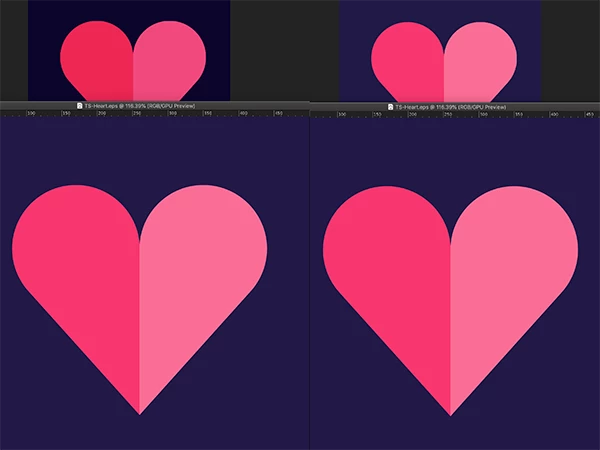
Colour management is on and I’m using the Apple RGB. Checked the project settings just incase and both the Ai file and the Ae file use the same colour space. But when I import I get the top left images (illustrator image below). As a test I can convert the Ai file shapes and recolour (right pair of images). What am I doing wrong?
Note that I have tried converting the files to different working spaces but I get the same colour-shifting.
 AdChoices