
Inspiring
March 4, 2019
Answered

AI to AE Blending Modes

  • March 4, 2019
  • 4 replies
  • 5656 views

Is there something I should be doing in Illustrator to control blending modes when brought into After Effects? I had a number of objects on different layers that used the Color Dodge blending mode but upon opening in AE, they were set to Normal. Do I need to apply the blending mode to the whole layer rather than the objects on them?

Thanks!
This topic has been closed for replies.
Correct answer Rick Gerard

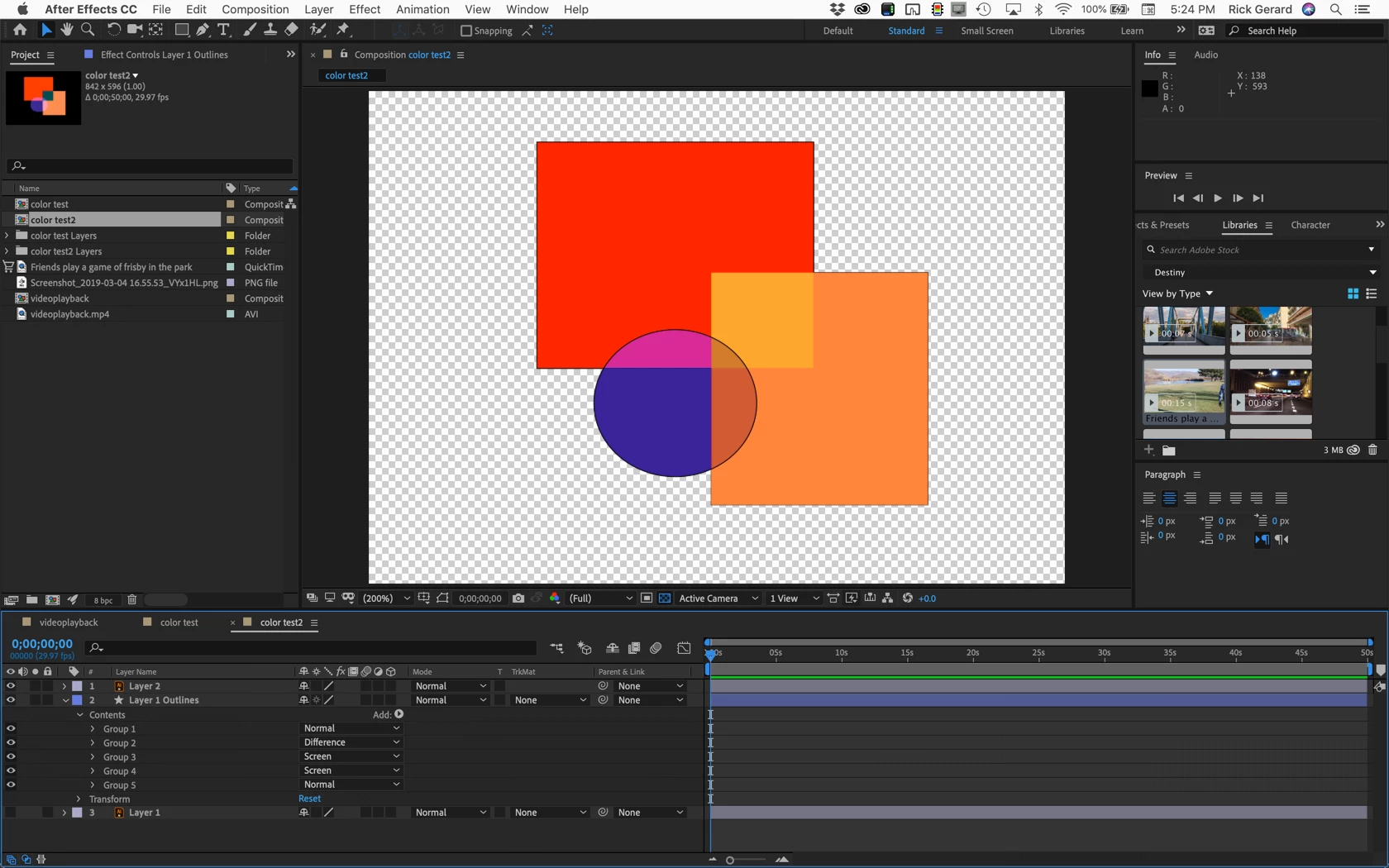
The blending modes do not translate across layers like they do in AI.

All of the shapes must be on the same layer or a group for the blend modes to show up in a composition made from an AI file,  but they are not editable.

If you need to edit blending modes you can choose Layer>Create>Shapes from Vector layers, and as long as the fills are simple (not gradients) you will get a group with each path and shape in the AI layer and you can then edit the blend modes any way you like.

I hope this makes sense.

4 replies

njdunn1
Participant
December 3, 2021

I recommend using Overlord for this kind of work! You can import layers easily from AI > AE


https://www.battleaxe.co/overlord

mikehammAuthor
Inspiring
March 5, 2019

Thanks for the info. After a bit of fiddling about, I'm happy to get pretty much the exact same look in AE as I had in AI. AE on the left, AI on the right.

Rick GerardCommunity ExpertCorrect answer
Community Expert
March 5, 2019

The blending modes do not translate across layers like they do in AI.

All of the shapes must be on the same layer or a group for the blend modes to show up in a composition made from an AI file,  but they are not editable.

If you need to edit blending modes you can choose Layer>Create>Shapes from Vector layers, and as long as the fills are simple (not gradients) you will get a group with each path and shape in the AI layer and you can then edit the blend modes any way you like.

I hope this makes sense.

Dave_LaRonde
Inspiring
March 5, 2019

I wouldn't rely on IL blending modes to properly come in to AE.  Use the blending modes in AE for your Illustrator layers -- life gets a whole lot easier if you do so.