Answered
All target frames are completely opaque (Content-Aware Fill)
As titled suggests, can't figure it out - Please help!
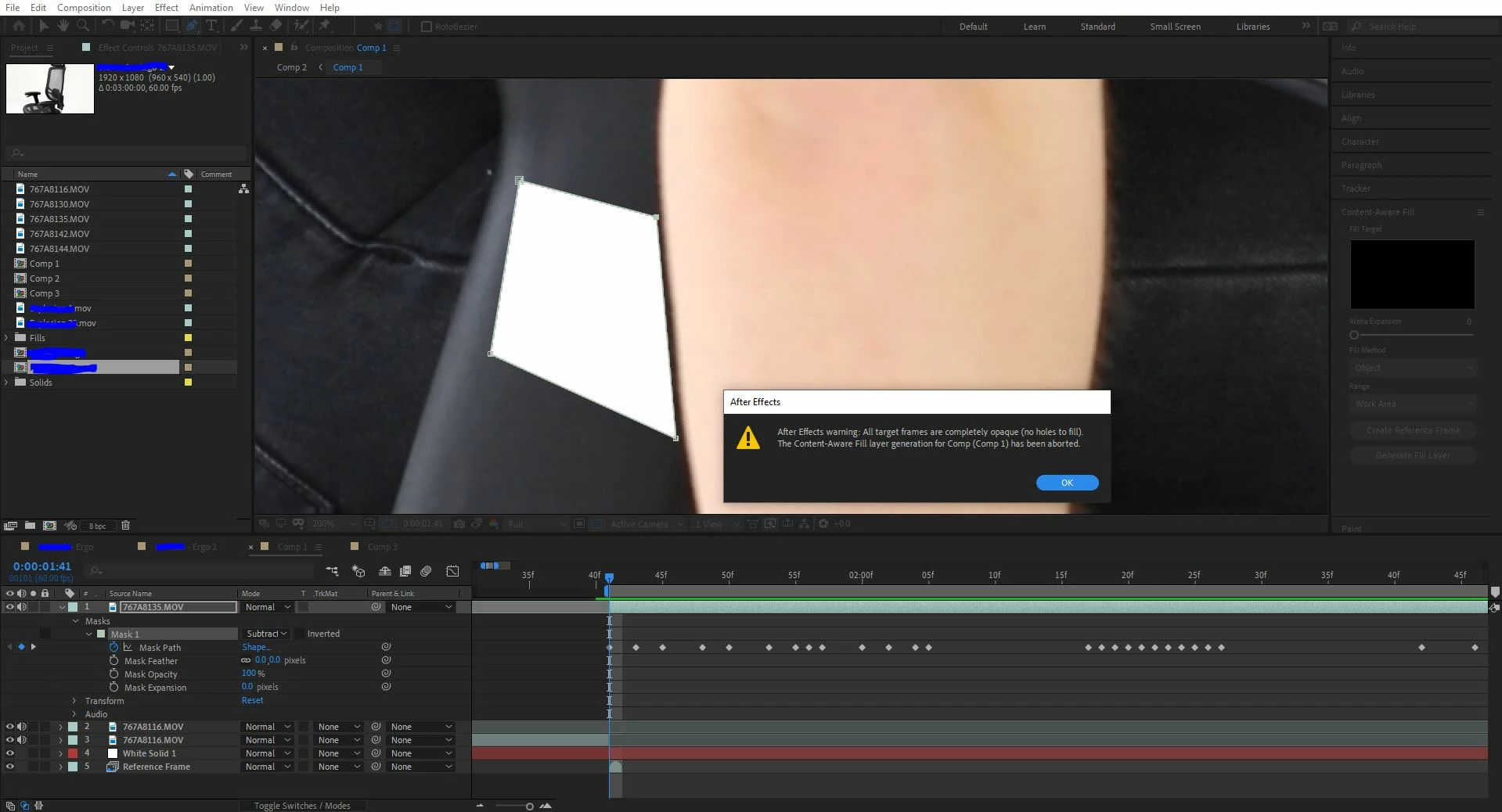

As titled suggests, can't figure it out - Please help!
This solve worked for me after several failures: set your work area to just your layer length, and solo it. Make sure your mask(s) are set to subtract, and your range set to "work area." Then run the content-aware fill process. It should finally come out with an error-free result. Using AE 2022.
Already have an account? Login
Enter your E-mail address. We'll send you an e-mail with instructions to reset your password.
 AdChoices