
Legend
November 13, 2021
Answered

Alpha Track Matting Another Video to Fill the Inner Text Layer

  • November 13, 2021
  • 1 reply
  • 662 views

Hello there!

Who Has the Know-How to Bring this Common Idea to Life?


Current Scenario: 

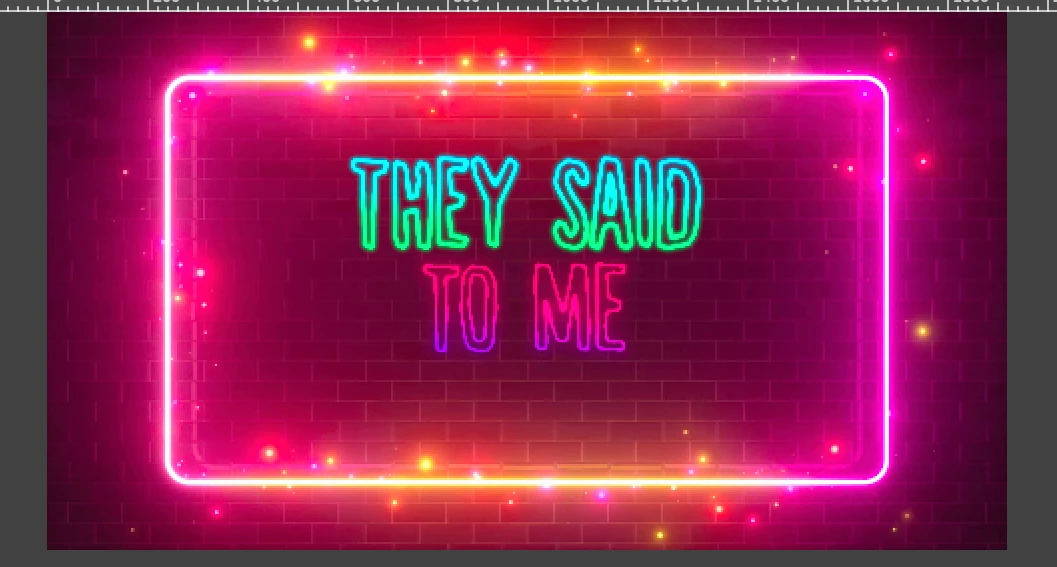
√The neon-style magenta background is layered behind my text.

√The background is a video and my text has several keyframes. 

Desired Outcome: 

√To keep my current scene the way it is, yet add an additional video file which only displays through the the inside of the text outlines. 

Tried to: 

Change 'TrkMat' Column via Timeline on the Text Layer, but then the Text Layer disappeared from view, in preview, completely. This only left the neon-style magenta background and nothing else.   


Much Gratitude,

One&Done

This topic has been closed for replies.
Correct answer thepixelsmith

Assuming it's an AE text layer you should have a fill color in the Character panel.


1 reply

thepixelsmith
Community Expert
Community Expert
November 13, 2021

Assuming the text is created in AE:

1 - Duplicate the text layer.

2 - Move the new (duplicate) layer below the original text layer. 

3 - Set the new text layer's properties so it has a fill

4 - Place your video layer below the new text layer (thats the duplicate text again)

5 - Set the Track Matte menu of the video layer to Alpha Matte "text layer's name will be here".

One&DoneAuthor
Legend
November 13, 2021

Ah, make much more sense now for a layer beneath text top have the alpha setting. I would have never realized I needed a duplicated text layer, so thank you greatly! The only step I am stuck on is the 3rd. Trying to figure out if fill options for this in the Character or Tools panel...or someplace else?


Thank you very much!

thepixelsmith
Community Expert
thepixelsmithCommunity ExpertCorrect answer
Community Expert
November 13, 2021

Assuming it's an AE text layer you should have a fill color in the Character panel.