
MahaB82A
March 29, 2022
Answered

Alternative to Fast Blur

  • March 29, 2022
  • 5 replies
  • 11845 views

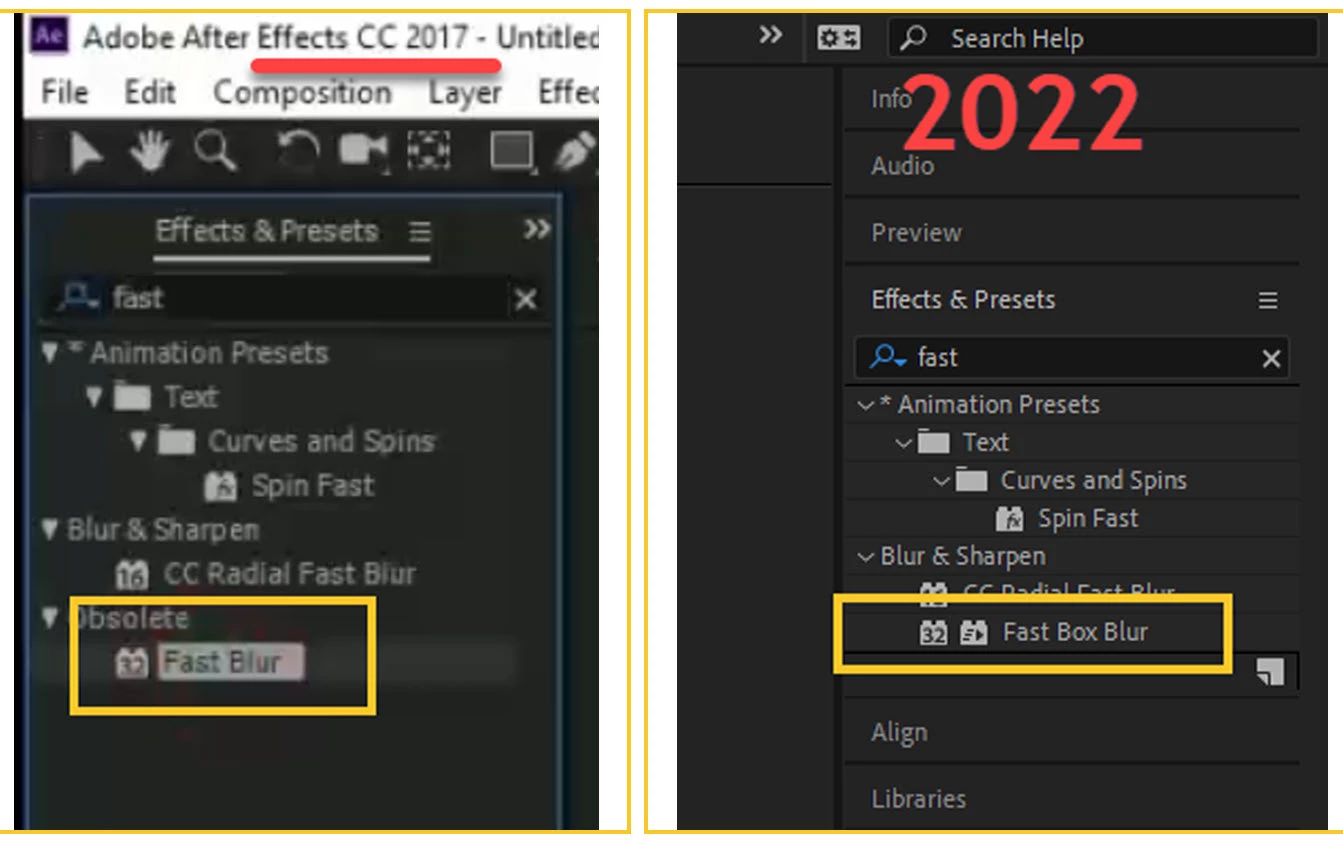
I am doing a tutorial made with Ae 2017 version which had Fast Blur effect. Mine is a 2022 version which has Fast Box Blur only not has Fast Blur. Is there any alternative to Fast Blur in 2022 version?  


There is an issue I think because of incorrect effect.
 

Correct answer jason_bartell

Hi MahaB82A,


Fast Box Blur is the replacement for both Fast Blur and Box Blur, hence the name. It uses the same gaussian blur approximation as both of these, and also supports rendering on the GPU. Fast Blur was hard wired at three iterations, so Fast Box Blur at the default Iterations setting has the same quality. I don't recall if the radius values match between the two so you might need to adjust that for your tutorial.


Cheers,

Jason

5 replies

Joost van der Hoeven
Community Expert
Community Expert
March 30, 2022

Gaussian blur sould be fine.

Inspiring
March 30, 2022

There's a script that ships with After Effects under the Files  > Scripts menu called "UpgradeLegacyBlurs." Give this a go and it should run through your project and upgrade all instances of Fast Blur to Fast Box Blur and Gaussian Blur (Legacy) to Gaussian Blur. The biggest downside here is that the effect name of say, "Gaussian Blur (Legacy)" will be retained, even though the effect has been upgraded. You'll know the upgrade happened because the "Repeat Edge Pixels" box will show up.

MahaB82A
MahaB82AAuthor
March 30, 2022

I followed your method but I did not get the result. Here is the video. I closed the file and opened again for the changes to take place but no results.

Inspiring
March 30, 2022

You had the Effects & Presets panel active when you ran the script. Try selecting in your timeline of the composition then run it again.

MahaB82A
MahaB82AAuthor
March 30, 2022

This is that YouTube video. Issue with exact time is 20:18.


 https://www.youtube.com/watch?v=Yia9r7jyYO4&t=510s


jason_bartellCommunity ManagerCorrect answer
Community Manager
March 30, 2022

Hi MahaB82A,


Fast Box Blur is the replacement for both Fast Blur and Box Blur, hence the name. It uses the same gaussian blur approximation as both of these, and also supports rendering on the GPU. Fast Blur was hard wired at three iterations, so Fast Box Blur at the default Iterations setting has the same quality. I don't recall if the radius values match between the two so you might need to adjust that for your tutorial.


Cheers,

Jason

MahaB82A
MahaB82AAuthor
March 30, 2022

Thanks for the help.

Jose Panadero
Community Expert
Community Expert
March 29, 2022

You can use the Gaussian Blur Effect. The obsolete Fast Blur was used because in earlier versions of After Effects, the Gaussian Blur effect didn't incorporate any edge treatment and could cause transparent edges in the boundaries of the layer. Fast Blur effect had a parameter called Repeat Edge pixels to avoid this behavior. In the latest versions of After Effects you have the Repeat Edge Pixels parameter inside the Gaussian Blur Effect and also it is GPU accelerated so there is no need for more Fast Blur Effect. The Fast Box Blur is not an alternative for the old Fast Blur Effect as it generates a rather different blur than Gaussian Blur Effect (you can appreciate a boxed pattern when blurring that dissapears as soon as you increment the iterations getting an even smoother blur than the gaussian blur)

chrisw44157881
Inspiring
March 29, 2022

 many templates that rely on softening mattes are going to need editing. I hope we can get the exact same funtionality at low values.