
An absolutely absurd problem in After Effects
So this problem I'm having started out of nowhere. I have not changed anything on my PC/After Effects settings. I am really good with computers and solving these kind of problems, but everything that I've tried has not worked. I have tweaked around with all kinds of different composition settings. I re-recorded the footage like 3 times and the same thing happened each time. I have used both Adobe Premiere Pro and After Effects for a long time and I have never had problems like this. This exact same problem occurs in Adobe Premiere Pro too. The problem is quite simple:
I have a video clip of gameplay footage, which is recorded in 1920x1080 resolution. Full HD 16:9 video clip. You can see a screenshot of the footage here: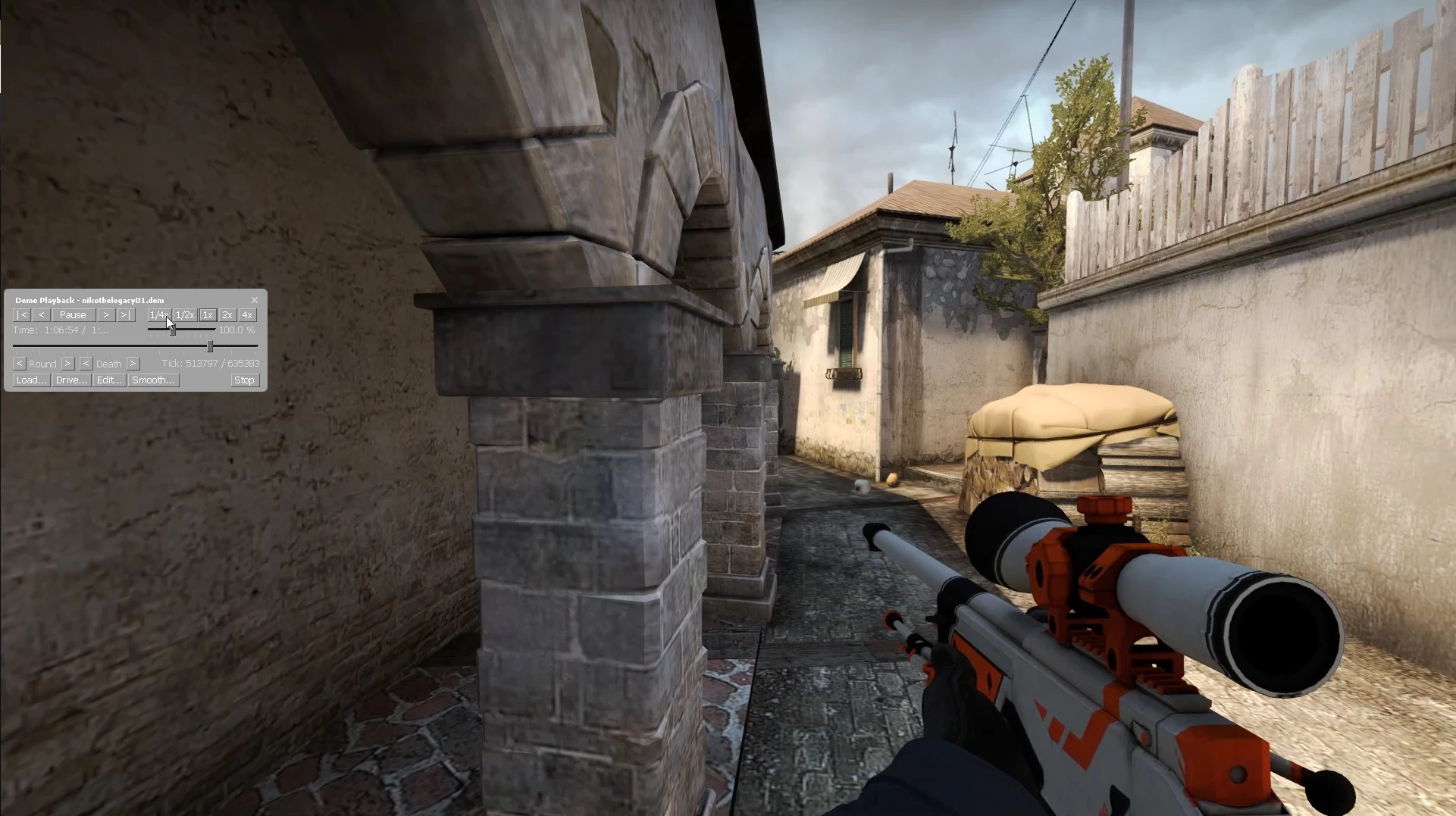
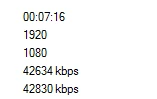
Proof that the file is indeed 1920x1080:
Now importing the file into the After Effects composition (1920x1080 composition), this is what I see:
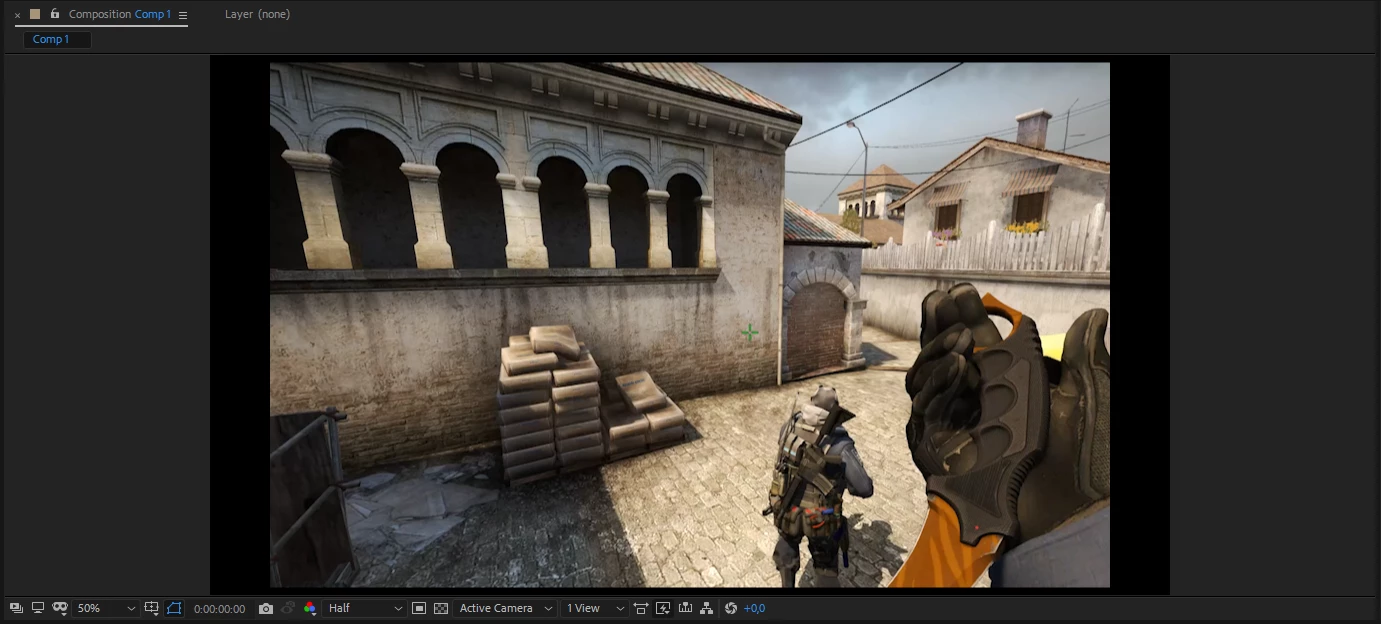
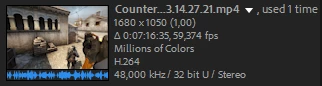
As you can see there are black borders around the footage. The software thinks for some reason that the file is 1680x1050, and completely removes the remaining frames that you should be able to see. Here's what After Effects properties are for the file:
Here is a comparison of the actual video from Windows Media Player, and after that the After Effects preview footage.
Windows Media Player:
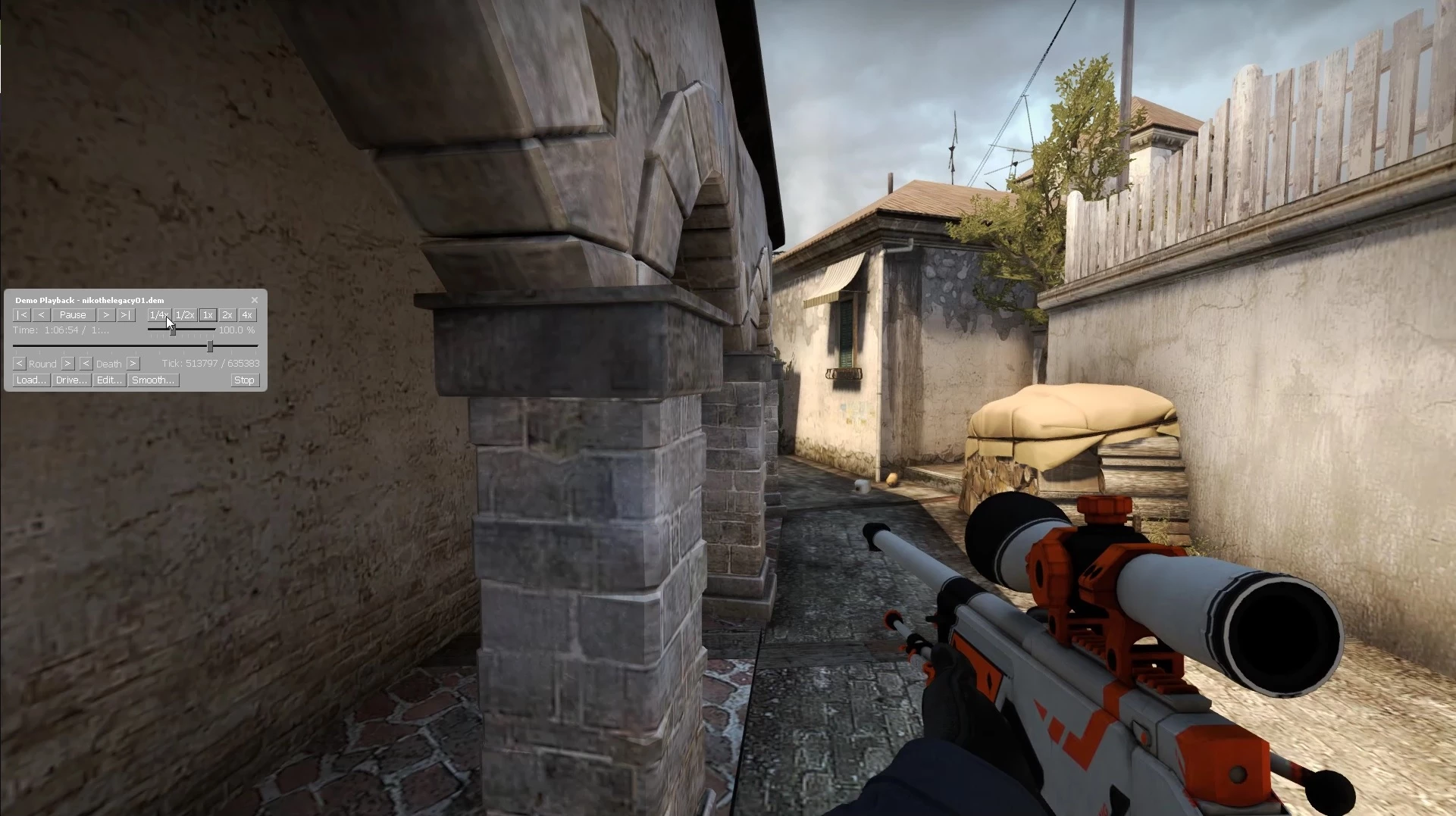
After Effects:
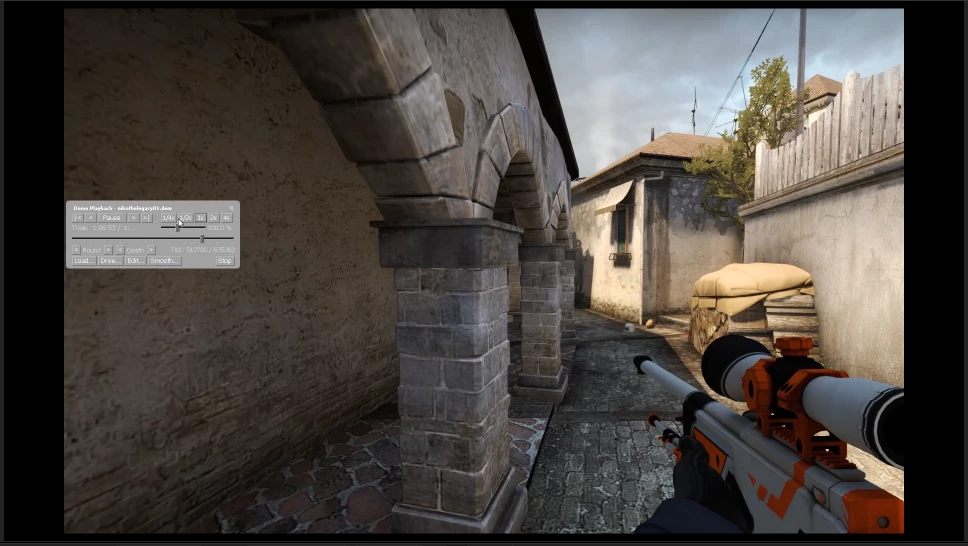
Also something interesting to notice is that the composition is not cut out from each side of the video, but instead the video is cut the remaining 1920-1680=240 pixels from only the right side. Similarly the video is cut from only the bottom the remaining 1080-1050=30 pixels.
What on earth is going on and how do I fix this?
 AdChoices