
An expression to get the delay time
Hello everyone!
I know, I know, you've been asked that question a million times 😃 But somehow I still can't get the current "valueAtTime" from the Slider Control layer.
I want the animation to start with the correspondent layer (it's "Outlines 2 " in the screen). Meaning a delay must be equal to the current comp time. But whatever I do the delay doesnt seem to pick the current time (the value between Control-Delay keyframes) but takes only the last keyframe value (which is 3 on the sceen). So if I move the below layer - the animation will start at 3 seconds anyway. Doesn't pick the values in between...
Could you pleae tell me what am I doing wrong? )
Thanks!
Anastasia.
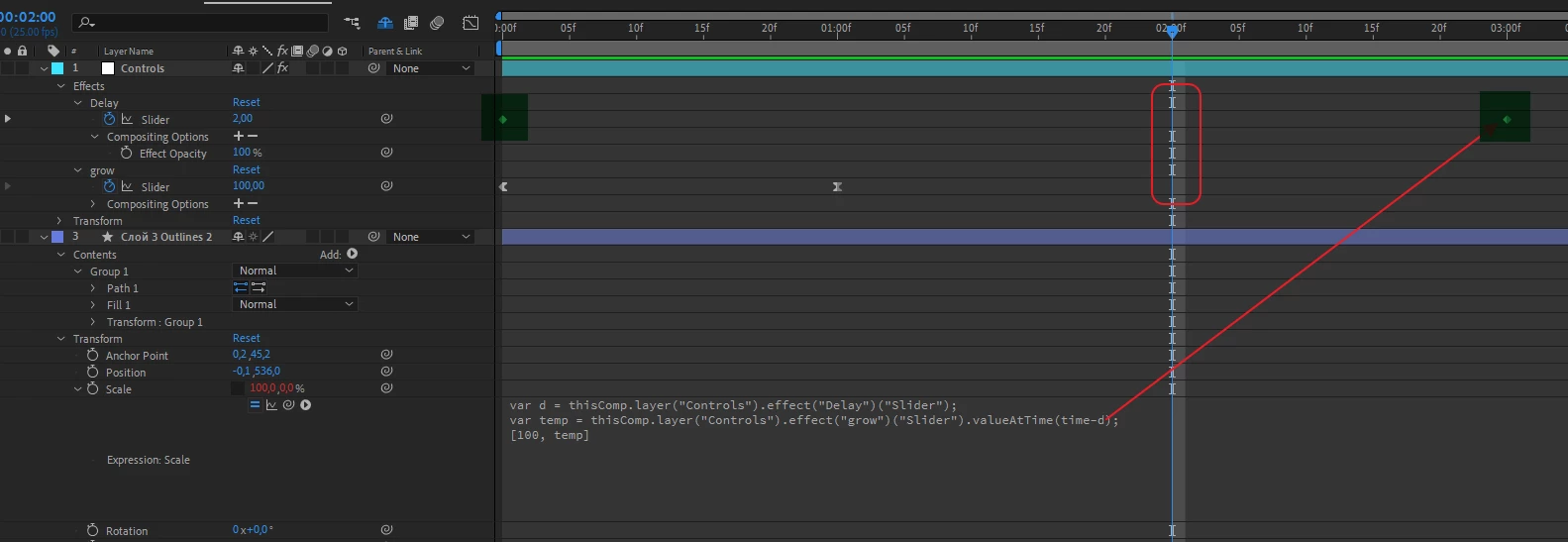
P.S. I want the value only for vector-layer, one of the scales (another one is always 100% so it says firmly "100" in the expression as one of the parameters).
 AdChoices