
des.momed
Participating Frequently
November 3, 2020
Answered

anchor point transform

  • November 3, 2020
  • 1 reply
  • 473 views

hi everyone,


i wanna know what deffrent between anchor point property and position property in animation?

how it be useful in animation?


if there any video for explane this prpoperty or any subject talking very well, i hope feed me guys..


thanks.
This topic has been closed for replies.
Correct answer Rick Gerard

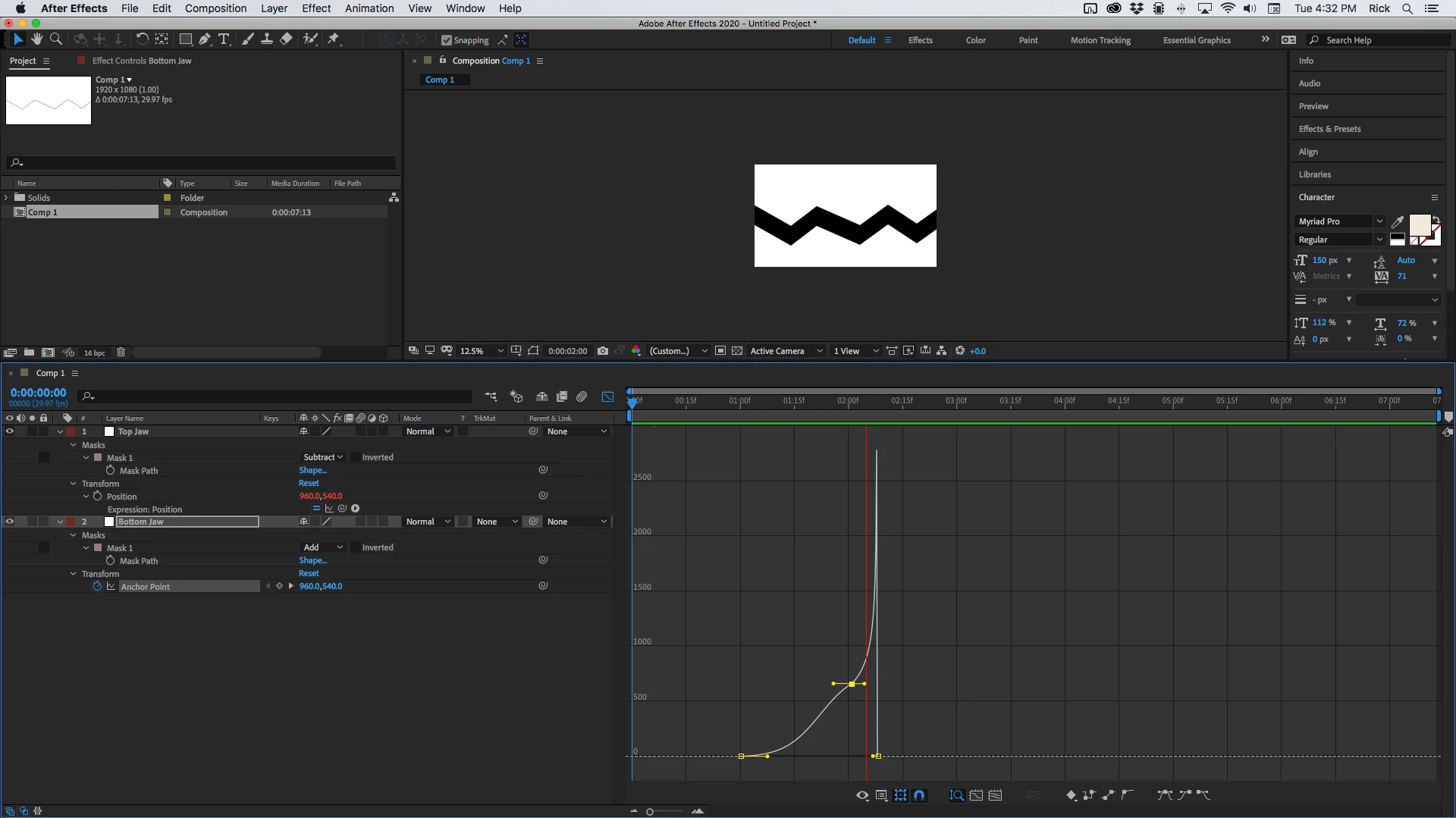
Animating either value moves a layer. The anchor point is the center of rotation and scale so adjusting the anchor point is important in a lot of animations and critical if you are positioning 3D layers. You can use the Pan Behind tool (y) to move an Anchor Point in the Composition panel without changing the layer's position, but if you make any adjustments in the timeline, the layer will move in the opposite direction. Increase the Y value of the Anchor Point and the layer will move up. Increase the Y value for the Position value of a layer and the layer will move down. If you tie the Anchor point of one layer to the position property of another layer using a simple pickwhip expression you can make layers operate like jaws by simply animating the position of one layer. Something like this comp (download it) is a lot easier than animating the position of both layers.

So here's the definitive answer to your question. "Use the property that makes the most sense for your project."

1 reply

Rick GerardCommunity ExpertCorrect answer
Community Expert
November 4, 2020

Animating either value moves a layer. The anchor point is the center of rotation and scale so adjusting the anchor point is important in a lot of animations and critical if you are positioning 3D layers. You can use the Pan Behind tool (y) to move an Anchor Point in the Composition panel without changing the layer's position, but if you make any adjustments in the timeline, the layer will move in the opposite direction. Increase the Y value of the Anchor Point and the layer will move up. Increase the Y value for the Position value of a layer and the layer will move down. If you tie the Anchor point of one layer to the position property of another layer using a simple pickwhip expression you can make layers operate like jaws by simply animating the position of one layer. Something like this comp (download it) is a lot easier than animating the position of both layers.

So here's the definitive answer to your question. "Use the property that makes the most sense for your project."

des.momed
des.momedAuthor
Participating Frequently
November 4, 2020

thanks gentelman