Inspiring
February 5, 2018
Answered

Anchor point

  • February 5, 2018
  • 1 reply
  • 1703 views

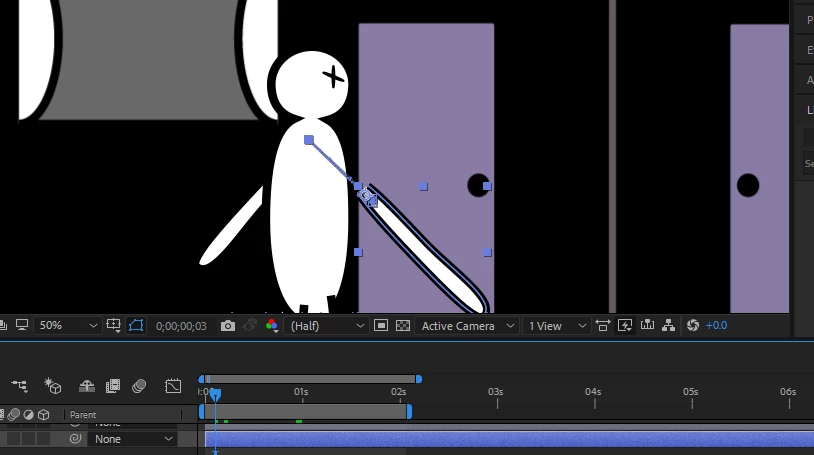
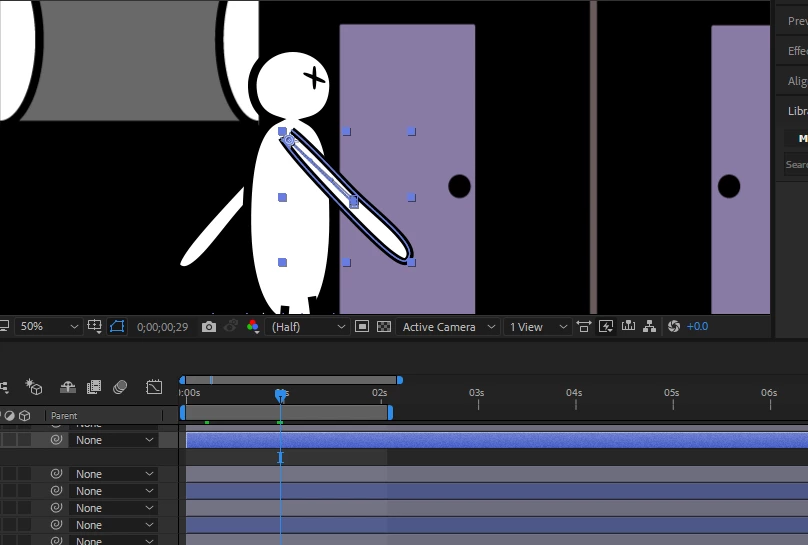
I moved the anchor point of the right arm so i can rotate it along the shoulder point, rather than the centre.
    This topic has been closed for replies.
    Correct answer Omar.Fathy

    you made that after making animation for position.
    So you should first remove your animation from position and change the anchor point place.
    or you can edit you anchor point to adjust that but the easiest to remove your position animation before replacing the anchor point.

    1 reply

    Omar.Fathy
    Community Expert
    Omar.FathyCommunity ExpertCorrect answer
    Community Expert
    February 5, 2018

    you made that after making animation for position.
    So you should first remove your animation from position and change the anchor point place.
    or you can edit you anchor point to adjust that but the easiest to remove your position animation before replacing the anchor point.

    Inspiring
    February 5, 2018

    Hi that works, thanks!

    Community Expert
    February 6, 2018

    When you post screenshots please make sure that you reveal all of the modified properties of the layers giving you problems by selecting them and pressing the U key twice. That is the only way we can see what you have done to the layer. We could guess that you have animated position because we could see the motion path in the Comp panel but any one of a couple thousand possible errors were invisible in your screenshots. You don't need to crop them. Just PrintScreen and paste to the forum if you are on Windows or drag from the desktop if you are on a Mac. (Shift + Ctrl/Cmnd + 3 for a Mac Screenshot).